If you want to create a Gaussian splat from video, the process starts with a slow orbiting flight or walk around your subject, then uploading that footage into a splat-focused tool that reconstructs the scene as a field of soft, light-accurate points called Gaussians. A Gaussian splat renders faster and often looks more photoreal than a traditional 3D mesh, which is why it has become popular for real estate walkthroughs and virtual tours. This guide covers the capture technique, the tools that convert video to splats, processing time, where splats fall short, and when a measurable 3D model is the better deliverable instead.
Key Takeaways
- Creating a Gaussian splat from video takes three steps: capture a slow orbit with heavy overlap, upload to a tool such as Polycam, Luma AI, Postshot, Nerfstudio, or KIRI Engine, and let it train the splat.
- Splats are built on the 3D Gaussian Splatting method from Kerbl et al. at SIGGRAPH 2023, which renders radiance fields in real time rather than the slower rendering used by earlier NeRF techniques.
- Processing ranges from a few minutes for a small object to close to an hour for a full building exterior, depending on video length and whether training runs on a cloud or local GPU.
- Splats excel at photoreal viewing but carry no built-in measurement, GPS-grade accuracy, or CAD-ready geometry, making them a poor fit for documentation or legal deliverables.
- The same orbit video captured for a splat can be uploaded to SkyeBrowse instead to produce a measurable mesh, point cloud, or orthomosaic, with no separate reshoot required.
Contents
- How Do You Create a Gaussian Splat From Video?
- What Video Should You Capture for a Gaussian Splat?
- Which Tools Convert Video to Gaussian Splats?
- How Long Does Gaussian Splat Processing Take?
- What Are the Limitations of Splats Made From Video?
- When Is a Measurable 3D Model the Better Output Than a Splat?
- FAQ
How Do You Create a Gaussian Splat From Video?
To create a Gaussian splat from video, capture continuous overlapping footage circling your subject, then upload it into a splat tool such as Polycam or Luma AI. The tool extracts frames, estimates a camera position for each one, and trains a field of Gaussians, small light-emitting ellipsoids, that reconstruct the scene's color and depth. The result is an interactive 3D scene you can rotate and share from a browser, with no LiDAR unit or specialized camera rig required.
Most consumer tools follow the same sequence: frame extraction, structure-from-motion to recover camera poses, then iterative optimization that grows and prunes millions of Gaussians until rendered views match the source frames. That optimization step is what the original research calls "splatting." For a deeper look at the underlying technique, see our full guide to Gaussian splatting.
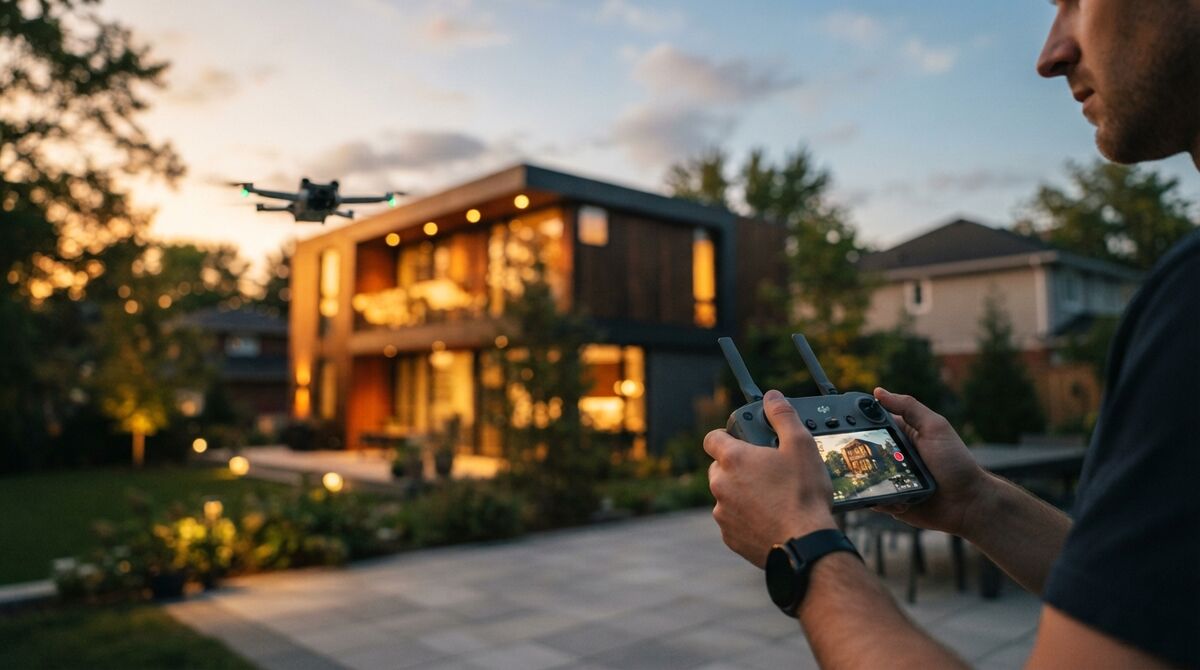
A phone video works for small scenes. A drone orbit works better for full property exteriors and anything too large to walk at a consistent height.
What Video Should You Capture for a Gaussian Splat?
Capture a slow, steady orbit at a consistent altitude with 70 to 80 percent overlap between consecutive frames, keeping the subject centered and well lit. Avoid moving objects, reflective surfaces, and abrupt speed changes, since all three confuse the camera-pose estimation every splat tool depends on. Shoot in .MP4 or .MOV at the highest resolution your device supports, and keep the motion smooth rather than fast.
Overlap matters because the tool has to triangulate each Gaussian's position from multiple viewpoints. Thin coverage in one section of the orbit shows up later as a hole or a warped cluster in that exact spot. Flying too fast introduces motion blur the pose estimator cannot resolve, and flat lighting washes out the texture detail that gives a splat its photoreal look. This capture discipline is identical whether the footage is headed into a splat tool or a measurable 3D platform.

Which Tools Convert Video to Gaussian Splats?
Polycam, Luma AI, Postshot, Nerfstudio, and KIRI Engine all convert video into Gaussian splats, but they differ in where processing happens and how much setup they require. Polycam and KIRI Engine run mobile-first capture-to-splat workflows aimed at quick turnaround. Luma AI accepts video uploads through a browser and is popular for real estate scenes. Postshot trains locally on your own GPU for users who want control over training parameters, and Nerfstudio is an open-source research framework built for technical users comfortable with a command line.
Each of these tools implements variations of the method Kerbl, Kopanas, Leimkühler, and Drettakis introduced at SIGGRAPH 2023 in "3D Gaussian Splatting for Real-Time Radiance Field Rendering," which made splats practical outside a research lab. Polycam and Luma AI trade training control for a one-tap cloud pipeline, no GPU required. Postshot and Nerfstudio hand that control back, letting you tune iteration counts and Gaussian density at the cost of a steeper setup, including your own structure-from-motion step (typically COLMAP) first.
None of these tools produce measurable output. They optimize for how a scene looks, not for how accurately it can be measured or exported into GIS or CAD software.
How Long Does Gaussian Splat Processing Take?
Splat processing typically takes a few minutes for a small object, 10 to 20 minutes for a room-scale interior, and up to an hour for a full building exterior or larger outdoor scene. Cloud tools like Polycam and Luma AI bundle upload, training, and a queue wait into one step, while desktop tools like Postshot and Nerfstudio depend entirely on your own GPU's speed.
Video length and resolution are the biggest levers on processing time. A two-minute 4K orbit generates far more frames to align than a 30-second clip. On desktop tools, a modern GPU with more VRAM finishes faster than an entry-level card. On mobile-first tools, expect variance from server load rather than your own hardware, since training happens in the cloud.
What Are the Limitations of Splats Made From Video?
Gaussian splats have no built-in scale reference, so distances and areas cannot be measured directly without extra tooling and manual calibration. They also produce large, non-standard file formats that do not import cleanly into CAD or GIS software, and moving objects in the source video tend to create ghosting artifacts. Editing an individual splat point is far harder than trimming or repairing a mesh.
These limitations matter most where the deliverable has to hold up to scrutiny. An insurance adjuster cannot pull a defensible measurement from a splat. A construction manager cannot hand one to a subcontractor's CAD software. A forensic investigator cannot submit a splat as court-admissible spatial evidence, since there is no verified scale behind it. Splats are built to look convincing, not to prove real-world dimensions.
When Is a Measurable 3D Model the Better Output Than a Splat?
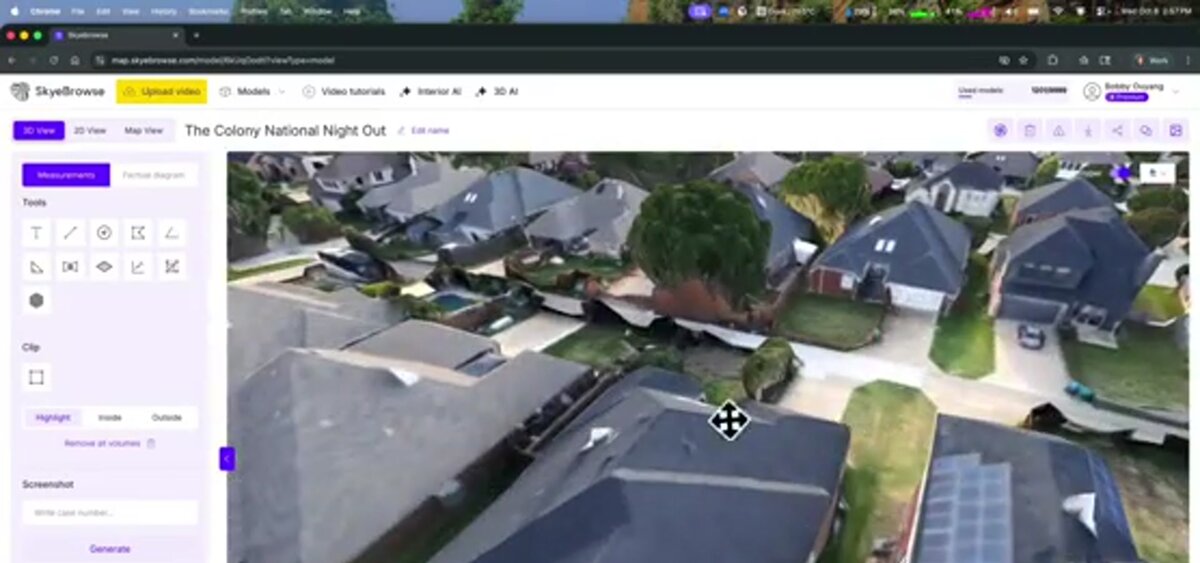
When the deliverable needs measurements, GIS or CAD compatibility, documentation, or a court-ready record, a measurable 3D model is the better output than a splat. The same orbit video captured for a splat can instead be uploaded to SkyeBrowse, a cloud-based videogrammetry platform, to generate a measurable mesh, point cloud, or orthomosaic without a separate reshoot.
SkyeBrowse accepts the same .MP4 or .MOV footage through Universal Upload or the SkyeBrowse Flight App, and returns exports like GLB meshes, LAZ point clouds, and GeoTIFF orthomosaics that carry real-world scale and can be measured and handed off to other software. A roofing contractor gets dimensions to quote a job from the truck. An insurance adjuster gets a measurable model before leaving the site. The same orbit and overlap rules apply, only the platform changes to match the deliverable. For related workflows, see our guides to turning images into a 3D model and our hands-on Polycam review.
FAQ
Can I create a Gaussian splat from a phone video?
Yes. Mobile apps like Polycam and KIRI Engine capture and train splats directly on a phone for object- and room-scale scenes. Larger scenes such as building exteriors benefit from a drone orbit instead, since a handheld walk struggles to hold a consistent height and overlap.
Do I need a drone to make a Gaussian splat?
No. A drone is only necessary for full property exteriors, roofs, or large outdoor scenes where a handheld orbit cannot cover the distance or elevation. Interior rooms, vehicles, and small objects splat well from a phone video alone.
Can SkyeBrowse convert my video into a Gaussian splat?
No. SkyeBrowse does not produce Gaussian splats. It is a videogrammetry platform: upload the same MP4 or MOV video to app.skyebrowse.com and it generates a measurable mesh, point cloud, or orthomosaic instead, with exports like GLB, LAZ, and GeoTIFF. If your job needs measurements, documentation, or a court-ready deliverable rather than a photoreal viewing experience, that is the output to use.
Upload your first video free. Create a free SkyeBrowse account, upload a drone video, and get a 3D model processed in the cloud. Freemium organizations that have never had a paid plan can get their first full Commercial model for $5 (normally $24.99), with every Commercial tool, every export, and 90-day storage.