Indoor 3D mapping starts with a device that can record enough visual data to reconstruct walls, floors, furniture, and spatial relationships. Smartphones and 360-degree cameras both produce video suitable for photogrammetry and videogrammetry pipelines, but they capture space in fundamentally different ways. A phone records a directed field of view (typically 70-120 degrees) that the operator aims deliberately. A 360 camera records everything simultaneously — front, back, up, down — stitching multiple lenses into a single equirectangular frame.
That difference in capture geometry changes how much of a room you document in a single pass, how the 3D mapper software interprets the footage, and whether blind spots survive into the final model.
Key Takeaways
- A smartphone's 4K directed video delivers full resolution per surface direction, while a 5.7K–8K 360 camera spreads resolution across the full sphere — yielding approximately 1080p of effective detail per direction.
- 360 cameras eliminate blind spots in large open interiors with a single walk-through, but stitching artifacts at lens seam boundaries can degrade close-range surface geometry.
- Smartphones require deliberate operator sweep to cover a room (60–90 seconds), but add zero hardware cost for teams that already carry phones in the field.
- Videogrammetry platforms like SkyeBrowse process .MP4 and .MOV video from either device into measurable 3D models through the same cloud pipeline — no proprietary capture app required.
- For precision-critical documentation (crime scenes, accident reconstruction), smartphone video typically produces sharper surface detail; for time-critical single-pass capture in large spaces, 360 cameras reduce operator error.
Contents
- How Does Field of View Affect Indoor Coverage?
- Which Device Produces Cleaner Video for 3D Reconstruction?
- What Are the Cost and Accessibility Differences?
- When Does a 360 Camera Outperform a Phone Indoors?
- Where Does SkyeBrowse Fit?
- FAQ
How Does Field of View Affect Indoor Coverage?
A smartphone covers 75–120 degrees per frame, requiring deliberate sweeps or multiple passes to document an entire room. A 360 camera captures a full spherical frame from every position along the walk path, eliminating blind spots in a single pass — but the stitched seam between lenses introduces distortion on close-range objects.
A smartphone's rear camera covers roughly 75-120 degrees depending on the lens (standard vs ultra-wide). The operator must sweep or pan to capture an entire room, which means multiple passes or a slow rotation at each position. A 360 camera like the Insta360 X4 or Ricoh Theta Z1 captures a full 360-by-180-degree sphere from every position along the walk path. In theory, this eliminates blind spots: every surface visible from the camera's location ends up in the video.
In practice, 360 footage has a catch. The stitch line — where the two or more lens feeds merge — introduces distortion, especially on objects close to the camera. Phones avoid stitching artifacts entirely because they use a single lens. For small rooms with objects close to the operator, phone video often produces sharper, more geometrically consistent frames for 3D reconstruction. For broader context on how capture geometry affects model output, see the drone mapping guide which covers similar field-of-view tradeoffs in outdoor aerial scenarios.
Which Device Produces Cleaner Video for 3D Reconstruction?
Flagship smartphones record 4K video at full resolution in every direction they point, while 360 cameras spread their 5.7K–8K total resolution across the entire sphere — delivering roughly the equivalent of 1080p detail per directional angle. For videogrammetry pipelines that score frames on per-pixel sharpness, phone video typically provides more usable data per surface.
Smartphones with flagship sensors (iPhone 15 Pro, Samsung Galaxy S24 Ultra) record 4K at 30-60fps with optical image stabilization, strong low-light performance, and consistent exposure metering. Modern 360 cameras record 5.7K-8K across the full sphere, but per-pixel resolution in any given direction is lower than a phone pointed at the same surface. A 5.7K equirectangular frame spread across 360 degrees delivers roughly the same directional detail as a 1080p standard video.
For drone mapping software and videogrammetry platforms that extract frames for 3D reconstruction, per-frame sharpness and consistent exposure matter more than total field of view. A phone video with deliberate panning often gives the reconstruction algorithm more usable pixels per surface than a 360 video where resolution is spread thin. This is the same principle discussed in videogrammetry vs photogrammetry — input frame quality directly limits the accuracy ceiling of the final model.
| Smartphone | 360 Camera | |
|---|---|---|
| Effective Directional Resolution | 4K (full resolution per direction) | Equivalent to ~1080p per direction |
| Field of View | 75-120 degrees | 360 x 180 degrees |
| Stitching Artifacts | None | Present at lens seam boundaries |
| Low-Light Quality | Strong (large sensor, OIS) | Moderate (smaller sensors, no OIS on most models) |
| Operator Skill Required | Must sweep deliberately to cover room | Walk path covers full sphere automatically |
| Average Device Cost | $0 (already owned) to $1,200 | $400-$1,100 |
| Capture Time per Room | 60-90 seconds with deliberate sweep | 20-40 seconds walking through |
| Blind Spot Risk | High if operator misses a wall | Low (full sphere captured) |

What Are the Cost and Accessibility Differences?
Smartphones add zero hardware cost for teams that already carry them — which includes virtually every field officer, insurance adjuster, and site inspector. A dedicated 360 camera adds $400–$1,100 in procurement cost, plus storage cards, charging, and often proprietary stitching software before footage is ready to upload.
Most professionals already carry a smartphone. Using it for indoor capture adds zero hardware cost and requires no additional device management, charging stations, or spare parts inventory. A 360 camera is a dedicated purchase: consumer models (Insta360 X4, GoPro MAX) run $400-$550, while professional models (Ricoh Theta Z1, Insta360 Pro 2) cost $800-$5,000. The 360 camera also requires its own storage cards, charging, and often proprietary stitching software before the video is ready for upload.
For agencies or companies deploying 3D mapping across many operators, the phone-based workflow scales without procurement. Every officer, adjuster, or field inspector already has the capture device in their pocket. Teams evaluating best crime scene documentation equipment consistently rank device accessibility as a primary factor for rapid deployment at unplanned incidents.
When Does a 360 Camera Outperform a Phone Indoors?
A 360 camera earns its cost in large open interiors — warehouses, gymnasiums, commercial atriums — and in any scene where the operator cannot return for a second pass. In those scenarios, the full-sphere capture guarantees coverage without relying on operator technique. Smartphones outperform in small-to-medium rooms, low-light conditions, and precision-critical documentation where surface sharpness matters.
The 360 camera earns its cost in scenarios where complete coverage is more important than per-surface resolution. Large open interiors — warehouses, gymnasiums, commercial atriums — benefit from the 360 camera's ability to capture floor-to-ceiling context in a single walk-through without the operator needing to pan vertically. Scenes where the operator cannot return for a second pass (time-critical evidence, hazardous environments) also favor the 360 approach because it captures everything by default.
A phone outperforms in small-to-medium rooms, low-light conditions, and any scene where measurement precision matters more than coverage speed. The sharper per-direction resolution translates to better surface detail in the reconstructed 3D model. For public safety applications where spatial evidence must hold up to scrutiny, see the best accident reconstruction software guide for context on how model accuracy requirements drive capture device selection.
Where Does SkyeBrowse Fit?
SkyeBrowse accepts .MP4 and .MOV uploads from both smartphones and 360 cameras through Universal Upload at app.skyebrowse.com. Interior Mapping mode handles indoor scene geometry from either source, producing navigable 3D models with measurement tools — no proprietary capture app required.
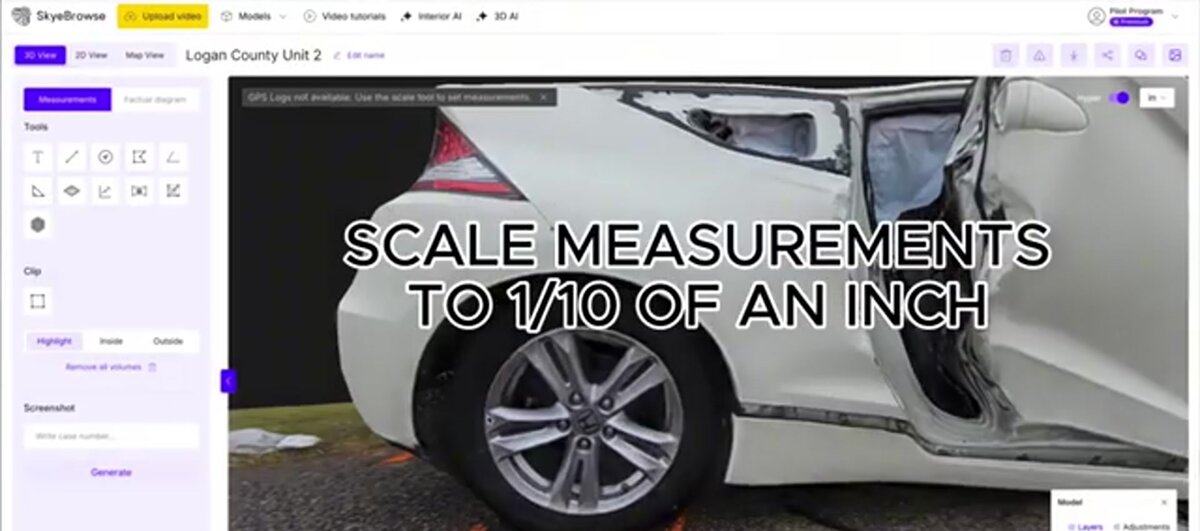
SkyeBrowse accepts .MP4 and .MOV uploads from both smartphones and 360 cameras through Universal Upload at app.skyebrowse.com. No proprietary capture app is needed — record on any device, upload the file, and the cloud processes it into a 3D model. Interior Mapping mode handles the unique geometry of indoor scenes, producing navigable models with measurement tools regardless of which device captured the source video. Processing runs at approximately 1:1 time. Accuracy tiers range from Lite (2-6 inch) through Premium (8K, 0.25 inch) to Premium Advanced (16K, 0.1 inch with AI moving object removal).
The flexibility to accept either capture method is particularly valuable for organizations that standardize on a CJIS-compliant mapping platform — operators can use whatever device is on hand without breaking the chain of custody workflow.
FAQ
Can a smartphone replace a 360 camera for indoor 3D mapping?
Yes, in most small-to-medium rooms a smartphone produces sufficient video for 3D reconstruction. The operator must sweep deliberately to cover all walls and corners, but the higher per-direction resolution often yields sharper surface detail than a 360 camera's resolution-spread equirectangular frame. For teams that already carry smartphones, the cost savings are immediate.
What causes stitching artifacts in 360 camera video?
Stitching artifacts appear at the seam boundaries where two or more lens feeds are merged into a single equirectangular frame. Objects close to the camera are most affected because the parallax between lenses is greatest at short distances, causing edge misalignment and distortion in the final video. Maintaining a distance of at least two feet from nearby objects reduces visible seam problems.
Which device is better for time-critical indoor documentation like crime scenes?
A 360 camera is preferred when the operator cannot return for a second pass, because it captures every surface in a single walk-through by default. A smartphone is preferred when measurement precision matters more than capture speed, since higher per-direction resolution translates to sharper surface detail in the reconstructed model. The best crime scene documentation equipment guide covers how these tradeoffs play out in active scene scenarios.
Does SkyeBrowse accept video from both smartphones and 360 cameras?
Yes. SkyeBrowse accepts .MP4 and .MOV uploads from both smartphones and 360 cameras through Universal Upload at app.skyebrowse.com. Interior Mapping mode handles indoor scene geometry from either source, producing navigable 3D models with measurement tools. There is no additional software or configuration needed to switch between device types.
Get a SkyeBrowse Recommendation
If your team is choosing between phones and 360 cameras for indoor documentation, SkyeBrowse processes video from either device into the same measurable 3D output — no additional software needed.