WebODM vs OpenDroneMap used to be a trick question, since WebODM was simply the web interface for the OpenDroneMap engine. That changed on April 6, 2026, when WebODM's creator announced the two projects were splitting: WebODM now develops independently on a forked engine, while OpenDroneMap continues as its own open-source photogrammetry toolkit. Photogrammetry, the technique of reconstructing maps and 3D models from overlapping images, is still what both do. This guide covers what each project is today, what running them really costs, and when a cloud platform is the smarter route.
Key Takeaways
- WebODM and OpenDroneMap were one ecosystem until April 6, 2026, when WebODM separated into an independent project running ODX, a fork of the original ODM engine.
- Both remain free and open-source. WebODM's one-click installers for Windows and macOS are now free downloads, and Linux users install it through Docker.
- OpenDroneMap (ODM) is a command-line toolkit aimed at technical users and automated pipelines; WebODM adds the browser dashboard, task queue, and map and 3D viewers most operators actually want.
- The real cost of self-hosting either is hardware and time: WebODM recommends 16 GB or more of RAM and 100 GB of free disk space, and someone has to maintain the install.
- WebODM Lightning, the paid cloud service, removes the hardware burden with credit-based per-job pricing and 150 free credits for new users as of July 2026. Teams that want processed models in minutes with zero setup typically use a cloud videogrammetry platform like SkyeBrowse instead.
Contents
- Are WebODM and OpenDroneMap the same thing?
- What does OpenDroneMap do on its own?
- What does WebODM offer after the split?
- What do WebODM and OpenDroneMap really cost?
- When is a cloud drone mapping platform the better choice?
- FAQ
Are WebODM and OpenDroneMap the same thing?
Not anymore. For years WebODM was the official web interface for the OpenDroneMap (ODM) engine, and the two shipped as layers of one stack. On April 6, 2026, WebODM's creator announced the projects were separating over differences with OpenDroneMap's leadership, and WebODM now develops independently using ODX and NodeODX, forks of the original ODM and NodeODM components. OpenDroneMap continues as its own open-source toolkit under the same name.
The split matters for anyone comparing the two in 2026, because most older articles describe a relationship that no longer exists. The official WebODM announcement states the project "will continue and accelerate its mission... as a separate, independent project going forward." In practice the software still looks familiar on both sides: the forked engines started as the same code, and the OpenDroneMap organization still maintains ODM, NodeODM for job APIs, and ClusterODM for distributing work across processing nodes. What changes over time is divergence, since features, fixes, and formats on each side will now evolve separately.
What does OpenDroneMap do on its own?
ODM is a command-line toolkit that processes drone imagery into mapping outputs: orthomosaics (stitched, georeferenced aerial maps), digital elevation models (rasters encoding terrain height), dense point clouds (millions of measured 3D points), and textured meshes. It accepts geotagged photos and can also extract frames from video files such as MP4 and MOV, including GPS subtitle telemetry. It runs inside a Docker container and is controlled entirely through command-line flags, with no dashboard or built-in viewer.
Running bare ODM makes sense for scripted pipelines. A research team processing hundreds of datasets, or a developer embedding photogrammetry into a larger system, can call ODM directly or through NodeODM's API and automate everything. The ODM repository documents dozens of tunable parameters covering feature quality, point cloud density, and mesh resolution, and results improve meaningfully once those parameters are matched to the dataset. Video handling is frame extraction rather than true video processing: ODM pulls still frames out of .mp4, .mov, .lrv, or .ts clips, optionally pairing .srt subtitle files for GPS data, then runs its normal photo pipeline on those frames. That flexibility is the draw for technical users and the barrier for everyone else, because when a run fails there is no interface to fall back on, just logs.
What does WebODM offer after the split?
WebODM wraps drone mapping in a browser-based application with a project dashboard, a task queue, user accounts and permissions, plugin support, and interactive viewers for orthomosaics, elevation models, and 3D point clouds. Since the April 2026 separation it ships with ODX, its fork of the ODM engine, so one install delivers the whole pipeline. The one-click installers for Windows and macOS are free, Linux installs run through Docker, and the project operates WebODM Lightning, a paid cloud service that processes jobs on remote servers.
For most individual operators, WebODM remains the practical way to run open-source drone mapping. Uploading a photo set through a browser, watching the task progress, and clicking through the resulting map beats reading terminal logs. The free Windows and macOS installers, listed on the WebODM download page, remove the Docker learning curve that defined the software's reputation for years, though Linux self-hosting still uses Docker and updates still land on whoever owns the machine. Lightning shifts the processing to the cloud on credit-based per-job pricing, with 150 free credits for new accounts as of July 2026, which suits operators whose hardware cannot handle large datasets. Our full WebODM review covers the setup friction, parameter learning curve, and where the software genuinely shines.
What do WebODM and OpenDroneMap really cost?
Both are free, open-source downloads, so the license line is zero either way. The real spend is infrastructure: WebODM's published requirements call for 8 GB of RAM and 20 GB of free disk at minimum, with 16 GB or more RAM and 100 GB of disk recommended, and large photogrammetry jobs benefit from every gigabyte beyond that. Add the recurring time to install, update, and troubleshoot, and "free" software carries a real operating budget. WebODM Lightning trades those costs for per-job cloud credits.
| OpenDroneMap (ODM) | WebODM | |
|---|---|---|
| What it is | Command-line photogrammetry engine | Web application with a forked engine (ODX) |
| Relationship | Original open-source project | Independent since April 6, 2026 |
| License cost | Free, open-source | Free, open-source; free Windows/macOS installers |
| Interface | Terminal commands and flags | Browser dashboard, task queue, map and 3D viewers |
| Input | Geotagged photos; frame extraction from video files | Same capture types through the bundled engine |
| Cloud option | None directly | WebODM Lightning, credit-based per job |
| Best fit | Automated pipelines, developers, researchers | Individual operators and small teams who want a GUI |
Hardware is the number that surprises new users. Datasets of several hundred images can throttle a machine at the 8 GB minimum, which is why the project's own recommendation jumps to 16 GB or more, and heavy users commonly run 32 GB. Time is the other line item: learning parameters, managing disk space, and applying updates all land on whoever owns the install, and community forums remain the support channel when a job fails. For a solo operator that may be acceptable. For a team processing sites every week, it is an ongoing IT commitment.
When is a cloud drone mapping platform the better choice?
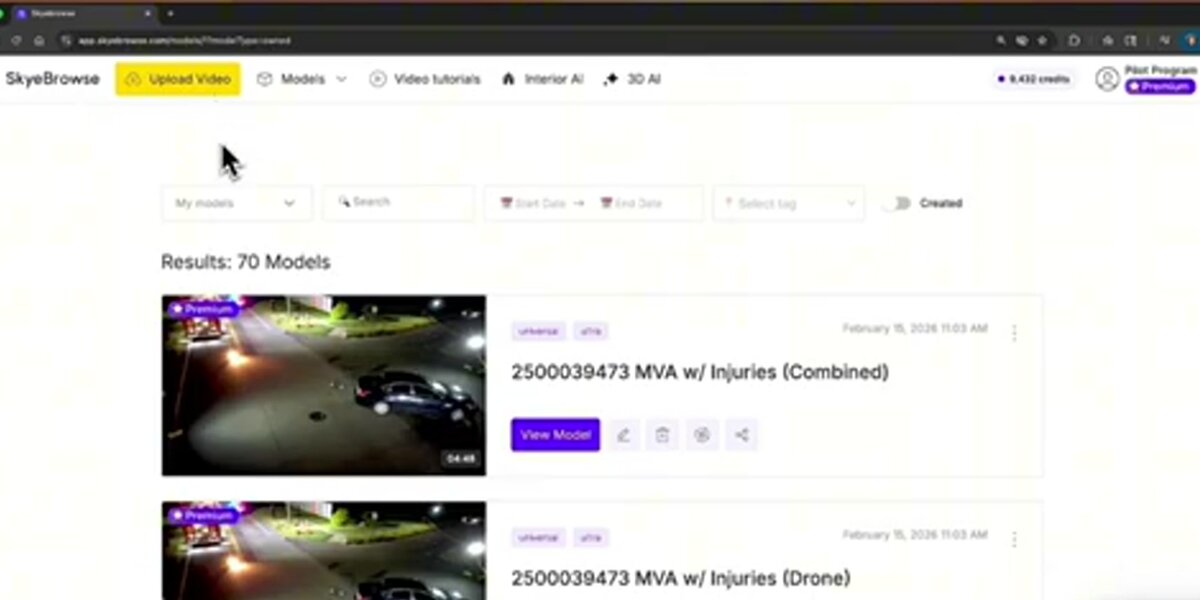
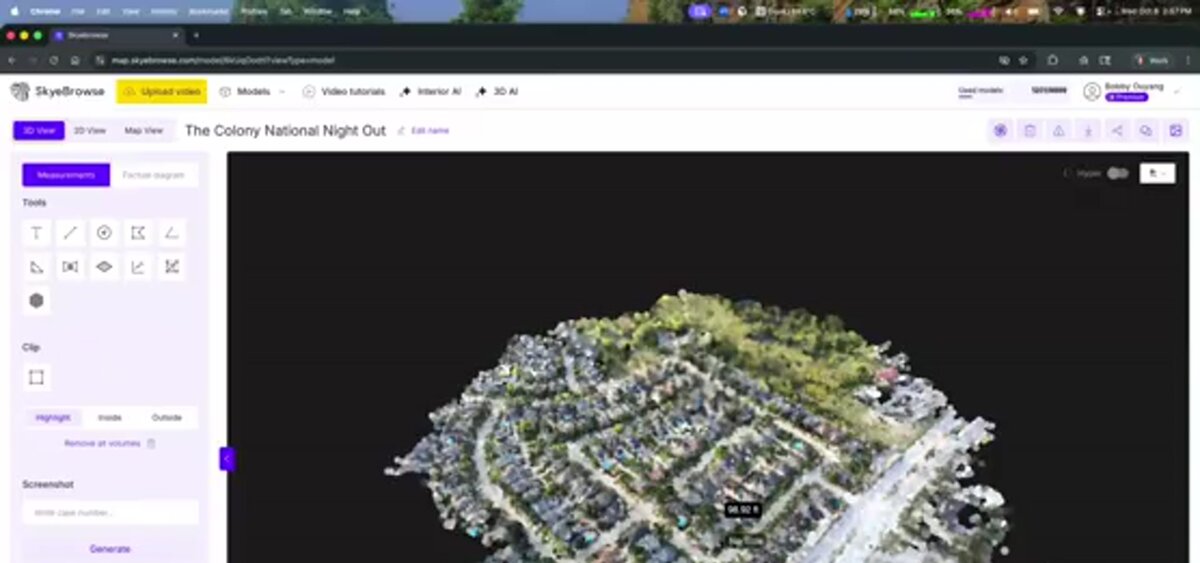
A cloud platform is the better choice when you have no spare high-RAM workstation, no appetite for maintaining installs, or no time to babysit processing runs and tune parameters. It also wins when video is your primary capture format, since the ODM lineage treats video as a source of extracted frames while videogrammetry platforms process it natively. SkyeBrowse converts drone video into a measurable 3D model in roughly the time it takes to fly the site, and its free tier includes unlimited uploads with two concurrent models.
The open-source route asks you to provision hardware, plan a mission with careful overlap, and iterate on parameters until the reconstruction holds together. Videogrammetry, the technique of reconstructing 3D models directly from video, compresses that workflow: fly a short orbit or lawnmower pattern while recording, upload the MP4 or MOV file to app.skyebrowse.com, and cloud servers handle reconstruction with nothing to install, update, or troubleshoot. There is no hardware minimum because processing never touches your machine, and accuracy scales with capture distance, so flying closer to the subject reaches survey-grade fractions of an inch on the platform's premium tiers. Public safety teams also get compliance support that self-hosted open-source tools leave entirely to the operator. For feature-by-feature breakdowns, see SkyeBrowse vs WebODM and SkyeBrowse vs OpenDroneMap, or browse the wider field in our free drone mapping software guide.
FAQ
Is WebODM completely free?
Yes, WebODM is free and open-source, and as of 2026 the one-click installers for Windows and macOS are free downloads as well, with Linux users installing through Docker. The optional WebODM Lightning cloud service charges per processing job through a credit system, with 150 free credits for new users as of July 2026. The larger costs are usually hardware, since WebODM recommends 16 GB or more of RAM and 100 GB of free disk space, plus the time it takes to maintain a self-hosted install. See our WebODM review for the full cost breakdown.
Do I need to install OpenDroneMap before installing WebODM?
No. WebODM ships with its own processing backend, so a single install delivers the complete pipeline. Since the projects separated in April 2026, WebODM's default engine is ODX, a fork of the original ODM engine, bundled through its installer or Docker setup.
Which is better for beginners, WebODM or OpenDroneMap?
WebODM is the beginner-friendly option of the two because it replaces command-line flags with a browser dashboard, task queue, and built-in map and 3D viewers, and its Windows and macOS installers are free. Beginners who do not want to manage any local install often do better starting with a cloud platform such as WebODM Lightning or SkyeBrowse, which processes drone video in the cloud with no installation and a free tier.
Upload your first video free. Create a free SkyeBrowse account, upload a drone video, and get a 3D model processed in the cloud. Freemium organizations that have never had a paid plan can get their first full Commercial model for $5 (normally $24.99), with every Pro tool and export included and 90-day storage.