Autel EVO Max 4T mapping is a common question for agencies that chose Autel as their drone-agnostic alternative to DJI. The Max 4T is a capable enterprise quadcopter with a four-in-one payload, but it is not on the SkyeBrowse Flight App supported list, so the reliable path to a measurable 3D model runs through manual flight plus Universal Upload. This guide covers that workflow end to end using videogrammetry, the process of turning ordinary drone video into a 3D model, so you can map with the Autel you already own.
Key Takeaways
- The EVO Max 4T is not supported by the SkyeBrowse Flight App; only the Autel EVO II V1 and V2 get automated in-app flight, and that support is iOS only.
- The working method for the Max 4T is manual flight, then Universal Upload of the MP4 video at app.skyebrowse.com, which accepts video from any drone.
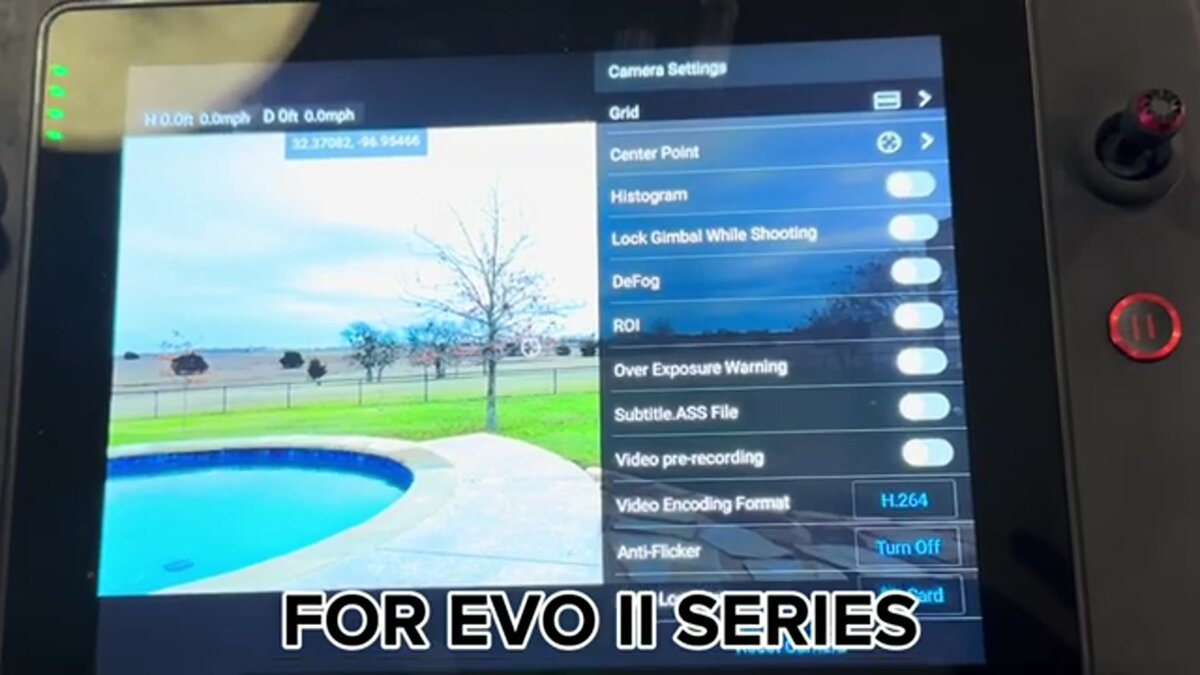
- Turn on the subtitle or video caption setting so the drone writes a .ASS telemetry file; uploading it with the video auto-georeferences the model.
- Use the wide visible camera locked at 1x for photogrammetry; the 10x zoom and 640x512 thermal payloads are for standoff inspection and search, not mapping.
- Cloud processing returns a 3D model in minutes, with a free Freemium account for unlimited uploads and no desktop workstation required.
Contents
- Does SkyeBrowse support the Autel EVO Max 4T?
- How do you map with the EVO Max 4T step by step?
- What camera settings should you use on the Max 4T?
- What is the EVO Max 4T payload good for?
- Should EVO II owners use the Flight App instead?
- FAQ
Does SkyeBrowse support the Autel EVO Max 4T?
The EVO Max 4T is not on the SkyeBrowse Flight App supported list, so there is no automated in-app flight for it. Among Autel drones, only the EVO II V1 and V2 receive Flight App automation, and that support runs on the iOS app only. Max 4T owners still get full 3D results by flying the drone manually and uploading the video through Universal Upload.
The SkyeBrowse Flight App automates capture only for a defined set of supported drones, and Autel support inside that app is limited to the EVO II V1 and V2 on iOS. The Max 4T sits outside that list because Autel's SDK ecosystem is thinner than DJI's, and third-party flight automation follows the SDKs. That is a real gap worth naming honestly, and it is why the Max 4T uses the same manual path SkyeBrowse offers to any unsupported aircraft. Compatibility changes over time, so confirm the current list on the official supported drones page before you plan a mission.
The upside is that Universal Upload is drone agnostic. Any MP4 or MOV clip works, which means a mixed Autel and DJI fleet feeds one account. For a wider view of how that fits into a single mapping stack, see the drone-agnostic mapping platform overview.
How do you map with the EVO Max 4T step by step?
Fly the Max 4T manually in two slow orbits around the subject with the camera tilted about 45 degrees, recording 4K video the whole time. Land, transfer the MP4 and its .ASS caption file, then open Universal Upload at app.skyebrowse.com and submit both files together. Cloud processing returns a georeferenced 3D model in minutes.
The manual capture pattern mirrors what an automated orbit would do. For a scene under about an acre, orbit the subject twice at a steady radius, keeping the camera at roughly a 45 degree downward tilt so walls and roof planes are both covered. For a larger site, add a back-and-forth grid pass at nadir on top of the two orbits. Keep motion slow and smooth, lock the zoom at 1x, and avoid filling the frame with open sky. This is the same discipline that produces clean photogrammetry, the science of taking measurements from imagery, on any aircraft.
Once you land, uploading is straightforward. The Autel EVO II and Max 4T tutorial walks through the exact upload dialog, and the generic drone mapping app guide shows where Universal Upload sits alongside the other capture options inside the SkyeBrowse drone mapping software. Files up to 2GB process on a free Freemium account, with larger caps on paid tiers.
What camera settings should you use on the Max 4T?
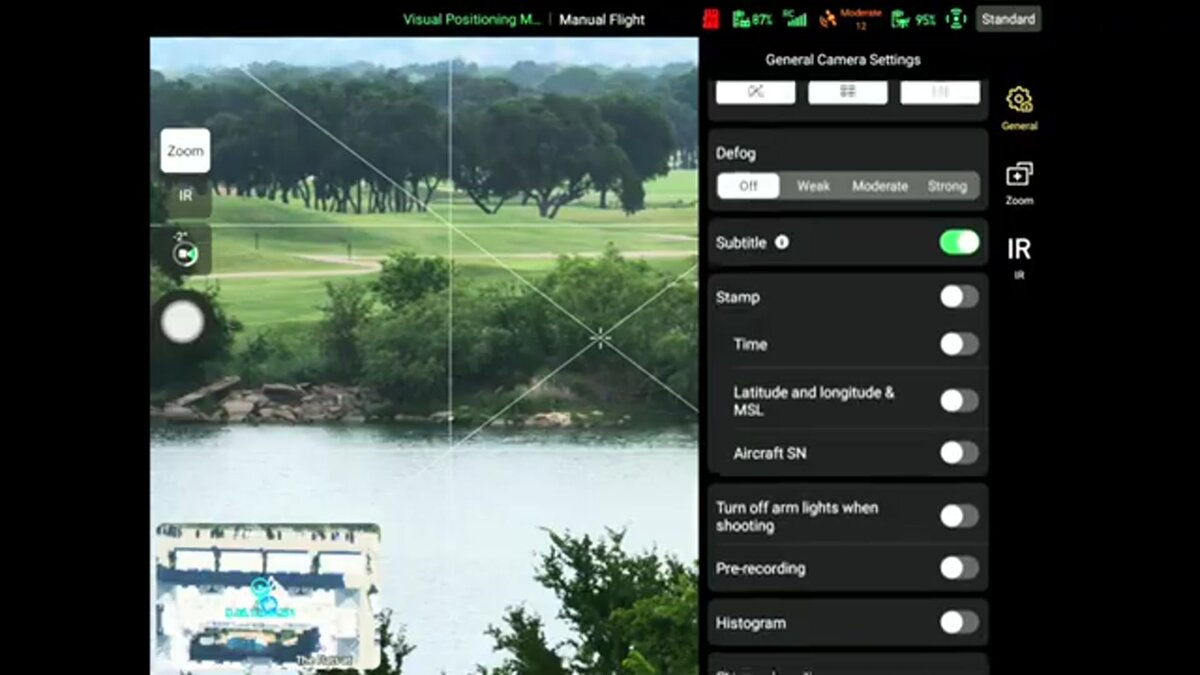
Turn on the subtitle or video caption setting so the drone records a .ASS telemetry file with GPS, shoot with the wide visible camera at 4K, and lock white balance and exposure. Uploading the .ASS file next to the MP4 lets SkyeBrowse read the flight track and georeference the model without ground control points.
The single most important setting is the caption or subtitle toggle in the Max 4T camera menu. With it on, Autel writes a .ASS file that carries per-frame position data, which is the Autel equivalent of DJI's .SRT log. That file is what turns a plain video into a scaled, positioned model. Beyond that, keep the exposure manual so brightness does not pulse between frames, fix white balance to daylight, and shoot the highest-resolution wide setting your card and battery allow. Verified Max 4T specs from the Autel product page list the wide camera as a 1/1.28 inch, 50MP CMOS sensor recording up to 3840 x 2160 video, with a stated flight time of 42 minutes at a takeoff weight near 1,600 grams.
Ground sample distance, the real-world size each pixel represents, depends on your altitude and lens geometry. Rather than guess a focal length that Autel publishes only as a 35mm equivalent, plan your resolution with the GSD calculator so you fly at an altitude that hits the detail your job needs. As a rule, lower altitude yields finer detail at the cost of more passes.
What is the EVO Max 4T payload good for?
The Max 4T carries wide, 10x optical zoom, thermal, and laser rangefinder sensors in one gimbal, which suits public safety search, standoff inspection, and situational awareness. For photogrammetry you still map with the wide camera; the zoom and thermal channels add value during the mission but are not the mapping sensor.
The four-in-one payload is the reason agencies buy the Max 4T. Per Autel's published specs, the zoom camera is a 48MP, 1/2 inch sensor with 10x optical and up to 160x hybrid zoom, the thermal sensor resolves 640 x 512, and the laser rangefinder reaches roughly 3,737 feet. Those channels shine for reading a rooftop from a safe distance, finding a person by heat signature, or ranging a hazard. When it is time to build a measurable model, though, switch to the wide lens at 1x and fly the orbit pattern, because consistent frame geometry is what photogrammetry needs. Under FAA Part 107, keep the aircraft within visual line of sight while you capture, per the FAA small UAS rules.
Should EVO II owners use the Flight App instead?
Yes. If you fly an Autel EVO II V1 or V2, the SkyeBrowse Flight App automates the orbit capture on iOS, so you get hands-off flight rather than a manual pattern. The finished video still processes in the cloud to the same 3D model, and accuracy on Premium tiers reaches about a quarter inch.
The EVO II V1 and V2 are the Autel models that made the supported list, so their owners skip the manual piloting the Max 4T requires. Automated flight tightens overlap and spacing, which tends to produce cleaner models with less operator skill involved. For accuracy expectations, SkyeBrowse tiers run from about 2 to 6 inches on Lite up to roughly a quarter inch on Premium 8K processing, close enough for many mapping deliverables to meet ASPRS positional accuracy guidance. Whichever Autel you fly, the deliverable is a shareable 3D model you can measure, and if your fleet also includes NDAA-compliant aircraft, the same account handles them, as covered in the companion Skydio mapping guide.
FAQ
Is the Autel EVO Max 4T supported by the SkyeBrowse Flight App?
No. The EVO Max 4T is not on the supported drones list. Only the Autel EVO II V1 and V2 get Flight App automation, and that support is iOS only. Max 4T owners fly manually and use Universal Upload at app.skyebrowse.com.
How does the EVO Max 4T georeference a SkyeBrowse model?
Enable the subtitle or video caption setting in the camera menu so the drone records a .ASS telemetry file next to the MP4. Upload both together and SkyeBrowse reads the GPS track to position and scale the model automatically.
Which EVO Max 4T camera should I use for mapping?
Use the wide visible camera locked at 1x. The 10x zoom and 640x512 thermal payloads are built for standoff inspection and search, while consistent wide-angle frames are what photogrammetry needs to reconstruct geometry.
Upload your first video free. Create a free SkyeBrowse account, upload a drone video, and get a 3D model processed in the cloud. Freemium organizations that have never had a paid plan can get their first full Commercial model for $5 (normally $24.99), with every Commercial tool, every export, and 90-day storage.