Ground control points are the backbone of accurate, survey-grade drone mapping. Whether you are documenting a crash scene, surveying a construction site, or building a topographic model for engineering design, understanding how to set up and use ground control points correctly determines how much you can trust your final outputs.
This guide covers everything a drone operator needs before their first GCP deployment: what they are, why they matter for drone photogrammetry and GCP surveying, how many to use, how to place ground control point markers, what equipment you need, and when modern RTK or PPK alternatives can replace them entirely.

Key Takeaways
- Five GCPs distributed across a site's corners and center is the practical minimum; larger or more complex terrain requires one per 50–200 acres depending on topography.
- Ground control point markers must be large enough to cover at least five times the GSD of your imagery; 30–60 cm targets are standard for most survey work.
- RTK GNSS rovers are the standard instrument for GCP surveying, delivering 1–3 cm horizontal accuracy when corrected against a CORS network or local base station.
- GCPs are unnecessary when your workflow only requires relative accuracy within a scene (crash reconstruction, forensic documentation) or when you fly an RTK/PPK-equipped drone.
- Without GCPs, consumer drone GPS produces 1–3 meter horizontal error and up to 10 meter vertical error, enough to disqualify outputs from engineering surveys, boundary work, or GIS overlay.
Contents
- What are ground control points?
- Why do ground control points matter for drone mapping?
- How many ground control points do you need?
- How do you place ground control points?
- What equipment do you need to set up ground control points?
- What accuracy do ground control points provide?
- RTK/PPK vs GCPs: when can you skip ground control points?
- FAQ
What are ground control points?
Ground control points (GCPs) are physical markers placed on the ground at precisely surveyed geographic coordinates before a drone flight. The photogrammetry or videogrammetry processing software identifies each marker in overlapping images, then uses those known positions to anchor the 3D model or orthomosaic to real-world coordinates with centimeter-level precision. A GCP is typically a flat, high-contrast target (a painted cross, checkerboard, or colored panel) large enough to appear clearly in aerial imagery.
After the drone flight, the operator marks the location of each GCP in the processing software, and the processor uses those tie-points to correct GPS drift and sensor distortion across the entire dataset. The result is a model with every measurement traceable to a ground-truth reference.
GCPs are distinct from check points (CPs). Check points use the same physical targets and surveyed coordinates but are not fed into the model during processing; they are held back and compared against processed output to independently verify accuracy and compute RMSE (root mean square error). Best practice is to designate a portion of your markers as check points rather than using all of them as control.
In GCP surveying for drone photogrammetry, the marker network defines the accuracy ceiling of the entire deliverable. Even the most capable drone sensor cannot produce a survey-grade output if the underlying ground control is weak.
Why do ground control points matter for drone mapping?
Ground control points correct the absolute positional error inherent in consumer and most enterprise drone GPS receivers, enabling models to align with real-world coordinate systems at centimeter-level accuracy per ASPRS positional accuracy standards. Without GCPs, standard GPS receivers carry 1–3 meter horizontal error and can produce 3–10 meter vertical error in elevation models.
That level of error is acceptable for visual inspection and relative measurements within a scene, but it disqualifies the model for engineering surveys, property boundary work, regulatory submittals, or any workflow that requires overlay with existing CAD or GIS datasets.
GCPs solve this by giving the software a set of precisely measured anchor points. When the processor identifies those markers in the imagery and matches them to their surveyed coordinates, it warps the model to fit, pulling the surrounding geometry into alignment.
The American Society for Photogrammetry and Remote Sensing (ASPRS) Positional Accuracy Standards for Digital Geospatial Data define the accuracy tiers that GCP-supported drone surveys are typically required to meet for engineering, cadastral, and infrastructure applications. For drone photogrammetry specifically, these standards distinguish between horizontal and vertical accuracy classes, and GCPs are the primary mechanism for satisfying them.
How many ground control points do you need?
For most drone mapping projects, five to ten ground control points provide sufficient control. Five GCPs, distributed across the four corners and the center of the survey area, establish the minimum redundancy needed for reliable 3D reconstruction. Larger sites, irregular shapes, or terrain with significant elevation change require more.
The general rule for GCP surveying is one GCP per 100–200 acres on flat terrain. On sites with significant topographic variation (hills, valleys, or multi-level structures), increase density to one per 50–75 acres, and position markers at elevation extremes as well as perimeter corners. Pix4D's GCP distribution guidelines and the University of New Hampshire Cooperative Extension both recommend against placing all GCPs in a line, which leaves large areas without control.
For independent accuracy verification, reserve at least two or three markers as check points rather than using every marker as a GCP. The more check points you hold back, the more confident you can be in the RMSE reported by the processing software.
Practical counts by project size:
| Site Size | Minimum GCPs | Recommended GCPs | Check Points |
|---|---|---|---|
| Under 5 acres | 5 | 5–6 | 2 |
| 5–50 acres | 5–6 | 6–8 | 2–3 |
| 50–200 acres | 7–10 | 10–12 | 3–4 |
| Over 200 acres | 10+ | 1 per 100 acres + perimeter | 4–5 |
How do you place ground control points?
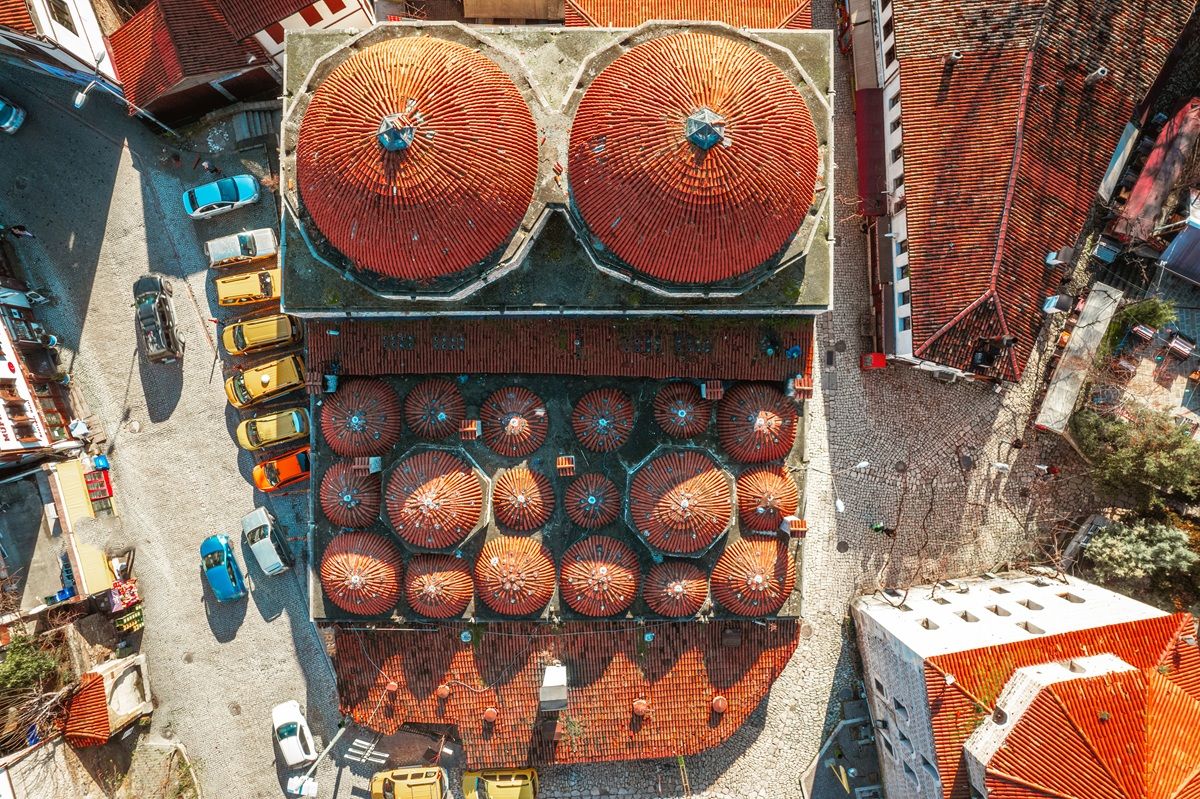
Ground control point placement determines control quality as much as the number of markers used. The core principle is even spatial distribution: GCPs should be spread across the full extent of the survey area, with markers at the corners and at least one in the center. Clustering markers in one area or arranging them in a line degrades accuracy across the rest of the site.
Follow these placement rules for reliable results:
Distribute evenly across the survey boundary. Clustering GCPs in one area leaves the rest of the model without anchor constraints. Processing software extrapolates positions outside the control network with lower confidence, a condition called "extrapolation error," so every edge of the site needs at least one marker.
Avoid placing GCPs in a straight line. A collinear arrangement provides no geometry control perpendicular to that line. Aim for a convex distribution that encloses the survey area.
Place markers on stable, flat ground. Avoid soft soil that may settle or shift between surveying and flying. GCPs on slopes or uneven surfaces are harder to center accurately during survey measurement.
Use high-contrast, flight-visible ground control point markers. The target must be large enough to appear as multiple pixels in the drone imagery. A common rule of thumb: target size should be at least five times the GSD (ground sample distance, the real-world distance represented by one image pixel). For a drone flying at 120 meters with a 0.03 m GSD, a 15 cm minimum target side length applies. Targets of 30–60 cm are standard for most survey work. Pre-printed vinyl or fabric targets in orange/white on grass or black/white in mixed terrain are the most reliable option. Spray paint on pavement is faster to deploy but cannot be repositioned.
Mark GCP centers precisely. When measuring the GCP coordinate with a survey rover, center the pole tip at the exact intersection of the target cross or checkerboard center. Sub-centimeter placement accuracy is lost if the measurement is taken at an offset.
Survey before flying, not after. GCP coordinates must be collected and recorded before flight so you know which markers to identify during processing. Number or color-code targets to avoid confusion during point identification in the software.
What equipment do you need to set up ground control points?
Setting up ground control points requires three categories of equipment: physical targets (the ground control point markers), a GNSS receiver or total station for measuring coordinates, and a system for recording and importing those coordinates into processing software. The instrument you choose determines your accuracy ceiling.
Physical Targets
Pre-printed vinyl or fabric targets with a cross or checkerboard pattern are the most common option. Colors are chosen for contrast against the ground: orange and white on grass or soil, black and white in mixed terrain. Targets should be weighted or staked to resist wind movement. Some operators use spray paint on pavement, which is faster to deploy but cannot be repositioned.
GNSS Receiver or Total Station
The measurement instrument determines your achievable accuracy ceiling. Options range from lower-cost to high-precision:
- Consumer-grade GNSS (hand-held GPS): 1–3 meter accuracy. Sufficient only for applications that do not require GCPs in the first place.
- GNSS with SBAS/WAAS correction: 30–100 cm accuracy. Still too coarse for survey-grade GCPs.
- Real-Time Kinematic (RTK) GNSS rover: RTK is a differential GPS technique that receives real-time correction signals from a base station or network service (such as NOAA's CORS network or a regional NTRIP provider), achieving 1–3 centimeter horizontal accuracy. This is the standard instrument for drone GCP surveys.
- Post-Processed Kinematic (PPK) GNSS: Similar centimeter accuracy but corrections are applied after field collection using base station logs rather than live signals. PPK is preferred in areas with poor cellular connectivity where live RTK corrections are unreliable.
- Total station: A theodolite-based instrument that measures horizontal and vertical angles with millimeter precision. Used when sub-centimeter GCP accuracy is needed for engineering-grade deliverables or on confined sites where satellite visibility is blocked.
Per NOAA's National Geodetic Survey guidelines on control point accuracy, RTK GNSS surveys tied to a Continuously Operating Reference Station (CORS) network meet Federal Geographic Data Committee accuracy standards for most drone mapping applications.
Coordinate Recording and Import
After collecting GCP coordinates, they must be exported in a format your processing software accepts. Most photogrammetry platforms (and platforms supporting videogrammetry workflows) accept a CSV with point ID, latitude, longitude, and ellipsoidal height, or a local easting/northing/elevation format depending on the project coordinate system. Confirm your software's import requirements before field collection to avoid unit or datum mismatches.
What accuracy do ground control points provide?
With properly distributed GCPs measured by an RTK GNSS rover, drone photogrammetry and drone videogrammetry workflows typically achieve 1–3 centimeter horizontal accuracy and 2–5 centimeter vertical accuracy, as benchmarked by multiple peer-reviewed studies in the photogrammetry literature. Actual results depend on GSD, GCP measurement quality, image overlap, and processing configuration.
Several factors govern how close to those benchmarks you get in the field:
GSD. Absolute accuracy cannot exceed roughly 1–2 times the GSD of your imagery. A camera producing a 2 cm GSD at flying altitude cannot deliver sub-centimeter GCP-based accuracy regardless of how precisely markers are surveyed. Flying lower or using a higher-resolution sensor improves the accuracy ceiling.
GCP measurement accuracy. If the RTK rover used to survey the GCP center carries 2 cm error, the model cannot outperform that limit. Instrument quality and connection to a reliable correction network both matter.
Processing quality. Adequate image overlap (typically 75–85% frontal, 60–70% side), consistent altitude, and well-exposed imagery are prerequisites. GCPs cannot compensate for poor capture. A study published in the ISPRS Journal of Photogrammetry and Remote Sensing found that overlap, flying altitude, and GCP count each independently affect achievable accuracy, with GCPs having the greatest effect on absolute positional error.
Number and distribution. As discussed above, under-sampling a large site or clustering GCPs leaves interpolated zones with degraded accuracy.
For workflows where absolute georeferencing is not required (crash scene documentation, building inspection, rapid incident mapping), GCPs are unnecessary. Relative accuracy within the model is driven by image quality, overlap, and processing tier rather than GCPs. SkyeBrowse Public Safety & Enterprise, for example, delivers up to 0.1 inch relative accuracy from drone video without any ground control requirements, making it suitable for evidentiary measurement work where absolute map coordinates are not at stake.
For a deeper look at how these tradeoffs play out in practice, see the drone mapping guide.
RTK/PPK vs GCPs: when can you skip ground control points?
Ground control points can be skipped when your project does not require absolute georeferencing, or when your drone carries an RTK or PPK positioning system that achieves equivalent accuracy in flight. For time-critical deployments where GCP setup is not practical, flying without ground control and accepting GPS-level absolute accuracy is standard practice.
RTK and PPK each solve a different part of the accuracy problem than GCPs do. By 2026, most enterprise mapping teams choose between the two approaches, or combine them, based on project requirements rather than defaulting to one method:
| Approach | Absolute Accuracy | Setup Time | Independent Verification | Best Fit |
|---|---|---|---|---|
| GCPs only | 1–3 cm horizontal, 2–5 cm vertical (RTK-surveyed) | 30 min–2+ hrs per site | Yes, via check points | Legal/engineering deliverables, static or recurring sites |
| RTK drone, no GCPs | 2–5 cm absolute, corrected in flight | Minutes (base station or network link) | No, unless GCPs added | Fast-turnaround mapping with reliable connectivity |
| PPK drone, no GCPs | 2–5 cm absolute, corrected post-flight | Minutes (no live link needed) | No, unless GCPs added | Remote sites with poor cellular or radio signal |
| GCPs + RTK/PPK drone | Highest confidence, cross-checked | Most (both workflows) | Yes | Regulatory submittals, high-stakes engineering |
RTK and PPK drones correct GPS position in flight or during post-processing, but neither produces the independent, third-party-verifiable accuracy check that GCPs and withheld check points provide. For deliverables that must withstand external audit or regulatory review, many surveyors run both: an RTK-equipped drone for efficiency, with a handful of GCPs held back strictly as check points. Choose GCPs alone when a site has no reliable RTK network coverage or a contract requires full independent verification; choose RTK or PPK alone when turnaround speed matters more than third-party-auditable proof.
Relative-accuracy-only workflows. Applications where you need precise measurements within the scene (crash scene reconstruction, forensic documentation, building damage assessment) do not require GCPs. The drone's GPS fixes the model's general position, and the relative geometry of objects within the model is controlled by image overlap and resolution, not ground control.
RTK drones without GCPs. An RTK drone (Real-Time Kinematic drone: a drone with an onboard GNSS receiver that receives live corrections from a base station or network) achieves 2–5 cm absolute accuracy in flight without physical markers. FAA Advisory Circular 90-101A addresses GNSS precision approaches, and the FAA's drone operational guidelines do not require GCPs for most commercial operations. RTK eliminates physical marker setup while still producing map-accurate outputs for most applications.
PPK drones without GCPs. PPK (Post-Processed Kinematic) applies corrections to the drone's flight log after the mission, achieving accuracy comparable to RTK. PPK is preferred when operating in areas without reliable cellular or radio connectivity for live RTK corrections.
When speed is the priority. For time-critical deployments (fatal accident scenes, active disaster response, fire scene documentation where road reopening is time-sensitive), GCP setup adds 30 minutes to several hours that the situation cannot afford. Flying without GCPs and accepting GPS-level absolute accuracy is standard practice in these contexts. The relative measurements needed for reconstruction or documentation are unaffected.
For a direct comparison of accuracy tradeoffs between GCP-supported and GPS-only flights, see the GCP vs No GCP accuracy guide.
FAQ
What are ground control points used for in photogrammetry?
In ground control points photogrammetry workflows, GCPs anchor the 3D model or orthomosaic to real-world coordinates by giving the processing software a set of known positions to match against the imagery. Without GCPs, the output floats at the accuracy of the drone's onboard GPS, typically 1–3 meters, which is insufficient for engineering surveys, GIS integration, or any deliverable requiring absolute georeferencing.
How many ground control points do I need for a small site?
Five GCPs is the standard minimum for any site regardless of size: one at each corner and one in the center. For sites under 5 acres, five to six GCPs plus two check points is sufficient. Adding more GCPs beyond this threshold on very small sites produces diminishing accuracy returns. See the full count table for larger site recommendations.
Can I use nails or stakes as ground control points instead of printed targets?
Nails and stakes can serve as GCP center markers for measurement purposes, but the processing software needs a visually identifiable feature in the imagery to match to those coordinates. Painted targets or adhesive markers placed around the nail center are still needed for the software's point identification step.
Do I need to resurvey GCPs for every flight on the same site?
No. If the physical targets remain undisturbed between flights, you can reuse the previously surveyed coordinates. Always visually verify that markers have not moved before importing existing coordinates.
What coordinate system should I use for GCPs?
Match the coordinate system your deliverables require. For US projects, WGS84 (geographic) or NAD83 (geographic and State Plane) are most common. For engineering deliverables, use the project's defined coordinate reference system. Confirm datum and epoch settings with the project team before field collection to avoid misalignment.
What is the difference between a GCP and a check point?
A GCP is fed into the processing software during model generation; it actively constrains the model geometry. A check point uses the same physical target and surveyed coordinate but is withheld from the processing run. After processing, the software computes the error at each check point location to produce an independent accuracy estimate. Check points are the mechanism for reporting RMSE in survey deliverables.
How do I handle GCPs in built-up environments where satellites are partially blocked?
Use a total station or robotic total station to establish GCP positions from a nearby benchmark where satellite visibility is better. Alternatively, extend a traverse from a control point with good sky view into the constrained area. Hybrid total station and GNSS workflows are standard in urban canyon or covered site conditions.
How does SkyeBrowse map without ground control points?
SkyeBrowse is a videogrammetry platform (a video-to-3D and 2D mapping system) designed for workflows where speed to a usable model is the priority. The platform processes drone video uploaded through the SkyeBrowse Flight App or Universal Upload, using embedded GPS telemetry from DJI .SRT or Autel .ASS subtitle files for georeferencing. No physical GCPs are required.
For public safety and forensic documentation teams, this means a crash scene or fire scene can go from drone flight to measurable 3D model in minutes, without the GCP setup time that surveying applications require. When RTK-equipped drones are used, the corrected telemetry in the subtitle file brings absolute positional accuracy to centimeter level automatically.
For agencies and teams that do require GCP-supported absolute accuracy, SkyeBrowse models export as LAZ point clouds and GeoTIFF orthomosaics compatible with downstream GIS and survey software where GCP-based alignment can be applied. Learn more about software that eliminates this setup burden in the free drone mapping software overview.
Upload your first video free. Create a free SkyeBrowse account, upload a drone video, and get a 3D model processed in the cloud. Freemium organizations that have never had a paid plan can get their first full Commercial model for $5 (normally $24.99), with every Pro tool and export included and 90-day storage.