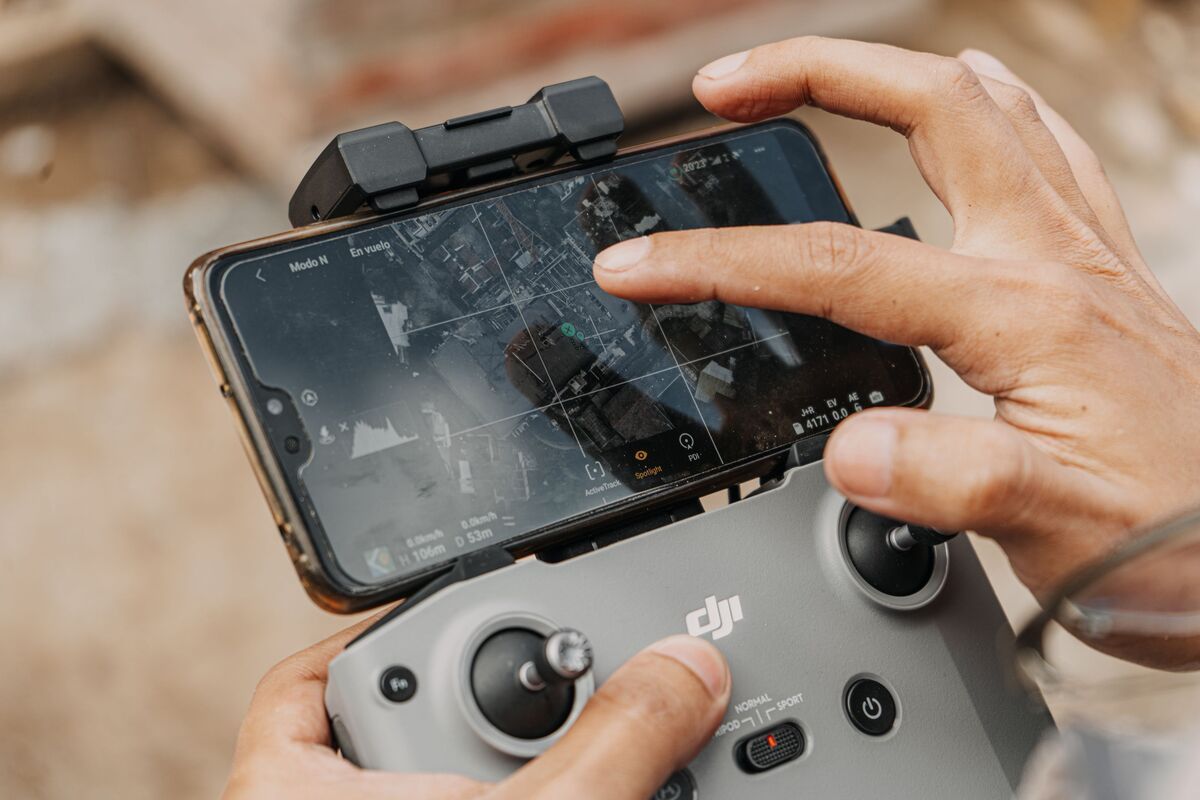
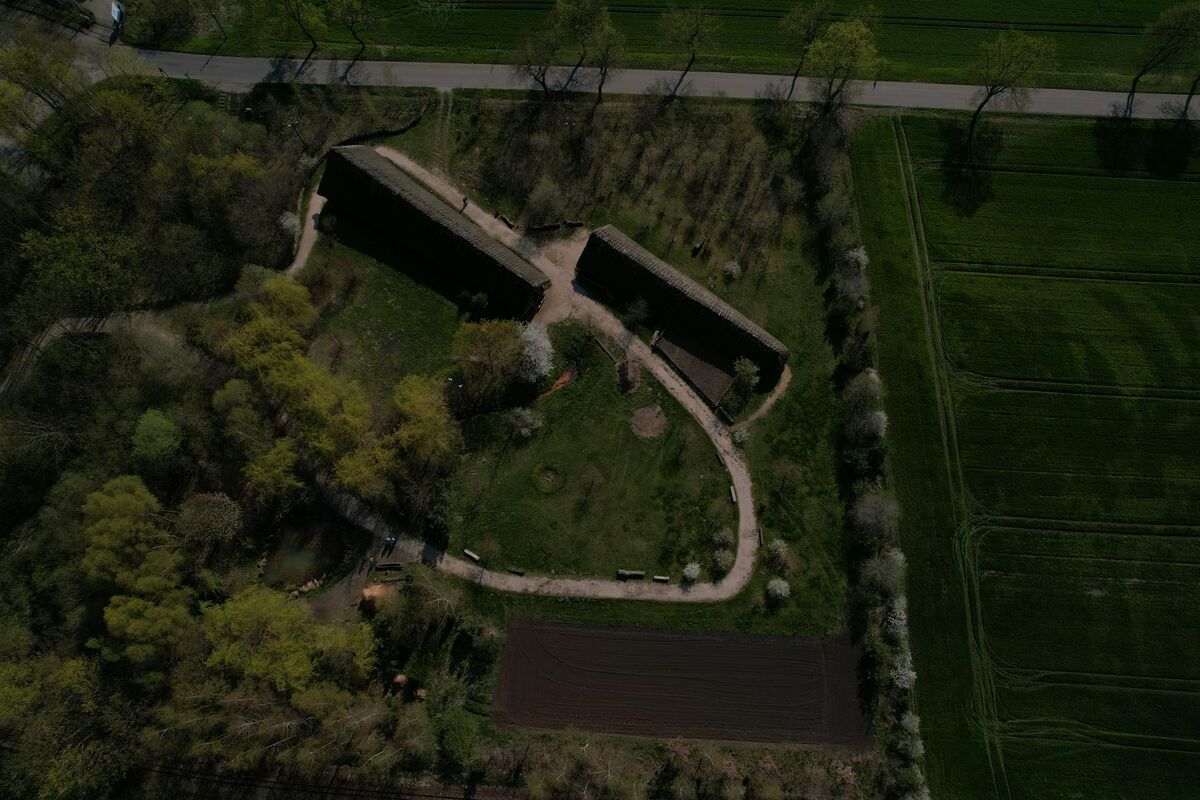
SkyeBrowse Crowd Counter is a free AI crowd counter that estimates how many people appear in a single still image. Upload an aerial drone frame or event photo, run the count, and review a dot over each detected person before using the estimate. The browser-based tool is available directly on SkyeBrowse.
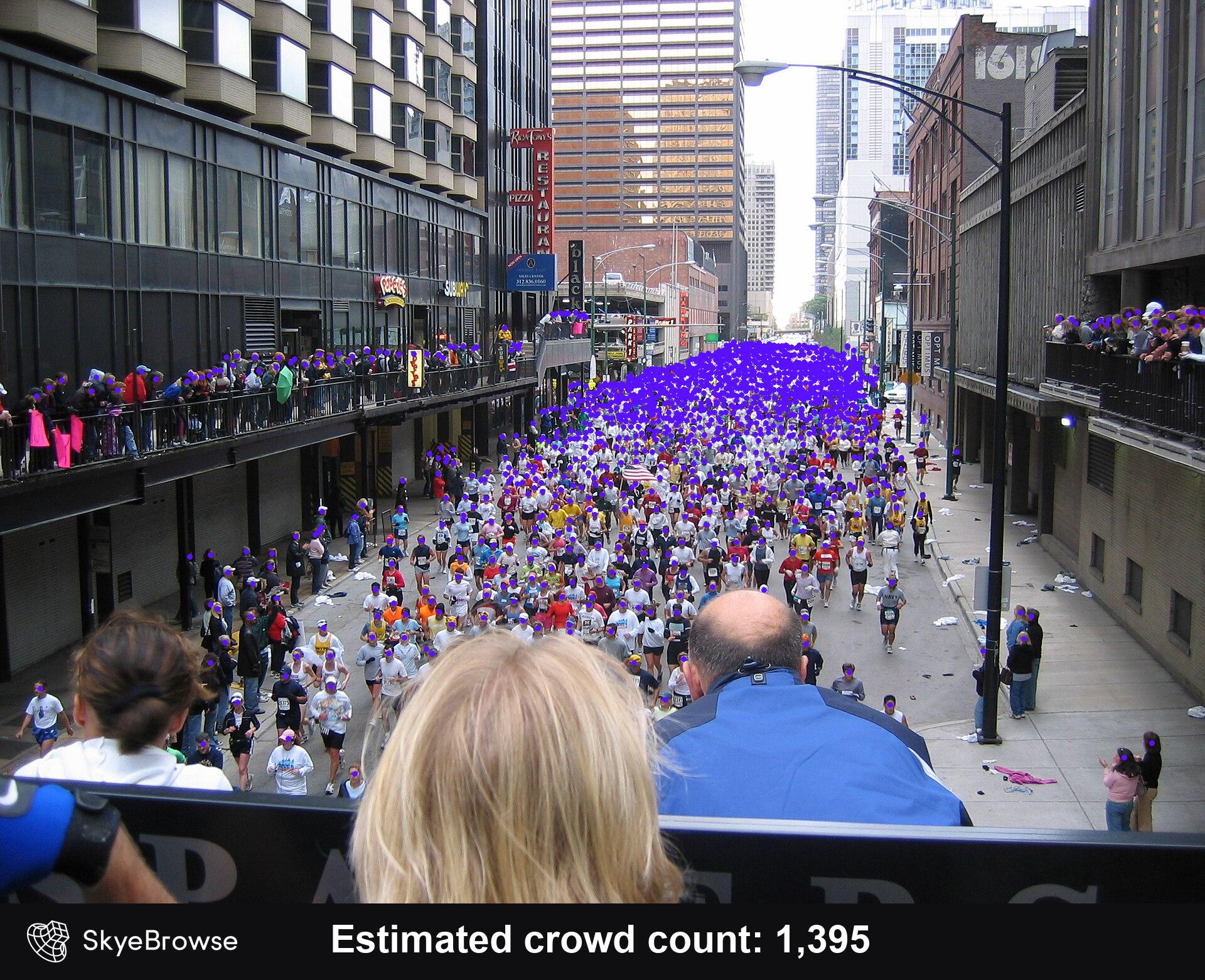
Source photo: Richard Smith, "Chicago 2005 marathon start", CC BY 2.0. Processed with Crowd Counter at threshold 0.35.
Key Takeaways
- Crowd Counter estimates crowd size from one uploaded still image.
- Every detected person receives a visible dot, which makes the result easy to audit.
- An adjustable detection threshold helps tune the estimate for dense or complex scenes.
- The tool supports event safety, drone operations, and situational awareness workflows.
- Crowd Counter is free to use directly on SkyeBrowse.
Contents
- How can you try AI Crowd Counter for free?
- What is an AI crowd counter?
- How does Crowd Counter estimate people in a photo?
- How do you improve results in dense scenes?
- Where can a crowd counting tool help?
- How should teams use AI crowd estimates responsibly?
- FAQ
How can you try AI Crowd Counter for free?
Upload one still image and run Crowd Counter directly in your browser. The result shows an estimated total and places a dot over each person the tool detected. You can change the detection threshold and run the image again when a dense scene needs adjustment.
How to use Crowd Counter:
- Upload a still image that clearly shows the crowd.
- Run the counter and wait for the marked result.
- Compare the estimated total with the dot overlay.
- Adjust the detection threshold if obvious people were missed or background details were marked incorrectly.
- Record the estimate, source image, and selected threshold for your planning workflow.
The tool accepts the image as the analysis input. A frame exported from drone video works well, and a photo captured from a fixed camera or elevated position can also provide a useful view. The best image is one where people are visible, the scene is reasonably sharp, and large objects do not hide significant portions of the crowd.
What is an AI crowd counter?
An AI crowd counter is a computer-vision tool that estimates the number of people visible in an image. SkyeBrowse Crowd Counter returns both a total and a marked image, giving the operator a quick way to inspect which people contributed to the estimate. It is designed for fast scene awareness.
Manual counting becomes slow and inconsistent when a scene contains hundreds of people, overlapping bodies, vehicles, signs, shadows, or changing light. A crowd counting tool gives an event team or drone operator a fast first estimate, then leaves the visual overlay available for review.
The count can support a larger planning process. The CISA Mass Gathering Security Planning Tool gives event planners a framework for evaluating venue characteristics and coordinating with law enforcement and first responders. For a related venue-preparation workflow, see Event Security Planning with Drone 3D Mapping. Crowd Counter can add a timely image-based estimate to that broader operational picture.
It analyzes visible patterns in the uploaded scene, marks likely people, and summarizes the detections as an estimated total.
How does Crowd Counter estimate people in a photo?
Crowd Counter analyzes one still image and marks each detected person with a colored dot. It totals those marked detections to produce the crowd estimate. The threshold control changes how readily the tool treats a visual feature as a person, giving the operator a practical way to tune the result.
The dot overlay is the most important review aid. A number by itself can look precise even when the source image contains occlusion, blur, unusual camera angles, or objects that resemble people. The marked output lets you scan the scene, spot obvious misses or false detections, and decide whether to adjust the threshold.
For example, the indoor Anime Expo scene shown here produced 324 detections at threshold 0.35. Each purple dot corresponds to one detection, so an operator can inspect nearby attendees, distant groups, partially hidden people, and the rest of the frame instead of accepting the total without context. Columns and overlapping attendees create visible gaps in the scene, which makes the overlay useful for reviewing what the model could see.
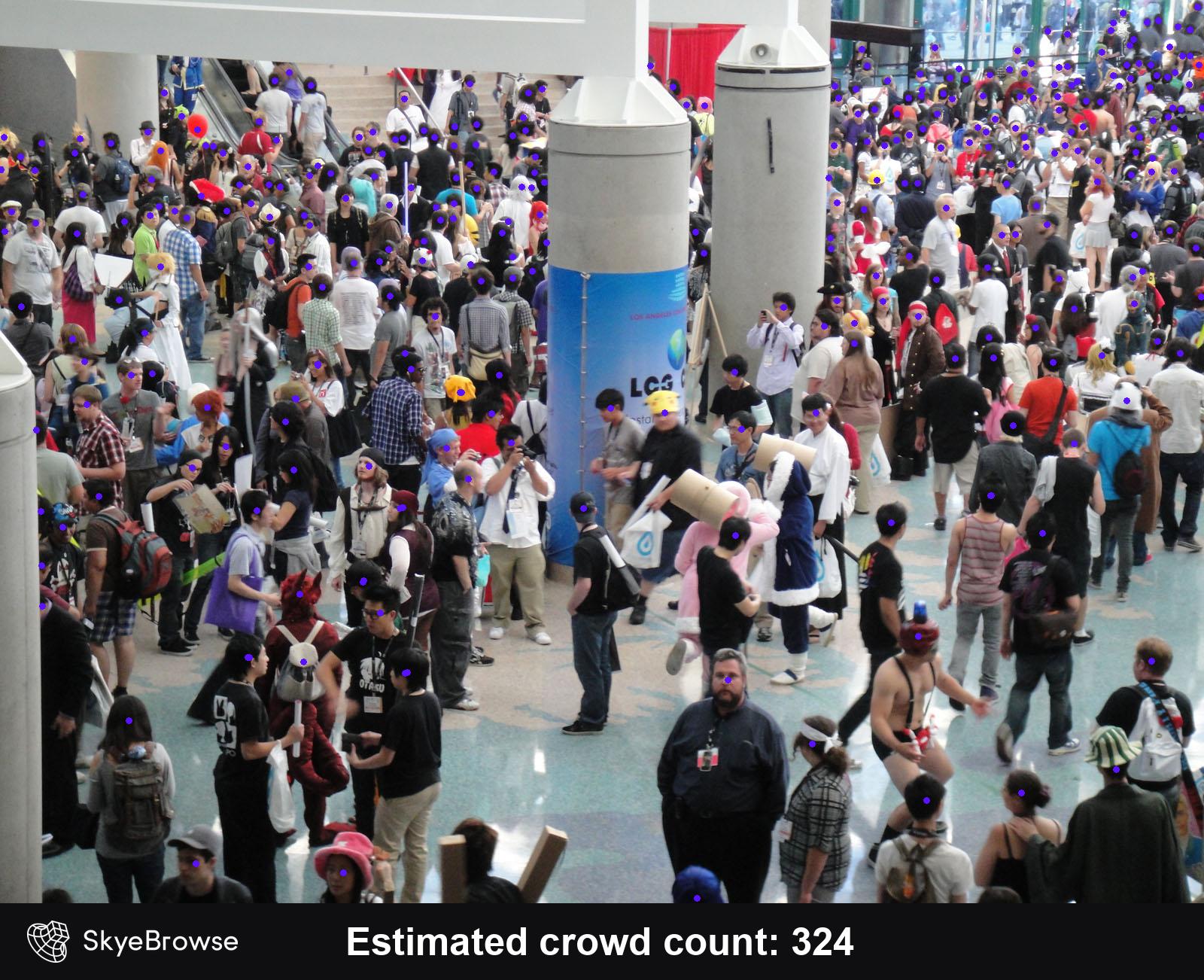
Source photo: The Conmunity, "Anime Expo 2011: the crowd", CC BY 2.0. Processed with Crowd Counter at threshold 0.35.
How do you improve results in dense scenes?
Use a sharp image with a clear view of the crowd, then audit the dots before recording the estimate. Adjust the detection threshold when the overlay consistently misses visible people or marks background objects. For operational work, compare more than one image when the crowd is moving or heavily occluded.
Camera position matters. An elevated or overhead view can reduce the number of people hidden behind one another, while a steep oblique angle may provide helpful visual detail. Avoid frames with strong motion blur, heavy compression, large areas of glare, or foreground objects that obscure the scene.
Treat the threshold as a tuning control, then use the overlay as feedback. If dots appear on signs, lights, or vehicle details, adjust the threshold and rerun the image. If obvious people in dense clusters lack dots, make a measured adjustment in the other direction. Record the selected image and threshold when another team member may need to reproduce the estimate later.
The balloon-festival image below returned 1,387 detections at threshold 0.35. Large balloons, deep shadows, and strong glare obscure parts of the crowd. The overlay makes those limitations visible and helps an operator decide whether to test another frame or threshold.
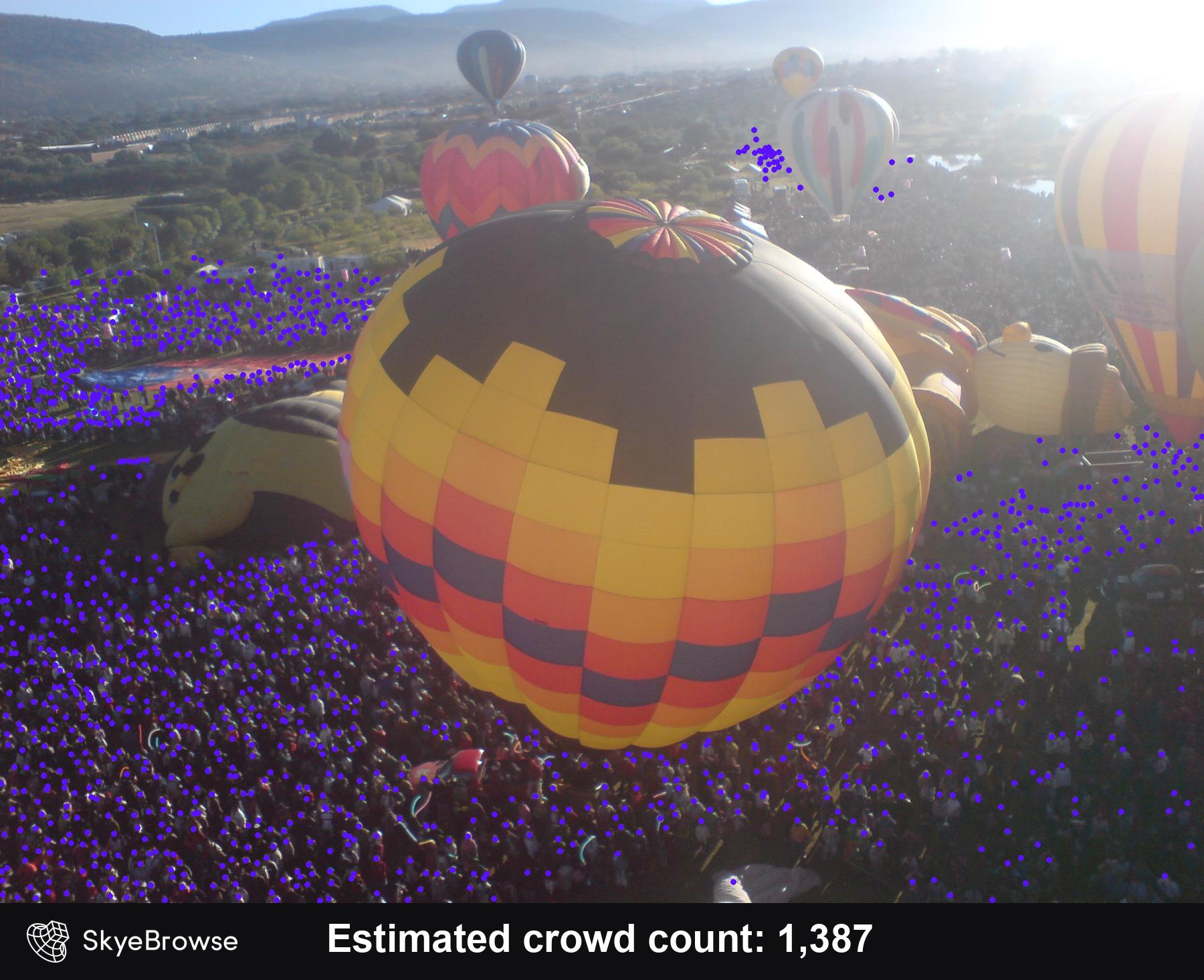
Source photo: CarlosArth, "Festival del Globo", public domain. Processed with Crowd Counter at threshold 0.35.
Crowd size and crowd density answer different questions. The CDC guidance on mass gatherings notes that density, along with attendance, contributes to health and safety risk. Crowd Counter estimates visible people in the image; planners should pair that number with knowledge of usable area, entrances, exits, barriers, and how people are moving through the venue.
Where can a crowd counting tool help?
Crowd Counter is useful when a team needs a quick estimate from an event photo, drone frame, or scene image. Common applications include event safety, drone operations, situational awareness, resource planning, and after-action review. The marked output also makes it easier to explain how the estimate was produced.
Event teams can use periodic images to compare attendance across entry windows or areas of a venue. Public safety personnel can add a crowd estimate to a common operating picture when they are evaluating staffing, access routes, or emerging congestion. Drone operators can process a safely captured frame without manually clicking through hundreds of people.
For after-action work, the image and overlay provide a record that can be reviewed with the estimate. Teams can compare different vantage points, discuss where visual obstructions affected the result, and improve future camera placement.
The tool can also help with communications. A marked image conveys more context than a standalone number because viewers can see where detections concentrate and where the scene becomes visually ambiguous. That transparency is useful when an estimate moves between an operator, event manager, incident commander, or planning team.
How should teams use AI crowd estimates responsibly?
Use the output as an estimate and keep a trained person responsible for reviewing it. Inspect the dot overlay, document the image and threshold, and combine the result with observations from the scene. High-consequence decisions should include additional evidence and established incident or event procedures.
The NIST AI Risk Management Framework emphasizes risk management, evaluation, and clear human roles when organizations use AI systems. In practice, that means the operator should understand what the image shows, review the detections, and avoid treating the estimated total as an automatically verified fact.
Image quality, camera angle, partial visibility, lighting, and crowd movement can all affect what is detectable. Save the source image with the result when the estimate will inform a report or operational discussion. When conditions allow, run additional frames from slightly different moments or viewpoints and compare the outputs.
If a drone captured the image, follow the applicable flight rules and agency policy. The FAA Operations Over People overview explains that eligibility and restrictions vary by aircraft category and operation, including specific requirements for sustained flight over open-air assemblies. A counting workflow begins with lawful, risk-aware image capture.
FAQ
Is SkyeBrowse Crowd Counter free?
Yes. Crowd Counter is free to use at app.skyebrowse.com directly in your browser.
What kind of image can I upload?
Upload one still image where the crowd is visible. Aerial drone frames, elevated event photos, and images from fixed cameras can work well when the scene is sharp and people are not heavily obscured.
Does Crowd Counter show what it detected?
Yes. The output places a dot over each detected person and displays the estimated total. Review the dots across the full image before using the number.
Can I adjust the crowd count?
You can adjust the detection threshold and run the image again. Use the overlay to judge whether a change reduces missed people or incorrect detections.
Count a crowd from one image. Upload a drone frame or event photo to Crowd Counter and get a crowd-size estimate with a per-head dot overlay in under 10 seconds. Free with a SkyeBrowse account.