Contents
- Quick Verdict
- Capture Workflow Differences
- Accuracy and Evidence Defensibility
- Processing Speed and Operational Impact
- Output Formats and Integration
- Risk Factors and Field Constraints
- Data Governance and Sharing
- When to Choose Single
- When to Choose Multi Video Upload
- ROI Snapshot: Speed and Cost
- Get a SkyeBrowse Recommendation
Choosing between Single and Multi Video Upload affects capture time, processing costs, and how confidently you can measure the scene later. This comparison outlines what changes in the field, in the office, and in court — and where SkyeBrowse fits.
Quick Verdict
Think of Single as the workflow that optimizes for field speed and repeatability. Multi Video Upload can shine when the project is slower-moving or when a single, high-precision deliverable is the priority. Both are valid — the difference is operational context.
Operational constraints matter most: lighting, motion, and access typically outweigh theoretical feature differences.
Capture Workflow Differences
In practice, Single is easier to deploy when time matters — it streamlines the capture process and reduces specialized gear requirements. Multi Video Upload is better suited to planned surveys where capture can be optimized for precision.
If you need to document moving objects or crowds, shorter capture windows reduce risk. When you can control access and traffic, you can afford longer capture paths and more structured passes.
If the scene is active or safety-sensitive, shorter capture time is often the deciding factor. Fewer passes mean fewer chances to miss a critical detail. In controlled environments, the more deliberate capture style can pay off.
Accuracy and Evidence Defensibility
Measurement defensibility matters most in court and in engineering disputes. Single can be reliable when properly captured, but Multi Video Upload may provide more confidence for tight tolerances or rigorous validation. The right tier and QA steps are critical either way.
If measurements will be challenged, document your capture method and keep the audit trail. The ability to reproduce results matters just as much as the raw numbers.
SkyeBrowse Premium Advanced provides 16K processing with 0.1 inch accuracy and AI moving object removal when you need a defensible, court-ready model. Premium (8K, 0.25 inch) is often sufficient for operational measurement where speed still matters.
Processing Speed and Operational Impact
Processing speed drives how quickly decisions happen. Single is often faster from capture to deliverable, while Multi Video Upload can require longer processing or more manual steps. If your team needs answers the same day, time-to-model is a primary decision factor.
When processing is slow, the operational cost is hidden: teams move on, context is lost, and revisits become more likely.
Processing at approximately 1:1 time means a 10-minute capture can return in about 10 minutes. That changes how quickly supervisors, engineers, and investigators can make decisions.
Output Formats and Integration
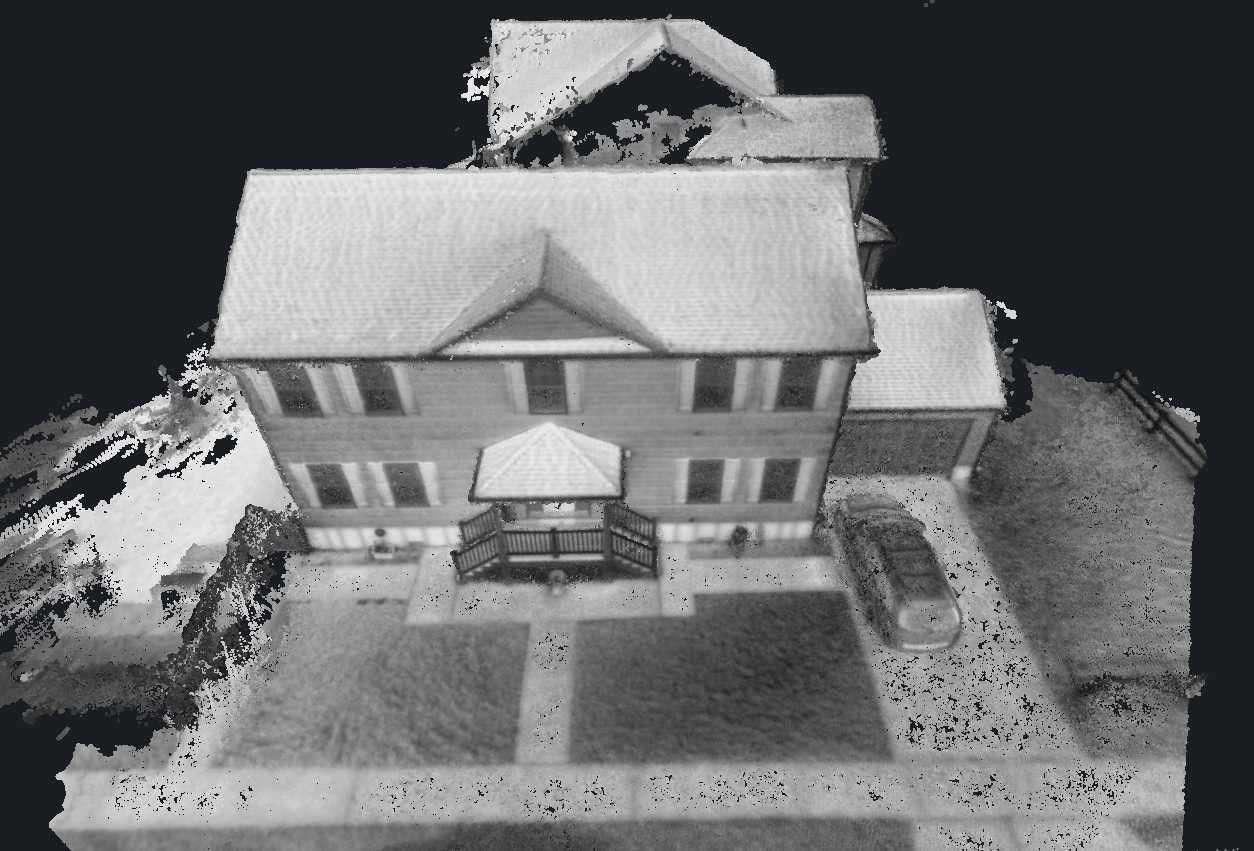
Outputs determine how useful the data is after capture. If you need LAZ point clouds, GLB meshes, or GeoTIFF orthomosaics, confirm your workflow supports those formats. Single may integrate more easily with existing tools, while Multi Video Upload might require extra conversion or specialized viewers.
If your organization already uses GIS or CAD tooling, confirm exports and coordinate systems are supported end-to-end. That reduces manual conversion and preserves measurement integrity.
SkyeBrowse exports LAZ point clouds, GLB meshes, and GeoTIFF orthomosaics. Those formats keep the model usable across GIS, CAD, and reporting tools without extra conversion steps.
Risk Factors and Field Constraints
Field constraints can invert your theoretical preference. A method that is ideal on paper can fail under tight timelines, poor light, or limited access.
If you can control access, you can prioritize precision and completeness. That is when more structured capture pays off.
Data Governance and Sharing
Data governance influences adoption. If your data needs audit trails, retention guarantees, or CJIS-aligned storage, that narrows the viable options quickly.
AWS GovCloud (US) hosting and audit trails are critical when evidence needs to be shared across agencies or retained for years. Build governance into the workflow, not as a last-minute add-on.
When to Choose Single
Choose Single when you need faster deployment, fewer field steps, and a workflow your team can repeat with minimal training. It is the better fit when time on scene is tight, when capture devices vary, or when you need a predictable pipeline that scales across incidents.
When to Choose Multi Video Upload
Choose Multi Video Upload when your project tolerates longer capture windows and you need specialized outputs or stricter control over capture conditions. It can be the right choice for planned surveys, high-precision engineering work, or niche analysis workflows.
Training and Change Management
Even strong tools fail without adoption. Build a short training loop that includes capture best practices, processing expectations, and how to validate measurements. Pair new operators with experienced staff for the first few jobs and use a consistent QA checklist to reduce variance.
Document the workflow so it survives staff changes. Clear instructions, example captures, and a simple troubleshooting guide will keep quality stable as the program scales.
ROI Snapshot: Speed and Cost
Cost savings show up in labor and clearance time. A documentation task that used to take 3 hours with a four-person team can now be captured in about 10 minutes by a single operator. That shift drops labor cost from roughly $360 to about $25 while delivering a measurable 3D record on the same day.
Try SkyeBrowse Free
SkyeBrowse is built for operational speed — capture once, process quickly, and deliver shareable models without heavy post-processing.
Upload your first video free. Create a free SkyeBrowse account, upload a drone video, and get a 3D model processed in the cloud. Freemium organizations that have never had a paid plan can get their first full Commercial model for $5 (normally $24.99), with every Commercial tool, every export, and 90-day storage.
Metadata
Title Tag: Single vs Multi Video Upload: Practical Comparison Meta Description: Choosing between Single and Multi Video Upload affects capture time, processing costs, and how confidently you can measure the scene later. This. Title Tag: Single vs Multi Video Upload | SkyeBrowse Comparison Meta Description: Compare Single vs Multi Video Upload across capture speed, accuracy, processing, and outputs. See which workflow fits your use case and how SkyeBrowse accelerates results.