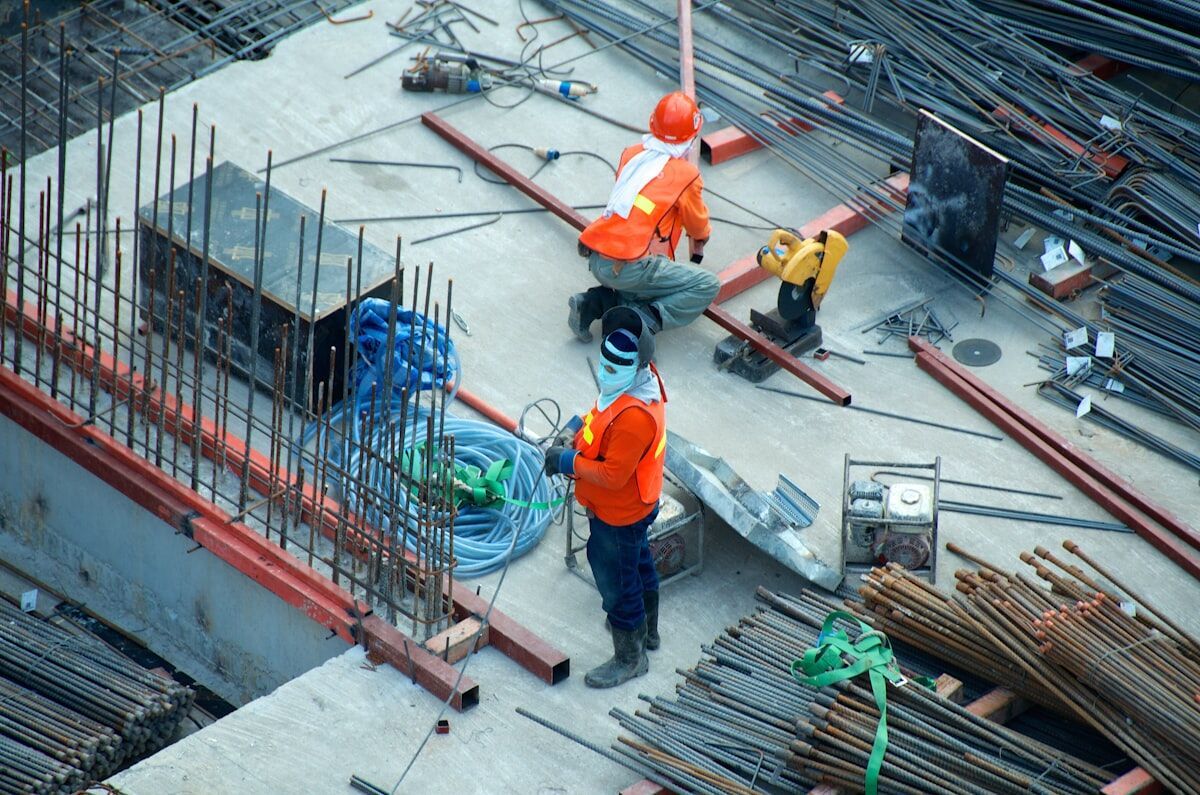
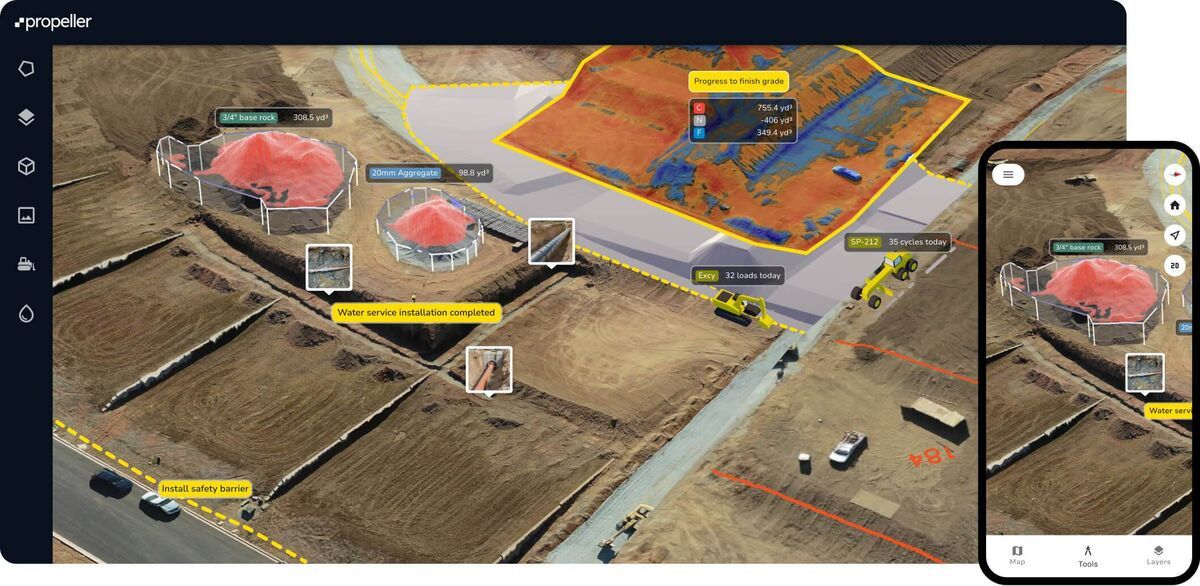
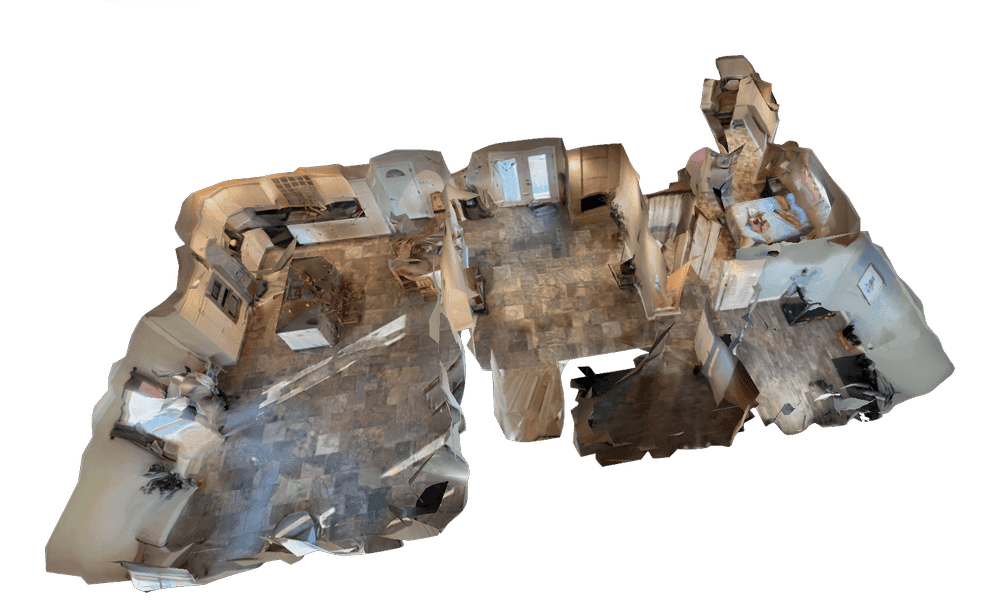
Most construction teams track progress the hard way: weekly photo reports from a single vantage point, spreadsheet updates, and periodic site walks that never quite capture what changed between visits. The result is schedule disputes, missed milestones, and rework that could have been caught earlier. Drone and phone video walkthroughs change that equation — when the capture-to-model workflow is fast enough to actually run every day.
SkyeBrowse is a videogrammetry platform — videogrammetry being the process of generating 3D geometry and 2D maps directly from continuous video rather than from hundreds of individual still photographs — that turns site footage into navigable 3D models and orthomosaic maps in minutes. Unlike aerial-only mapping tools that require a formal grid flight plan, SkyeBrowse accepts video from both drones and phones, letting field teams document aerial overviews and ground-level interiors in a single workflow.
Key Takeaways
- SkyeBrowse processes video at approximately one minute per minute of footage — a five-minute drone orbit returns a finished 3D model in under ten minutes, with no desktop software required.
- Unlike aerial-only grid-flight tools, SkyeBrowse accepts phone and action camera video through Universal Upload, capturing interior framing, material staging, and below-grade work that drones can't see.
- Relative accuracy (the internal consistency of measurements within the same model) is typically what matters for daily progress monitoring — SkyeBrowse Commercial and Pro reach 0.5 inch and Public Safety & Enterprise 0.1 inch.
- All models are accessible in any browser via shared link; LAZ, GLB, and GeoTIFF exports connect field captures to Civil 3D, BIM coordination, and GIS project records.
- Public Safety & Enterprise 5-year storage keeps models available through the full construction defect limitation period, providing a defensible spatial record if post-completion disputes arise.
Contents
- What is construction progress monitoring, and why does it matter?
- Why do grid flights fall short for daily construction monitoring?
- How does SkyeBrowse handle both ground and aerial capture?
- What does the daily capture-to-model workflow look like?
- How accurate are SkyeBrowse models for construction use?
- What Can a Construction Site Drone Capture?
- What can you measure and export?
- Frequently asked questions
What is construction progress monitoring, and why does it matter?
Construction progress monitoring is the systematic documentation of a job site over time to verify that work is advancing on schedule, materials are in place, and completed work matches design intent. Done well, it reduces schedule disputes, supports payment application documentation, and gives project owners a defensible record if questions arise after project close-out.
According to the Associated General Contractors of America (AGC), construction projects regularly face schedule overruns that trace back to poor site visibility and late discovery of rework situations. Traditional photo documentation — timestamped images taken from fixed angles — captures moments but not spatial context. A 3D model of the site on a given day lets a project manager measure exactly how far a concrete pour has advanced, compare it to the previous week's model, and flag deviations before they compound.
The shift from photo logs to spatial models is accelerating across the industry. The ASCE Infrastructure Report Card has repeatedly noted that the U.S. construction sector faces growing pressure to deliver more with less, which is driving adoption of digital site documentation tools that reduce the time cost of manual progress reviews.
Why do grid flights fall short for daily construction monitoring?
The dominant approach to drone construction monitoring is the automated grid flight: a drone flies a pre-planned lawnmower pattern over the site, capturing overlapping still images that photogrammetry software stitches into an orthomosaic map. Photogrammetry is the technique of deriving 3D measurements and maps from overlapping still photographs. This works well for large earthwork sites and land surveys, but it has real friction for daily use on small-to-mid-size construction projects.
Grid flights require mission planning software, a drone with a compatible flight controller, FAA Part 107 compliance for commercial operations, and post-processing that often takes 30 minutes to several hours per dataset, depending on the software and hardware used. The FAA's Part 107 rules also impose operational constraints — altitude limits, airspace authorization requirements, and weather minimums — that can interrupt a planned flight on any given morning. For a GC running a residential subdivision or a mid-rise commercial project, setting up and processing a daily grid flight is rarely practical.
Grid flights also miss everything at ground level. Framing progress inside a building, material staging in a covered area, below-slab plumbing runs, and interior MEP rough-in are invisible from the air. An aerial orthomosaic shows the footprint; it does not show what is happening inside.
How does SkyeBrowse handle both ground and aerial capture?
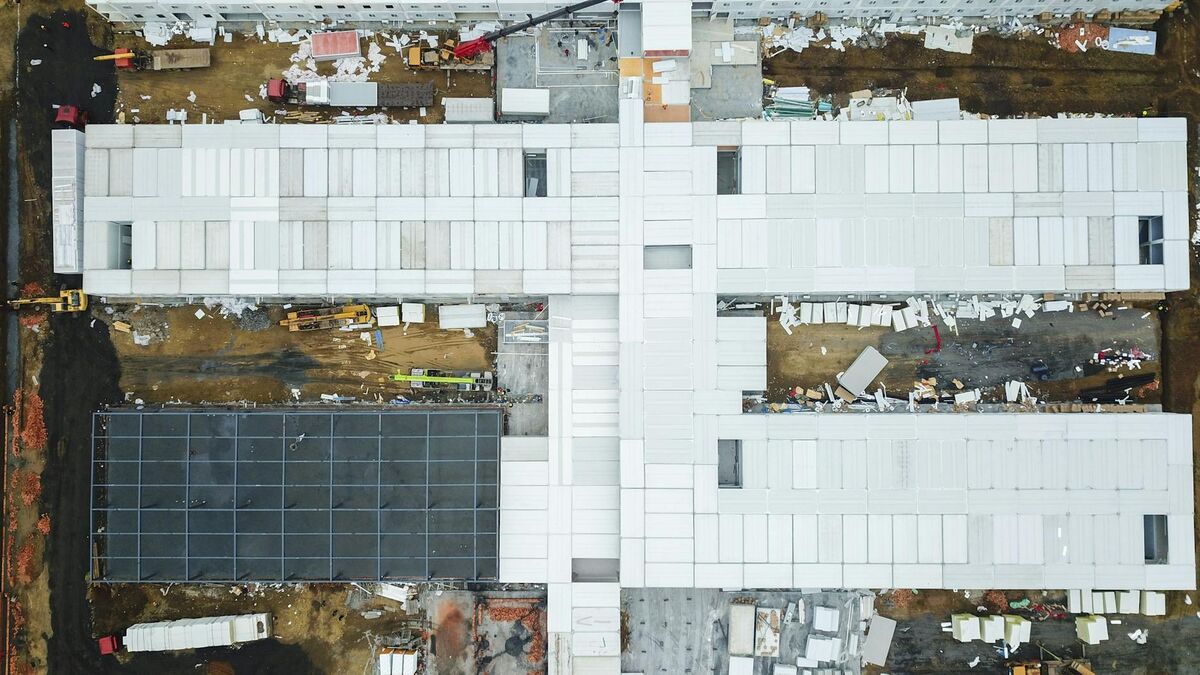
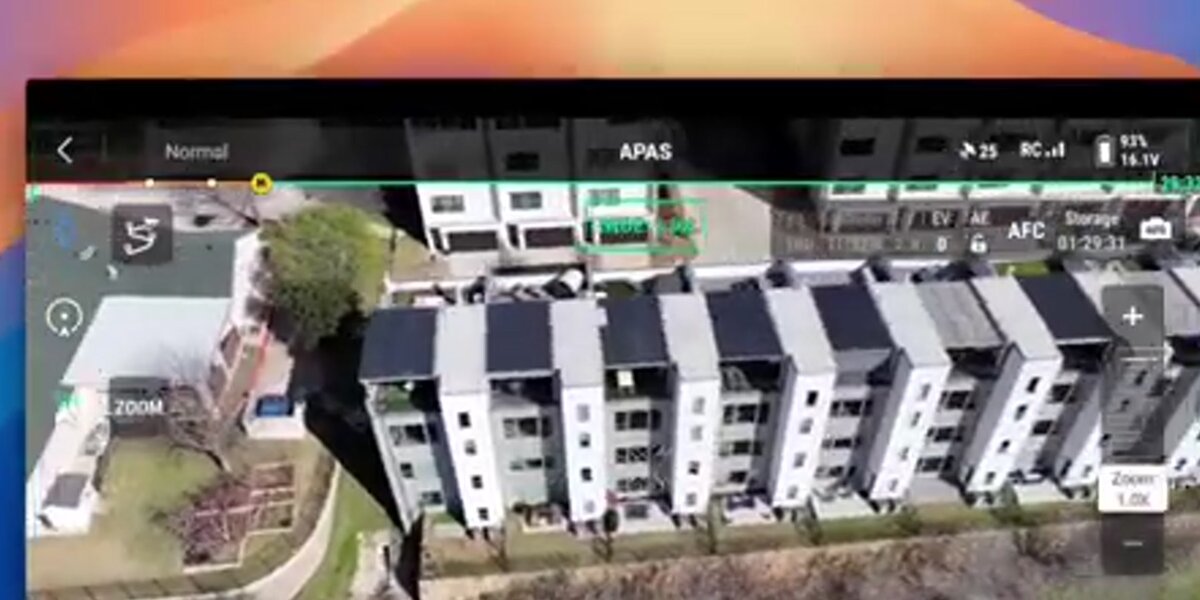
SkyeBrowse accepts .MP4 and .MOV video from any compatible source — drones, smartphones, action cameras, and 360 cameras — through its Universal Upload feature. A field team can fly a two-minute drone orbit around the structure for the exterior shell, then walk through the interior with a phone for a ground-level record of framing, mechanical rough-in, and material placement. Both videos upload to app.skyebrowse.com and process independently into separate 3D models.
This dual-capture approach gives project teams a spatial record that no aerial-only tool can match. The exterior drone model documents structural progress, roofing advancement, and site grading. The interior phone walkthrough captures what subcontractors completed since the last visit, documents materials received and staged, and creates a time-stamped record that can be tied to a specific payment application period. Both models are stored in the cloud, accessible from any browser without desktop software.
The SkyeBrowse Flight App supports automated orbit capture on compatible drones, removing the need to manually pilot a smooth orbit path. For teams without a supported drone, any drone capable of recording standard video can upload footage through Universal Upload — the flight does not need to be automated.
What does the daily capture-to-model workflow look like?
The end-to-end workflow for a daily construction site model involves four steps: capture, upload, process, and review.
Capture takes two to five minutes for a mid-size site. A drone orbit at a consistent altitude and distance produces the exterior aerial record. A smartphone or action camera walkthrough through active work areas produces the interior ground-level record. OSHA's construction site safety guidelines recommend that anyone operating on an active site coordinate with the site superintendent before beginning any monitoring activity — the same applies here.
Upload happens through the browser at app.skyebrowse.com or through the SkyeBrowse mobile app. The Universal Upload feature accepts the video file directly. If the drone records telemetry subtitle files (DJI produces .SRT files; Autel produces .ASS files), uploading those alongside the video improves georeferencing accuracy.
Processing runs in the cloud at approximately one minute of processing time per one minute of video. A three-minute drone orbit typically returns a completed model in under five minutes. No rendering hardware or desktop software is required.
Review happens in the browser. Project managers, owners, and remote stakeholders can access the model through a shared link, take measurements, and compare the current model against previous dates to evaluate progress against schedule.
How accurate are SkyeBrowse models for construction use?
SkyeBrowse accuracy depends on the plan tier selected. Commercial and Pro models reach 0.5 inch accuracy, which is sufficient for visual progress reviews, schedule tracking, and volume estimates, and Public Safety & Enterprise reaches 0.1 inch accuracy, suitable for more precise as-built comparisons, conflict identification between design intent and field conditions, and volume measurements.
For construction monitoring, relative accuracy — the internal consistency of measurements taken within the same model — is often more important than absolute georeferenced accuracy. Measuring the height of a poured wall, the depth of an excavation, or the footprint of a completed slab requires that the model be internally consistent, not necessarily tied to a survey datum. SkyeBrowse emphasizes relative accuracy as a core positioning point, which aligns well with daily progress documentation where teams are comparing this week's model to last week's rather than to a surveyed control network.
Teams requiring absolute georeferenced accuracy for formal as-built deliverables can improve positioning by uploading drone telemetry files and by establishing ground control points for critical measurements.

What Can a Construction Site Drone Capture?
A construction site drone captures exterior structural progress, grading and earthwork conditions, material staging areas, and roofing advancement in a single two-to-five-minute orbit. Unlike fixed cameras or periodic photo reports, a drone generates a navigable 3D model that lets project managers measure specific elements — pour depths, wall heights, stockpile volumes — directly from the model without returning to the site.
Beyond the aerial overview, teams that combine drone footage with smartphone walkthroughs through Universal Upload capture everything a drone cannot see: interior framing progress, below-slab plumbing, MEP rough-in, and covered staging areas. This two-capture approach gives project owners and GCs a complete spatial record of what was built on a given day — documentation that supports payment applications, resolves schedule disputes, and provides a defensible baseline if post-completion issues arise. If your team is still choosing a construction drone or weighing whether to hire a drone service, start with our buyer's guide.
What can you measure and export?
Within a SkyeBrowse model, teams can take distance, area, and angle measurements directly in the browser. For earthwork, grading, and material stockpile tracking, the SaltBrowse volume measurement tool calculates cut/fill volumes and material quantities from the 3D model without requiring a separate survey instrument.
Export formats include LAZ (point cloud, compatible with most civil engineering and GIS software), GLB (3D mesh, suitable for BIM coordination and stakeholder presentations), and GeoTIFF (georeferenced raster, compatible with ArcGIS, QGIS, and other GIS platforms). These outputs connect SkyeBrowse's rapid field capture to the formal project record systems that owners and engineers use for project close-out and drone as-built documentation.
The 5-year storage commitment on Public Safety & Enterprise means that models captured during construction remain available for the duration of any standard construction defect limitation period, providing a defensible spatial record if disputes arise after project completion.
Frequently asked questions
Can I use a phone instead of a drone for construction progress monitoring?
Yes. SkyeBrowse accepts .MP4 and .MOV video from smartphones, action cameras, and 360 cameras through Universal Upload. A ground-level phone walkthrough captures interior framing, material staging areas, and below-grade work that aerial drone footage cannot see. Many teams use both: a drone orbit for the exterior overview and a phone walkthrough for interior or ground-level detail.
How long does it take to process a construction site 3D model in SkyeBrowse?
SkyeBrowse processes video at approximately one minute of processing time per one minute of captured video. A five-minute drone orbit of a mid-size construction site typically returns a ready 3D model in under ten minutes. No desktop software installation is required — processing runs in the cloud at app.skyebrowse.com.
What accuracy can I expect from SkyeBrowse on a construction site?
Accuracy depends on the plan tier. Commercial and Pro models reach 0.5 inch accuracy, suitable for visual progress reviews and volume estimates, and Public Safety & Enterprise reaches 0.1 inch, suitable for more precise as-built comparisons and volume measurements using SaltBrowse. Uploading drone telemetry subtitle files (.SRT for DJI, .ASS for Autel) improves georeferencing on all tiers.
Construction teams that commit to daily spatial documentation catch problems earlier, support payment applications with defensible records, and give project owners the visibility they want without adding hours of post-processing work to the field team's day. SkyeBrowse's combination of drone orbit and phone walkthrough capture — both processing in minutes, both accessible in a browser — makes that level of documentation practical at the pace of actual construction.
Upload your first video free. Create a free SkyeBrowse account, upload a drone video, and get a 3D model processed in the cloud. Freemium organizations that have never had a paid plan can get their first full Commercial model for $5 (normally $24.99), with every Pro tool and export included and 90-day storage.