Most 3D mapping platforms accept video as a single continuous file. Some also support combining multiple clips into one processing job, merging coverage from separate passes into a unified model. The difference is not cosmetic — it changes how teams capture in the field, how much coverage they achieve on complex scenes, and how fast the 3D map maker returns a usable result.
Single video upload works from one continuous recording — one pass, one file, one processing job. Multi video upload accepts several clips captured at different times or locations within the same site and stitches them into a single model. Each approach has clear strengths depending on scene size, geometry, and operational tempo.
Contents
- When Does a Single Video Capture Enough Coverage?
- What Scenes Require Multi Video Upload?
- How Does Upload Mode Affect Processing Time?
- What Are the File Management Tradeoffs?
- Which Tiers and Plans Support Multi Video?
- Single vs Multi Video Upload Comparison
- Where Does SkyeBrowse Fit?
- Get a SkyeBrowse Recommendation
When Does a Single Video Capture Enough Coverage?
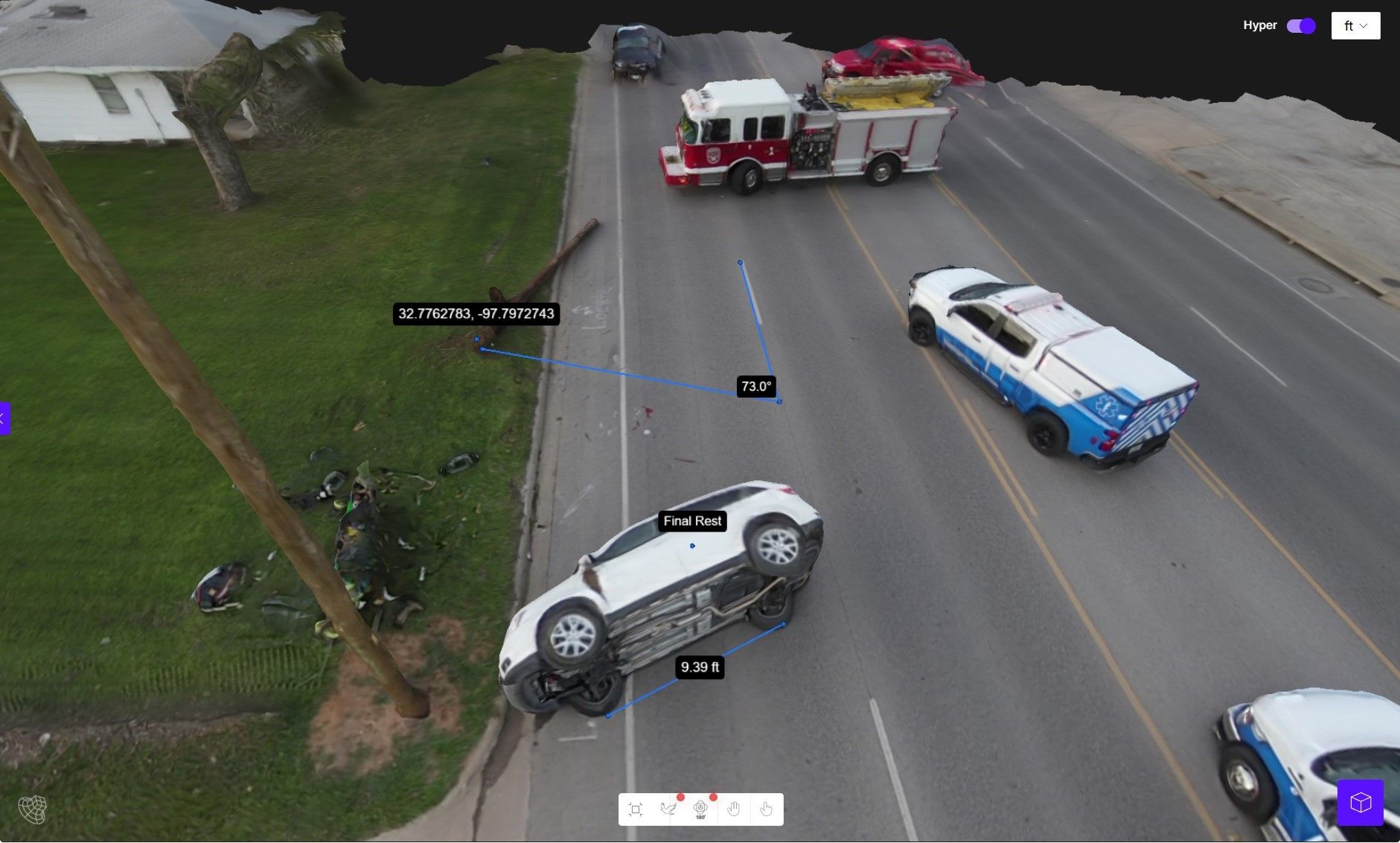
A single continuous video is sufficient when the scene can be fully captured in one uninterrupted pass. Compact outdoor scenes — a traffic intersection, a small building, a single-lot construction site — are well suited to one drone orbit or one handheld walkthrough. The operator flies or walks a planned route, records everything, and uploads the resulting .MP4 or .MOV file for 3D mapping processing.
Single video captures are faster end-to-end. One file means one upload, one processing queue entry, and one result. For time-critical work like crash reconstruction or emergency scene documentation, this speed advantage is significant. A 10-minute capture processed at a 1:1 ratio can deliver a measurable model in about 10 minutes after upload — fast enough for same-shift decisions by investigators or commanders.
What Scenes Require Multi Video Upload?
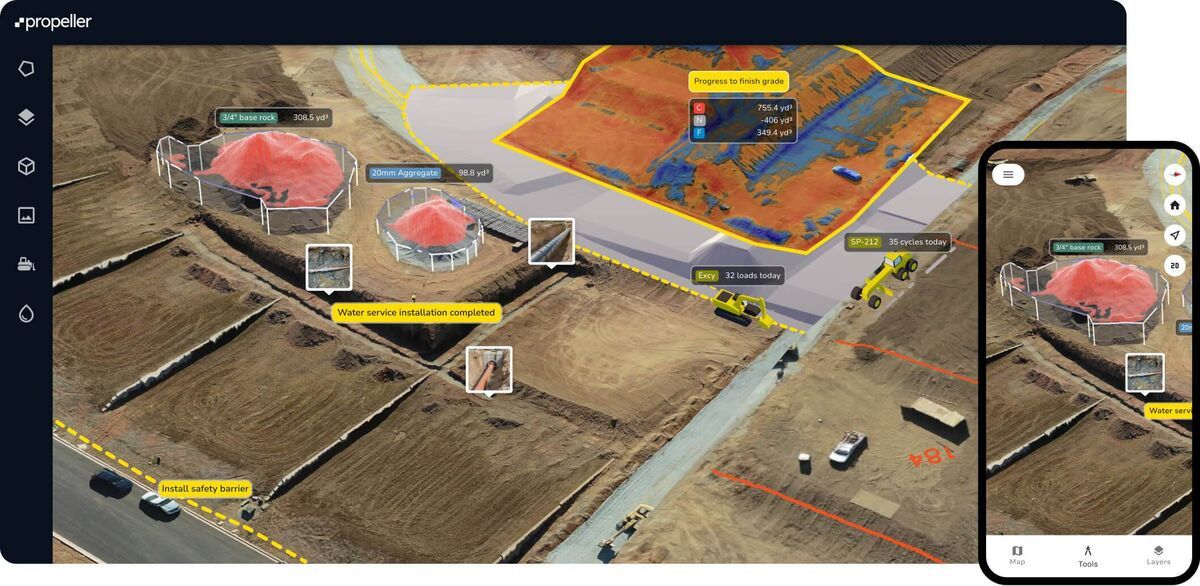
Multi video upload becomes necessary when a single pass cannot capture all the geometry. Large sites, multi-structure complexes, and scenes with significant occlusion — trees blocking sightlines, vehicles parked in the middle of the area, buildings with deep recesses — often leave gaps in single-pass coverage. Separate clips let operators make targeted supplemental passes to fill those gaps.
Mixed-environment scenes also benefit from multi video. A fire investigation might require one exterior drone orbit plus a separate interior walkthrough. Multi video upload lets each clip use the optimal capture method for its portion of the scene while the 3D map maker assembles everything into one cohesive model.
How Does Upload Mode Affect Processing Time?
Single video processing is straightforward — one file in, one model out. Total elapsed time scales linearly with video length. Multi video processing takes longer because the platform must reconstruct each clip individually and then merge the results into a unified model. More total footage means more compute time, and the merging step adds overhead that does not exist in single-file workflows.
Upload bandwidth also matters for cloud-based drone mapping software platforms. One large file uploads in a single stream. Multiple files require sequential or parallel uploads, and if any clip fails mid-transfer, it must be re-uploaded before processing can complete. On unreliable field networks, fewer files means fewer failure points.
What Are the File Management Tradeoffs?
Single video simplifies the chain of custody. One source file ties to one processing job and one output model. For law enforcement or legal work, this creates a clean audit trail. Fewer files mean fewer opportunities for mislabeling, missing clips, or disputed provenance.
Multi video requires more disciplined file management. Each clip needs clear naming, timestamps, and association with the correct case. If an operator captures four clips and only uploads three, the model will have a coverage gap. Teams using multi video workflows benefit from standardized naming conventions and checklists that verify all clips are accounted for before processing starts.
Which Tiers and Plans Support Multi Video?
Not all 3D mapping platform tiers include multi video upload. Entry-level plans typically restrict users to single video processing per model. Higher tiers unlock the ability to combine multiple clips, and the number of clips allowed per job varies by plan.
Before building a multi video workflow into your standard operating procedure, verify that your plan tier supports it and understand the clip limits. Teams that capture multi video in the field but discover their plan only processes one clip per model face either an upgrade decision or rework to compress their approach into a single pass.
Single vs Multi Video Upload Comparison
| Single Video Upload | Multi Video Upload | |
|---|---|---|
| Capture approach | One continuous pass | Multiple targeted passes |
| Best for | Compact scenes, rapid response | Large sites, complex geometry, mixed environments |
| Time to first model | Fastest — one upload, one job | Slower — multiple uploads, merge processing |
| Coverage completeness | Limited by single-pass sightlines | Higher — supplemental clips fill gaps |
| File management | Simple — one file per model | Requires naming discipline and clip tracking |
| Chain of custody | Clean single-file audit trail | More documentation steps |
| Network resilience | One transfer, all-or-nothing | Partial retry possible per clip |
| Plan requirements | Available on all tiers | Typically requires higher-tier plans |
Where Does SkyeBrowse Fit?
SkyeBrowse supports both workflows through Universal Upload at map.skyebrowse.com, which accepts .MP4 and .MOV files from drones, phones, and cameras. Single video upload is available on all tiers — processing runs at roughly 1:1, so a 10-minute video returns in about 10 minutes. Multi video upload is available on Premium (up to 3 videos per model) and Premium Advanced (up to 10 videos). This lets teams start with single-video workflows for routine scenes and scale to multi-video when complexity demands it.
Try SkyeBrowse Free
If your team needs guidance on when single-pass capture is sufficient and when multi video upload delivers better results, SkyeBrowse can help you build the right workflow for your scene types.
Upload your first video free. Create a free SkyeBrowse account, upload a drone video, and get a 3D model processed in the cloud. Freemium organizations that have never had a paid plan can get their first full Commercial model for $5 (normally $24.99), with every Commercial tool, every export, and 90-day storage.