Hi SkyeBrowsers,
Part 2 of our week of updates is here.
I spent the past week building our brand new Flight App, and this one is a big one. It supports more drones, gives you more control in the field, and makes automated flight paths a lot easier to use.
I also recorded a full tutorial video so you can see everything in action right away.
Brand New Drones Added to Flight App
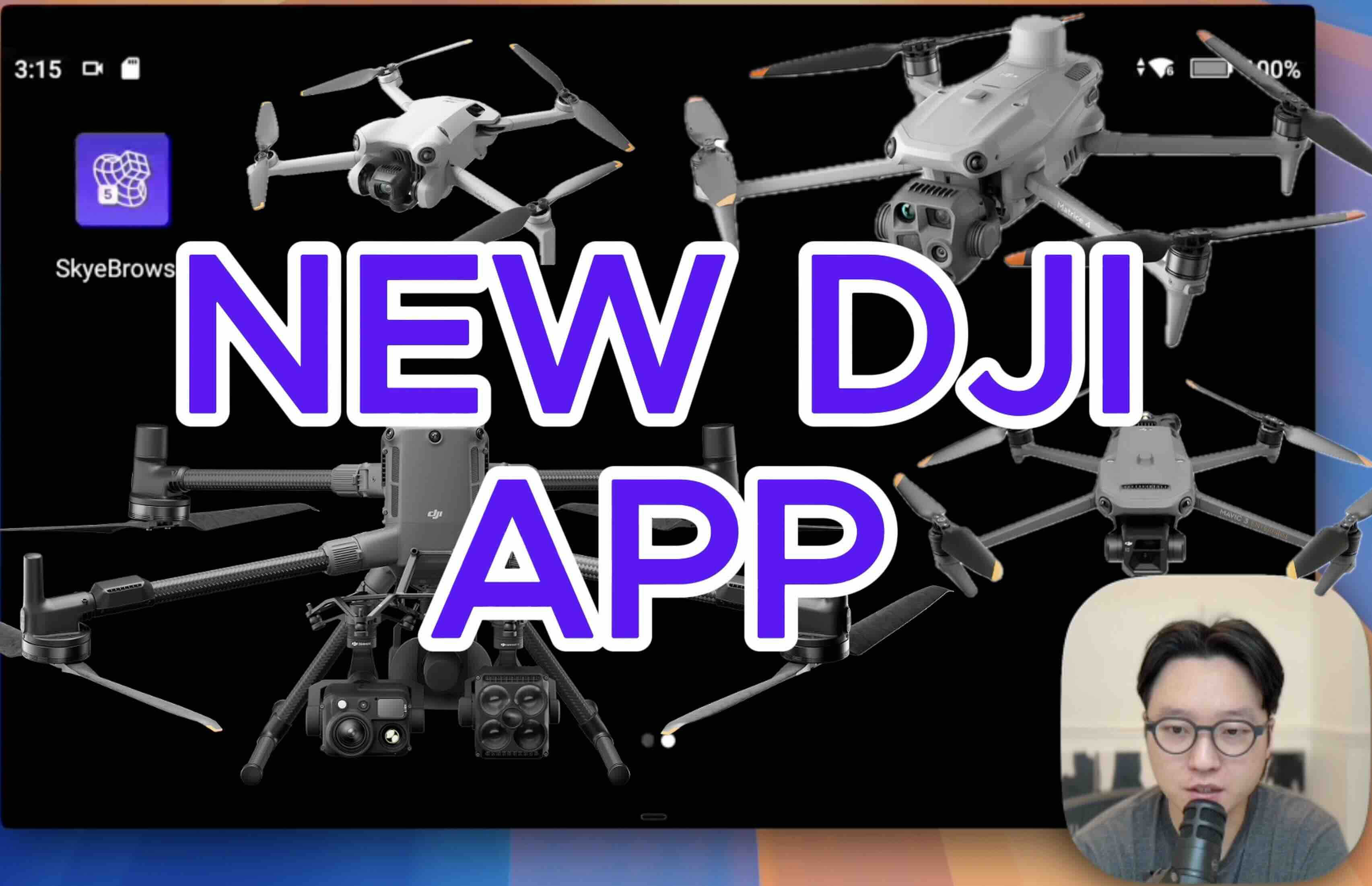
This is one of our biggest Flight App updates yet. We added support for new drones, cleaned up the flight experience, and made WideBrowse much better for larger scenes.
The goal is simple: make it even faster and easier to capture a 3D model in the field.
New Drone Support
The new Flight App now supports:
- DJI Mini 4 Pro, for teams that want a small and easy aircraft for quick deployments.
- DJI Matrice 4E and 4T, for enterprise and public safety users who need a more advanced platform.
- DJI Matrice 400, for larger scale and more demanding operations.
We also improved support for a wide range of existing aircraft, including Mavic 3 Enterprise, Mavic 3 Thermal, Matrice 30, Matrice 300, and Matrice 350.
If your drone isn't on the list, don't fret. We support all drone videos for processing, so you can manually record and upload into our system.
Try it out today by going to the link below and choosing "DJI Remote Controller".
WideBrowse: Major Upgrades
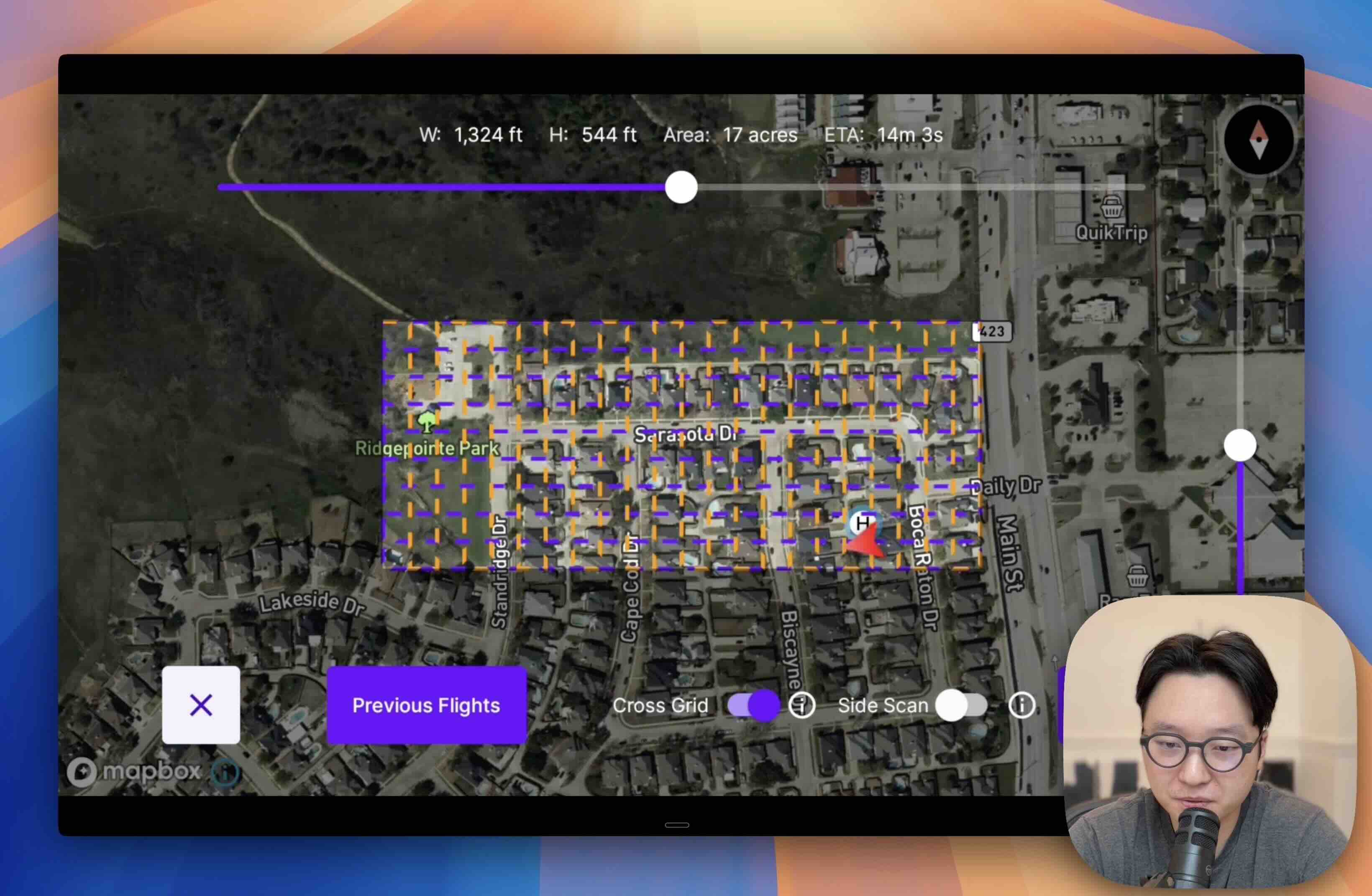
WideBrowse is the lawnmower grid for larger areas, and this is where most of the new features live.
Cross Grids. This feature introduces a perpendicular flight path following the initial pass. Enabling it captures significantly more detail, making it ideal for structured scenes and low-rise buildings that require superior lateral coverage.
Side Scan. Activating this setting adds a final orbital pass to your mission. It is engineered for verticality, where side scan captures facades and high-rises with precision.
Previous Flights. This one is huge for anyone doing repeat mapping. Tap Previous Flights in WideBrowse and you'll see every completed WideBrowse mission you've flown before, including the location, date, time, and all your settings.
And Much Much More. I go over all the features in the tutorial video below.
Fresh Feature: Merging Models
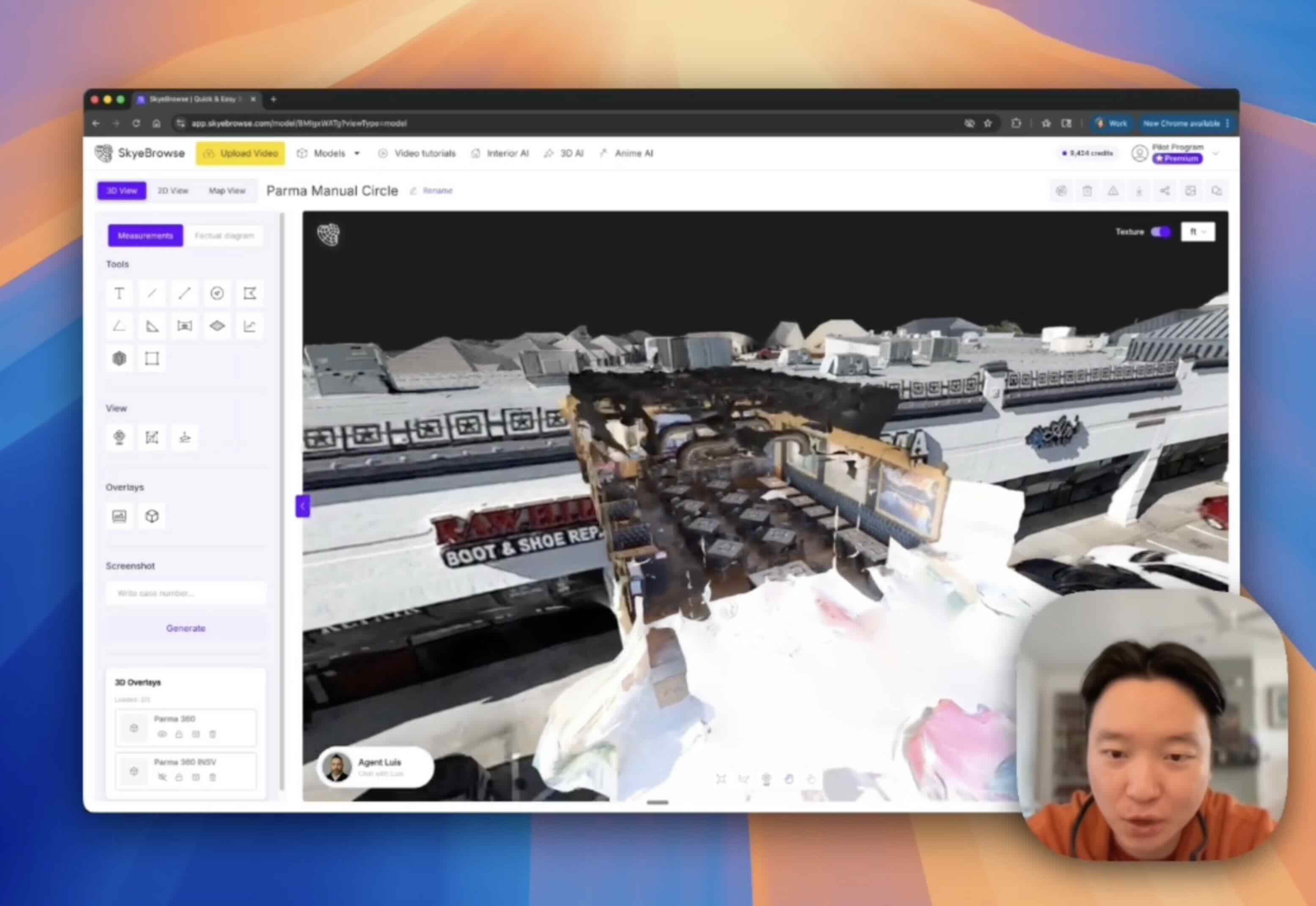
On Tuesday I mentioned we released 3D Overlays, where you can stack multiple models in the same viewer. Here's what that actually looks like.
I flew a 1 minute drone video around a building and made a 3D model. Then I walked inside with a 360 camera, recorded another minute, and made a second model. Then I overlaid interior on top of exterior and merged them into one scene.
Roof, walls, and interior rooms. One viewer. No file switching, no guessing alignment.
Watch the full walkthrough below.
Fly SkyeBrowse Today
Download the new Flight App from our website, sideload it onto your DJI RC Pro, and try it out today. If you haven't already, watch the full tutorial video linked above.