Crush & Claims Analysis
Align a reference 3D vehicle to your damaged scan, then measure crush, estimate delta-V, prescreen claims and replay the impact. All from the Measure tab in the SkyeBrowse viewer.
Workflows
Four workflows, one tool
Built for accident reconstructionists, law enforcement crash teams and insurance claims.
Photos
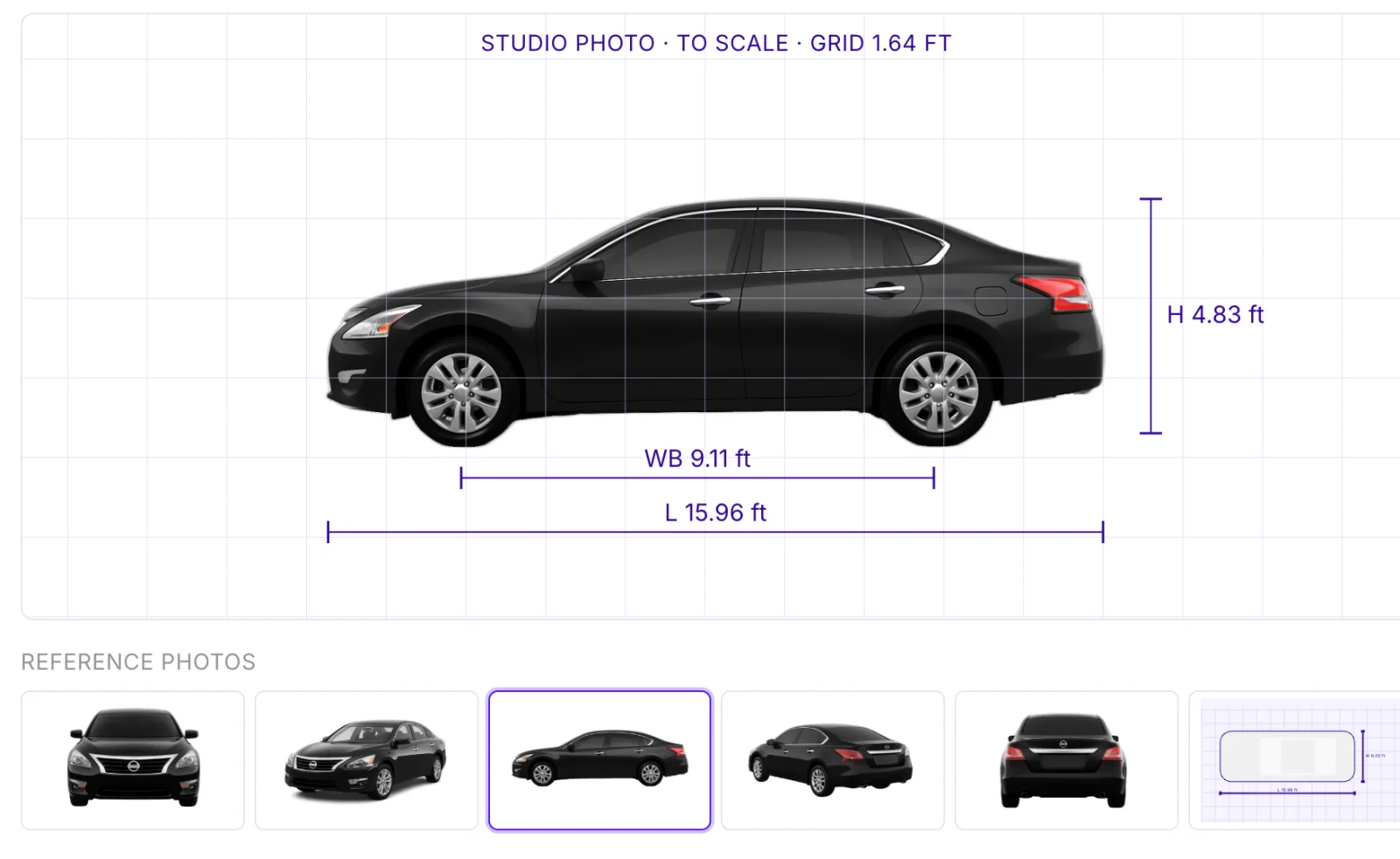
AI reads the license plates from your scene photos, identifies each vehicle's make, model and trim, and generates an undamaged 3D model of it. Check the match against reference photos and a dimensioned side profile before you measure.
Crush
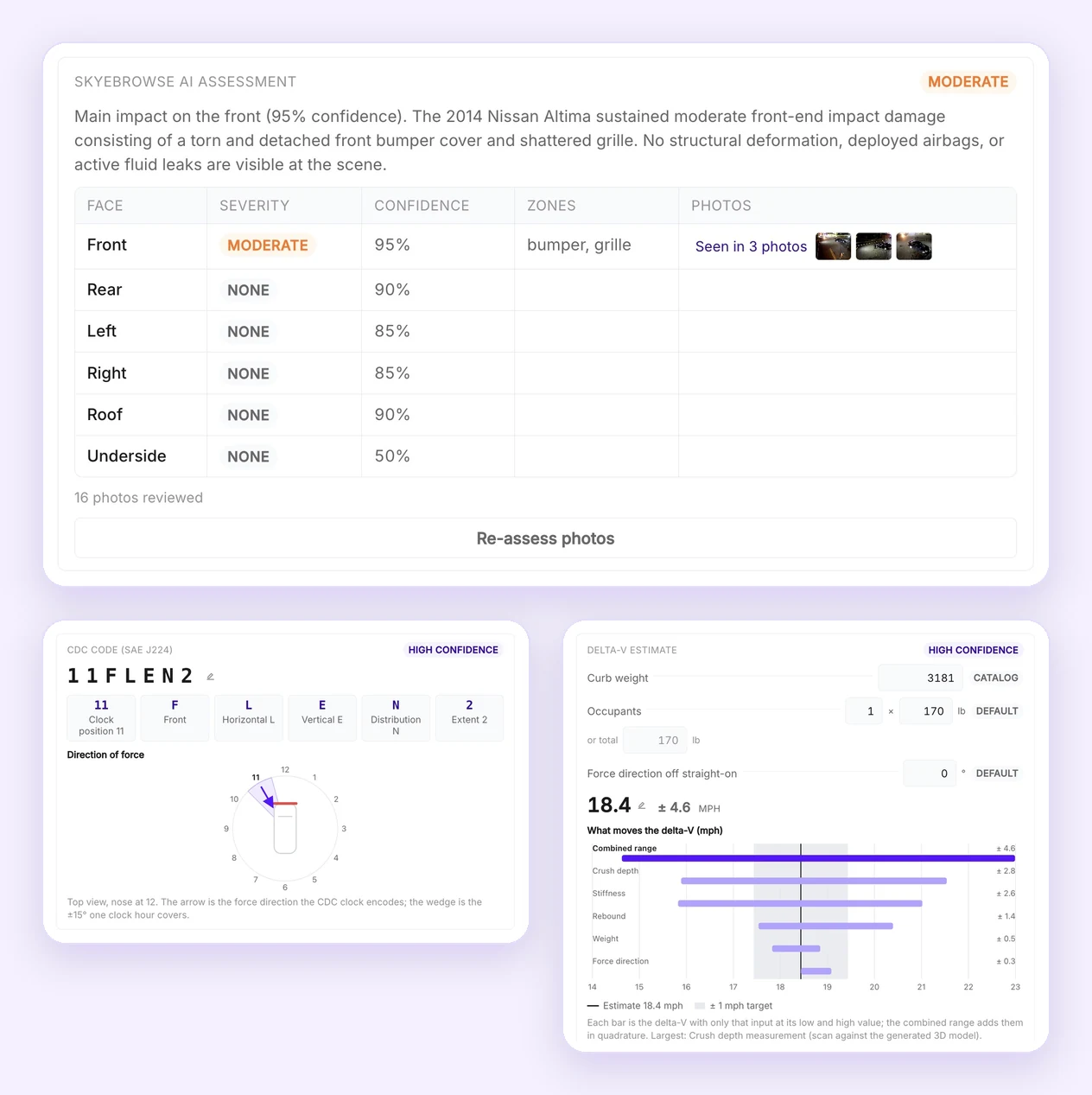
Measure station crush depths against the reference vehicle, classify damage with CDC, run structural checks and derive delta-V with its assumptions and uncertainty. An AI assessment of the scene photos rates damage on every face of the vehicle.
Claims
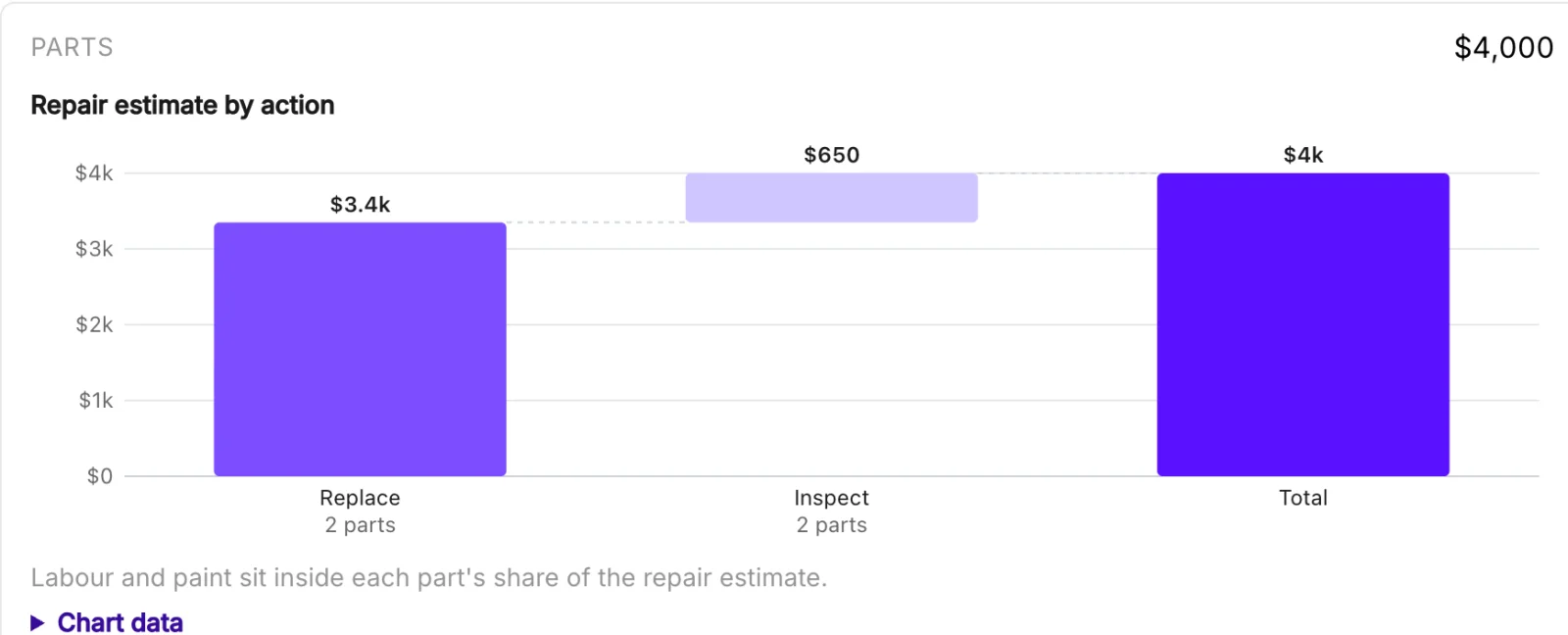
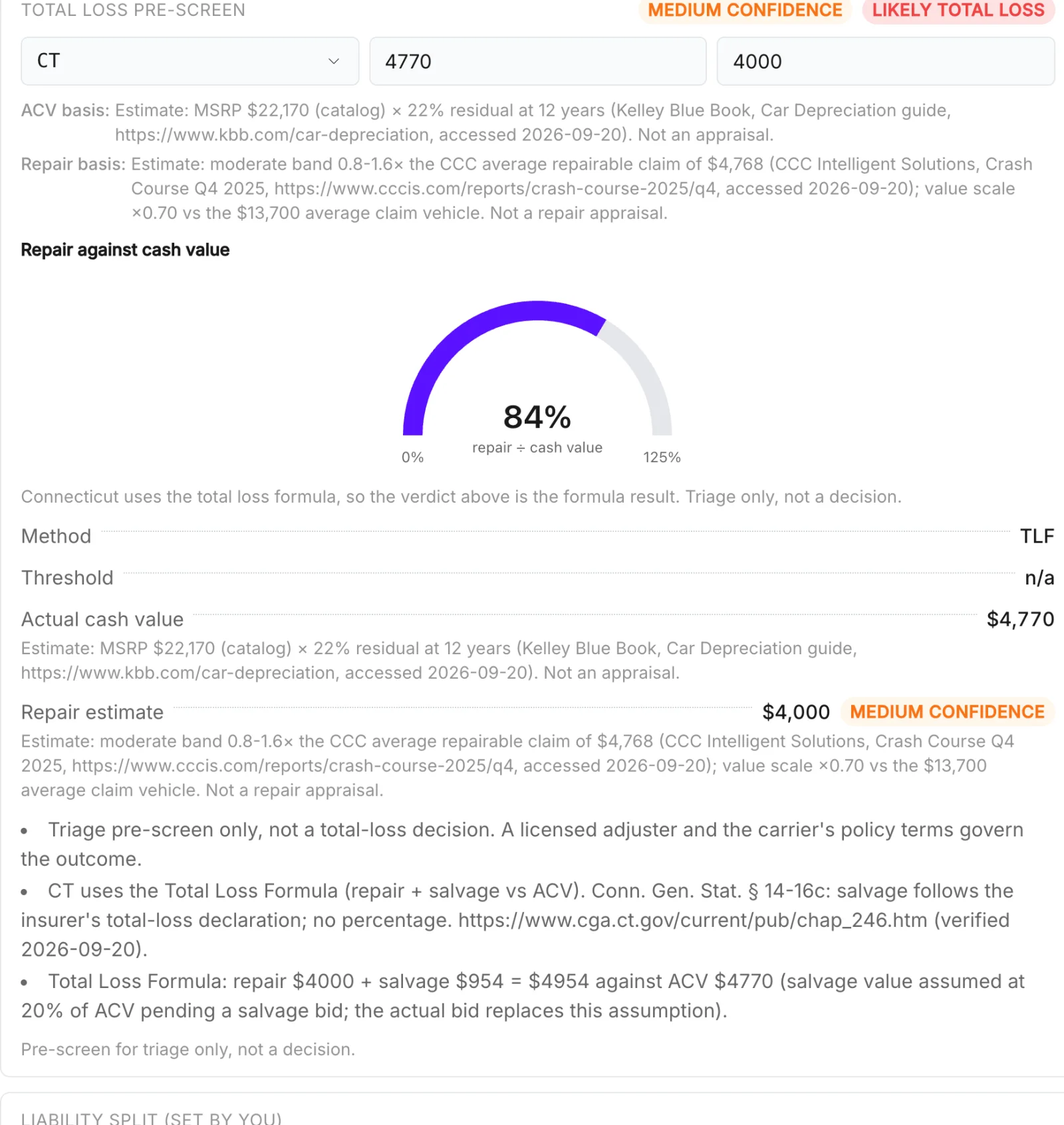
Get replace, repair or inspect findings per part, repair-cost estimates and a total-loss prescreen.
Impact
Place the point of impact, rest positions and mapped evidence in a 2D scene with editable paths that drive the 2D and 3D replay. AI can propose approach-path hypotheses for you to review.
Court presentation
Factual diagrams from the scan
Every item on the diagram is measured from the SkyeBrowse 3D scan, and every fact shows where it came from.
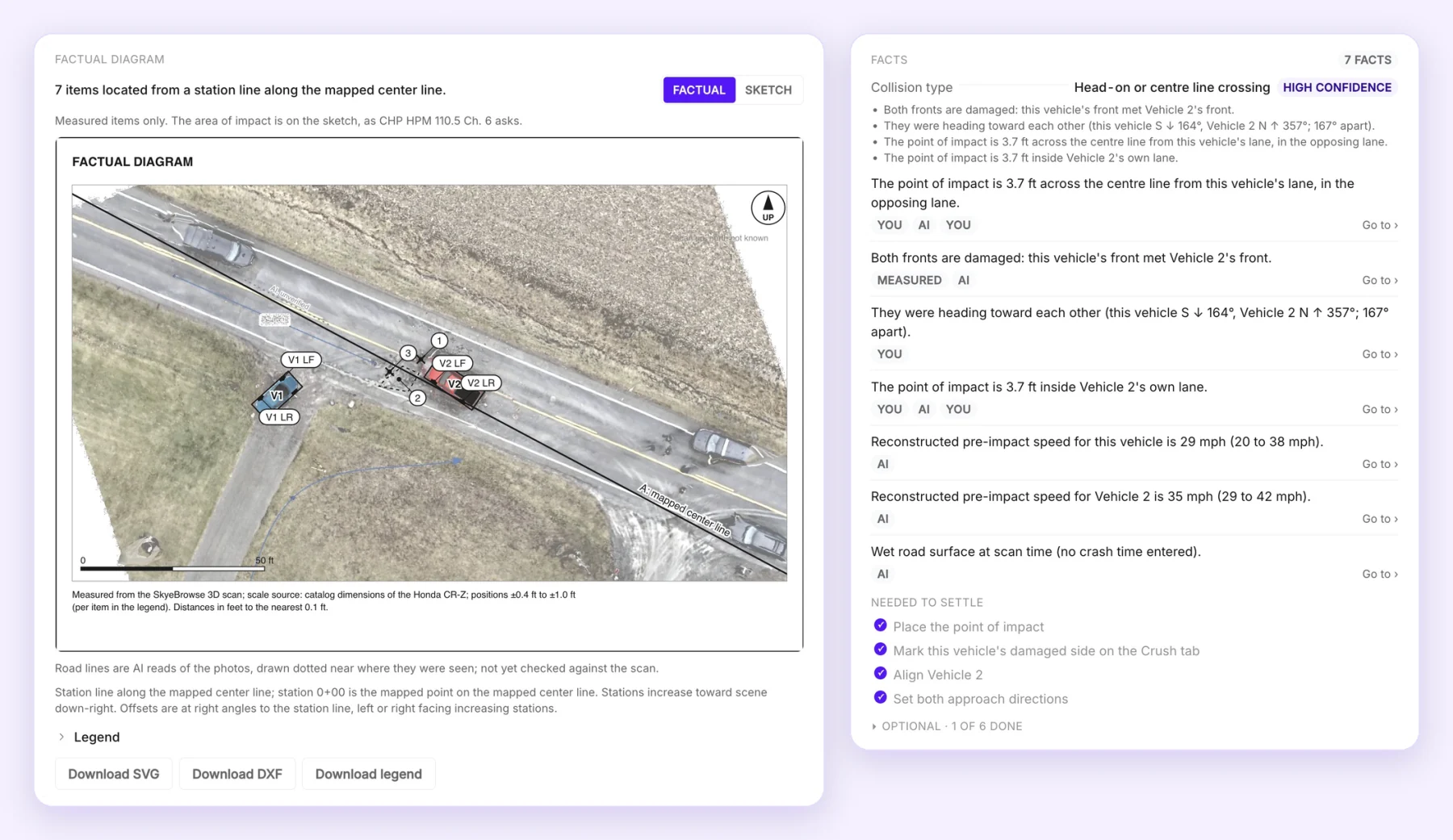
Measured from a station line
Items are located from a station line along the mapped center line, with distances in feet to the nearest 0.1 ft and the position uncertainty for each.
Facts you can trace
Collision type, point of impact, headings and speeds are each tagged as entered by you, measured or AI, with a link to the evidence.
Factual or sketch, ready to export
Switch between the measured factual diagram and the sketch, then download the diagram as SVG or DXF along with its legend.
How it works
From scan to report
Capture the scene, open the 3D model in the viewer and run Crush & Claims Analysis from the Measure tab. Autopilot guides you through identification, generation, alignment and analysis.
- 01
Identify the vehicle
AI reads the plate from your photos, or search by year, make, model and trim or VIN.
- 02
Generate a reference
SkyeBrowse generates a reference 3D vehicle for the identified vehicle.
- 03
Align it to the scan
Automatic and guided manual alignment place the reference on the damaged vehicle in your model.
- 04
Measure and report
Run the Crush, Claims and Impact workflows, then export a report from the viewer in imperial units.
Scan measurements, catalog specifications, entered values, AI assessments and derived estimates come from different sources. Generated vehicle geometry and calculated speeds require review.
- Free on every plan through October 31, 2026.
- From November 1, 2026, included with Public Safety & Enterprise.
- License plate lookup is $1 per plate. Repeat lookups on the same plate are free, and lookups are free on Public Safety & Enterprise.
Put your next crash scan to work
Crush & Claims Analysis is free on every plan through October 31, 2026.


