Hi SkyeBrowsers,
If you fly the same site every month, the whole story of that job is already sitting in your SkyeBrowse models, one flight at a time. This release puts that story in one place: Timelines, five construction tools including a GCP accuracy check, and Camera coverage planning.
Every Flight Of Your Site, On One Timeline
Fly a site every month and you end up with a stack of separate models. Comparing them meant two tabs, a lot of squinting, and hoping the scans lined up.
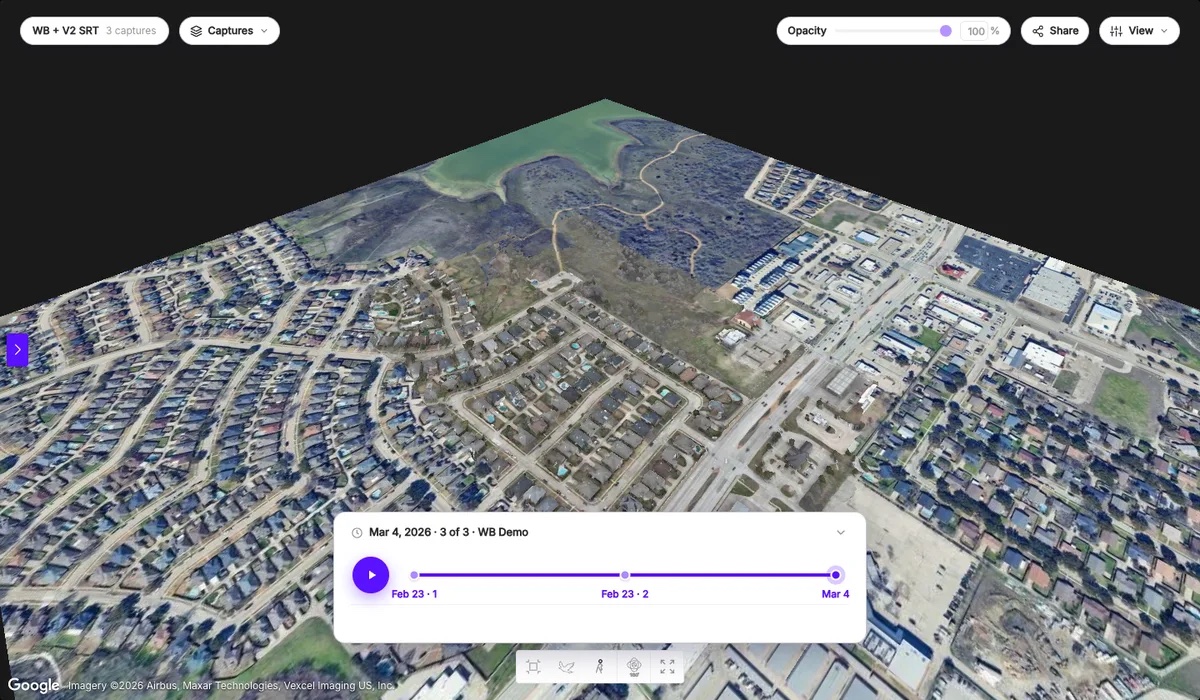
Timelines puts up to 10 surveys of a site on one timeline. Scrub the slider through the dates and an opacity blend crossfades one survey into the next.
- Auto-align: each survey lines up to your base survey as you add it. If a scan needs help, pick 3 matching points and SkyeBrowse solves the fit.
- Satellite context: georeferenced sites sit on real Google satellite imagery, registered to the roads and buildings around them.
- See what changed: the Changes toggle colors what appeared, disappeared, or moved between two dates, and Play steps through every date.
- Built to share: reorder surveys, switch the base, rename, and send clients a read-only public link.
Start with a single survey today. The timeline grows every time you fly the site again.
See What Is Left To Cut And Fill
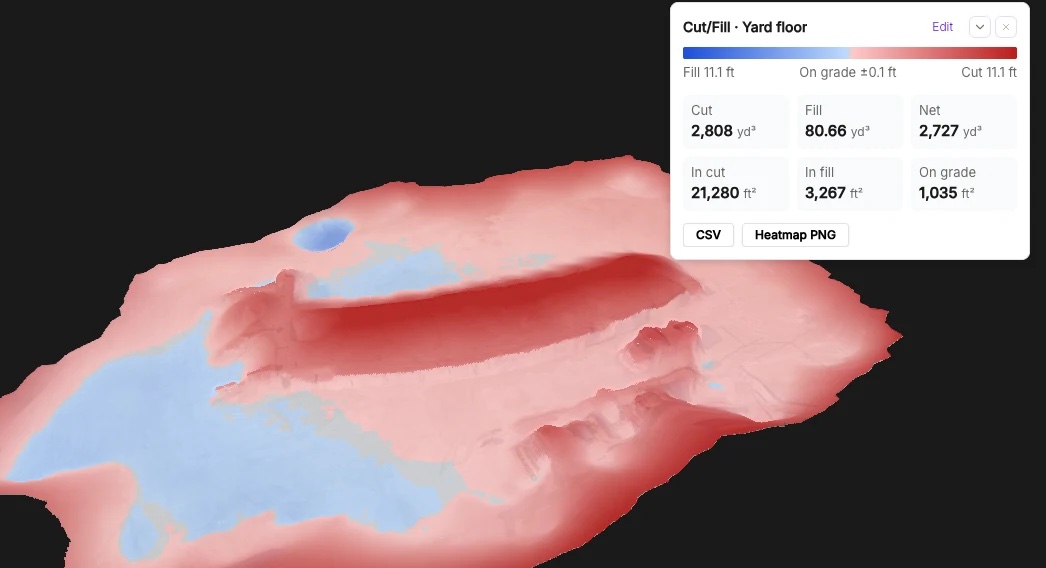
How much dirt is left to move? Answering that used to mean exporting the scan, loading the design into CAD, and running the comparison by hand.
Now you import the design surface as LandXML, DXF, or a GeoTIFF DEM, and SkyeBrowse drapes a cut/fill heatmap on the scan with the remaining cut and fill volumes. Horizontal and elevation units are handled separately, and SkyeBrowse warns you when a design file declares no units. I think the person who flew the site should be able to answer the dirt question before lunch, and now they can.
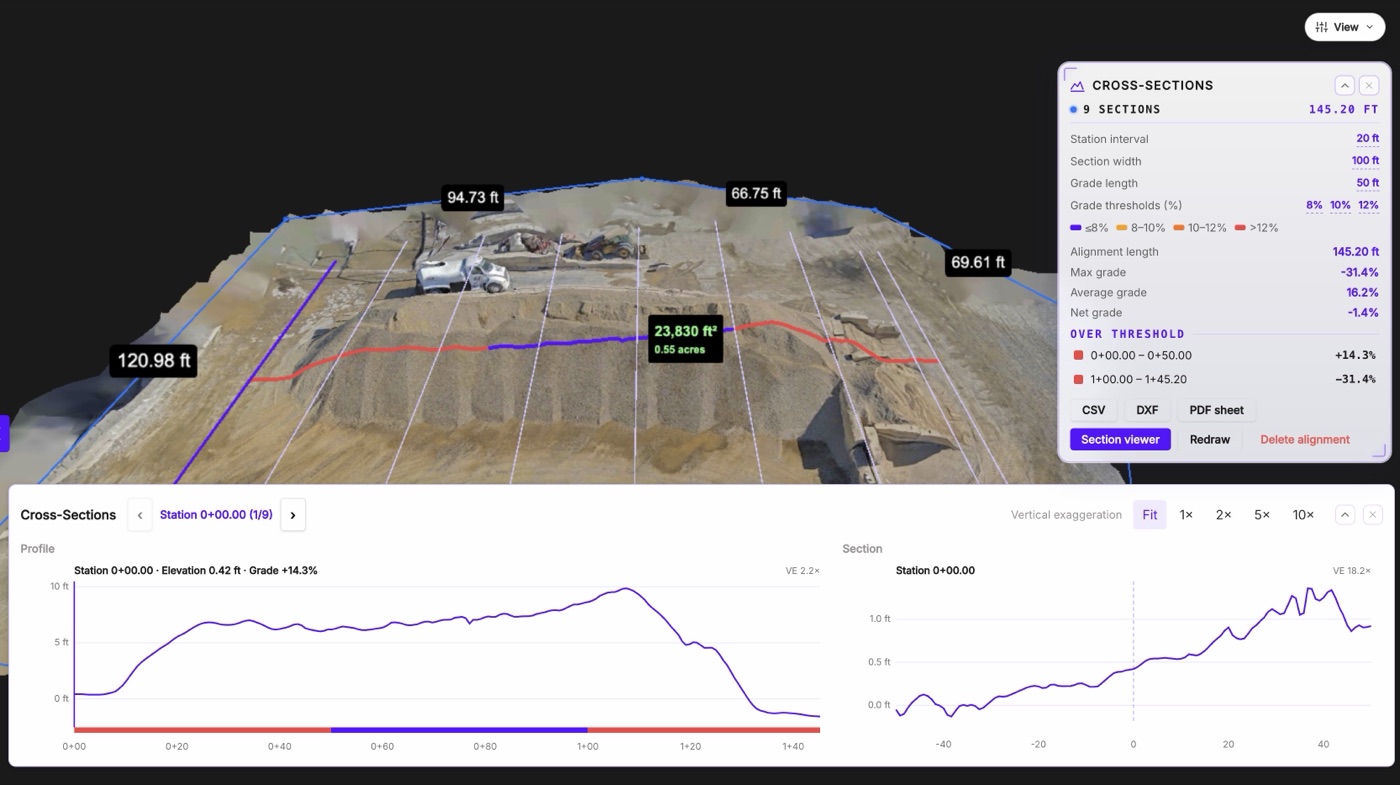
Sections and haul grades from one line. Draw a line across the site and SkyeBrowse cuts station and offset sections at the interval you set, plus a haul-road grade report. Export straight to CSV, DXF, or PDF.
Your Whole Yard In One Report
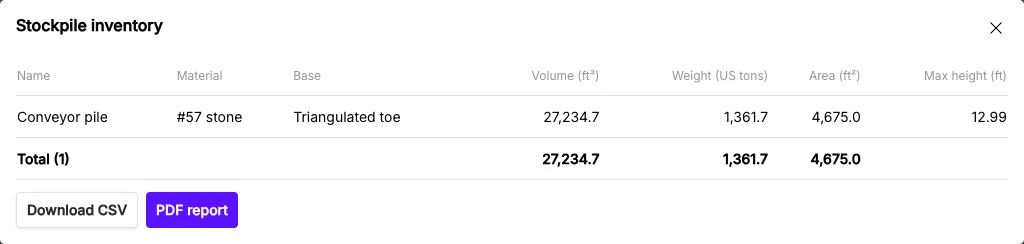
Measuring a yard pile by pile, then converting volume to tons in a spreadsheet, eats a morning.
Stockpile inventory detects each pile's toe automatically, with triangulated, best-fit, average, lowest, and custom base options. Give each pile a name, material, and density, and SkyeBrowse converts volume to weight. The inventory report exports as CSV or PDF, and inside a Timeline it shows the change since your previous survey. Basic Volume stays on every paid plan.
Contours that follow the ground. Contours from a raw scan follow trees, trucks, and buildings. Bare earth classifies the ground points so your contours track the real ground. Switch the Topographic Map between surface (DSM) and bare earth (DTM), and export the DTM as a GeoTIFF or a classified LAS.
Prove accuracy with your own ground control. SkyeBrowse reaches survey-grade accuracy without ground control points, and the new GCPs tool lets you prove it to a client or a spec. Import ground control or checkpoints from a CSV, TXT, or XYZ file, set the coordinate system (any EPSG code, US survey feet included) and whether your heights are ellipsoidal or orthometric, then mark each point on the model. You get RMSE in X, Y, and Z, bias, NSSDA 95% accuracy, and a pass/fail result against your tolerance, exported as a PDF accuracy report and a CSV. The check leaves your model exactly as processed.
Plan Security Cameras Before Anyone Climbs A Ladder
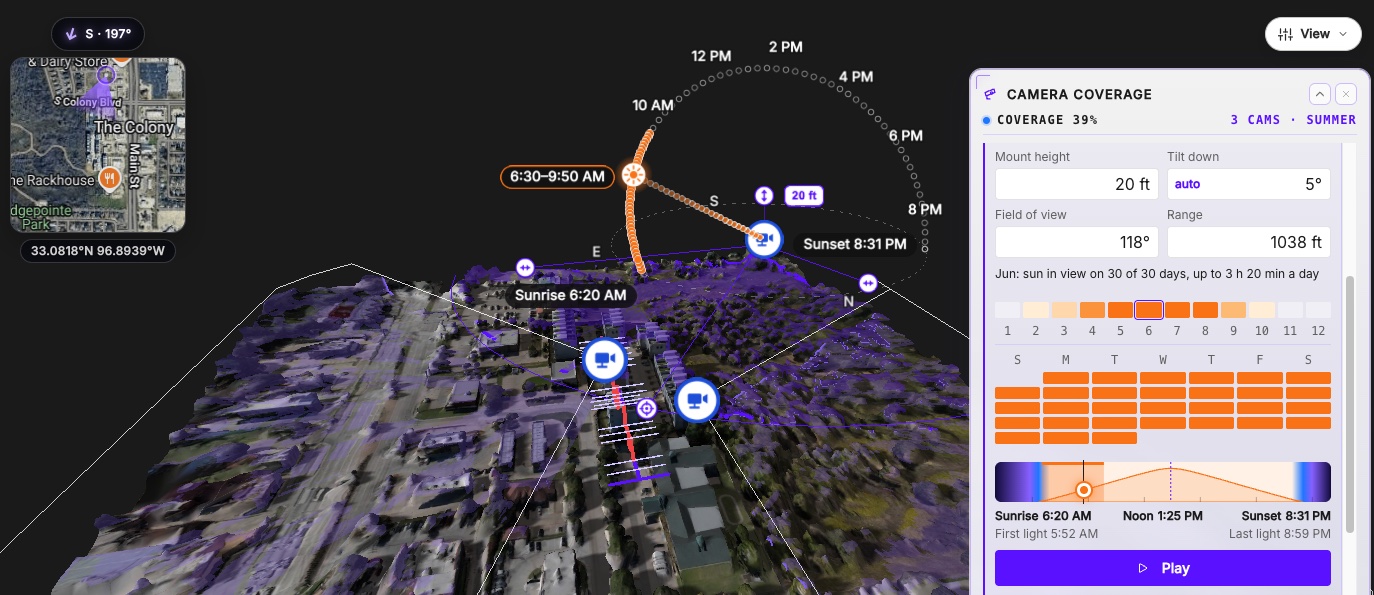
Picking camera spots for an event, a perimeter, or a jobsite usually means walking the site and guessing. Camera coverage lets you place cameras on the 3D model first: click where a camera mounts, click where it points, then set its mount height, field of view, range, and tilt.
SkyeBrowse shades what the cameras see and shows the share of the site, or of an area you draw, that at least one camera covers. Hit Suggest and it recommends up to 10 camera positions, or adds one camera at the best remaining spot.
Weather conditions shows how much snow and plow piles block each view, and sun glare checks every camera against a year of sun positions, so you know which months and hours it will stare into the sun.
Who Gets What
Timelines, Camera coverage, and the construction tools run on Pro models and Public Safety & Enterprise models. Your $5 first Commercial model includes Camera coverage and every construction tool except Timelines.
Reply with the first site you would put on a timeline and how often you fly it, and I will tell you how I would set it up. I read every response.
We ship updates every week. More soon.