# Newsletter: Here's What Your Next Flight Can Produce Now
> Hi SkyeBrowsers, Three releases this week: Crowd Counter as a free Labs tool, a comprehensive tutorial covering every tool in the SkyeBrowse 3D Model Viewe
Source: https://www.skyebrowse.com/news/posts/viewer-tutorial-crowd-counter-wall-cad
Published: 2026-07-14
Hi SkyeBrowsers,
Three releases this week: Crowd Counter as a free Labs tool, a comprehensive tutorial covering every tool in the SkyeBrowse 3D Model Viewer, and Wall CAD, which turns a selected wall into a measured, annotated CAD drawing. A 3D model should be the starting point for your deliverable, and these make the path from model to output faster.
**Everything below is free to use until July 31.**
---
## Estimate crowds from a single image
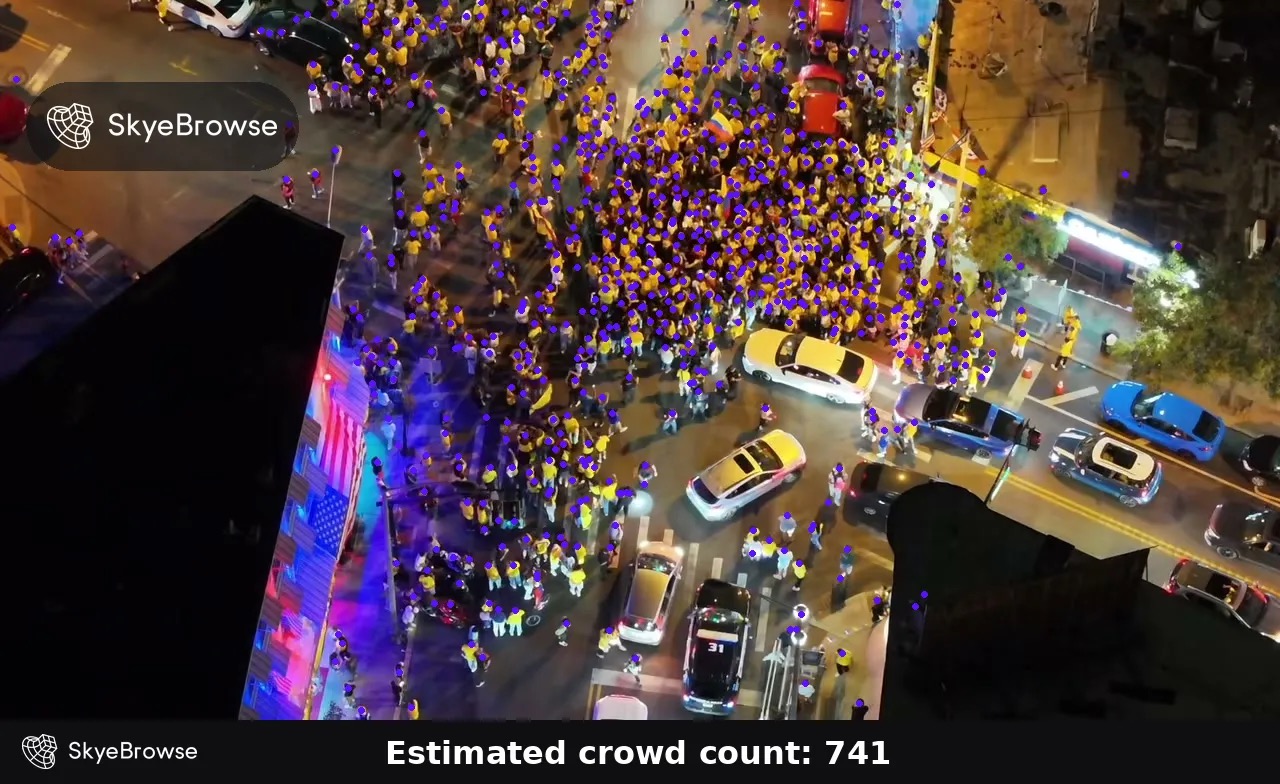
The answer is 741, and it took one click. If you need a fast read on a busy scene, counting people by hand from an aerial image is a poor use of time. Crowd Counter lets you upload a single still image and returns an estimated count with a dot over each detected person. Use the threshold control to tune dense scenes, then audit the overlay before you act. It is free for anyone with a SkyeBrowse account and is useful for event safety, drone operations, and situational awareness.
---
## Get every viewer tool in one tutorial
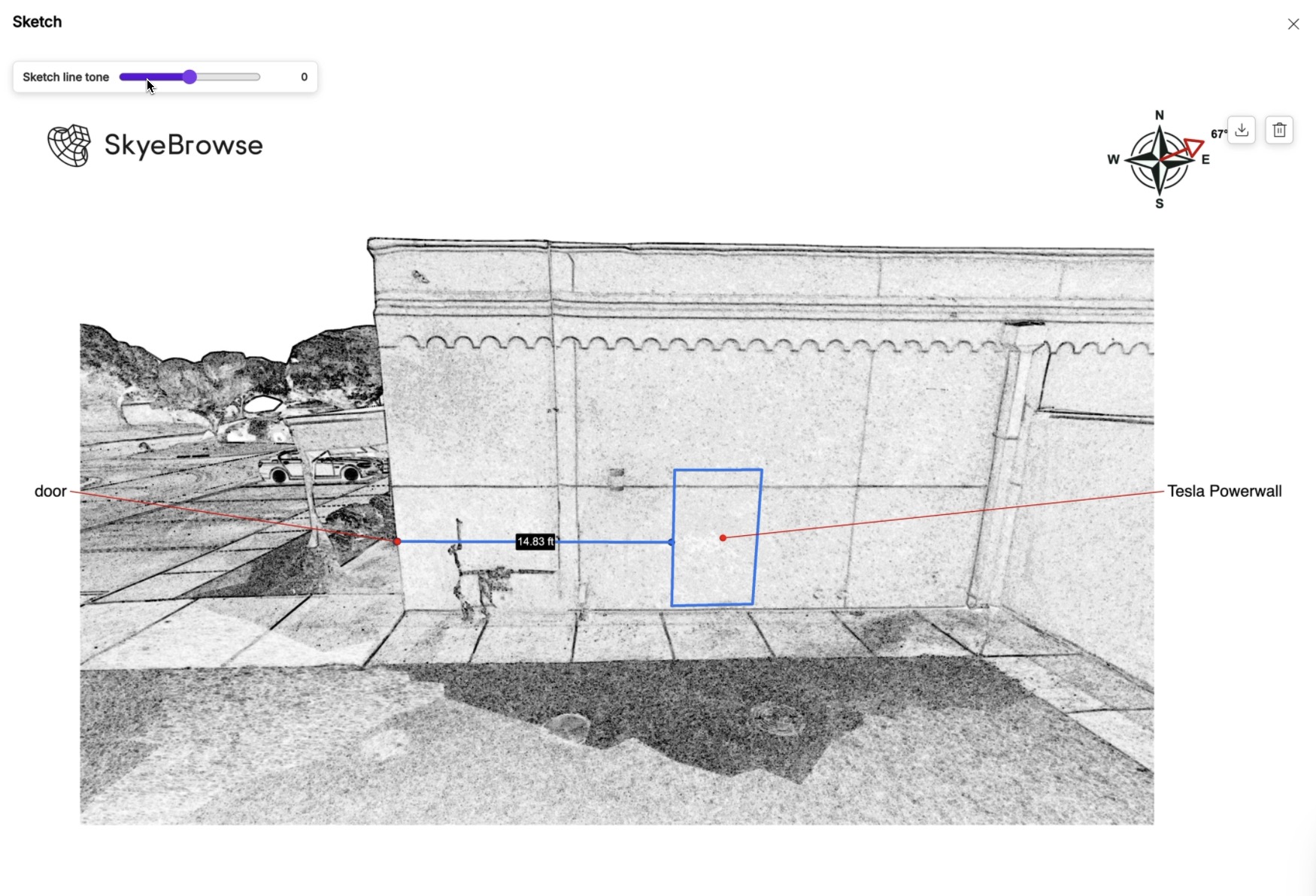
If you know how to make a model but still pause when it is time to analyze or export it, our new 13-minute read is built for you. It walks through navigation, volume and slope measurements, line of sight, AI floor plans, CAD site plans, flythrough videos, sharing, and more. There is also a simple shortcut: press Cmd+K on Mac or Ctrl+K on Windows to search for any tool. Read it once, then keep it bookmarked for the next model.
---
## Turn a selected wall into a CAD drawing
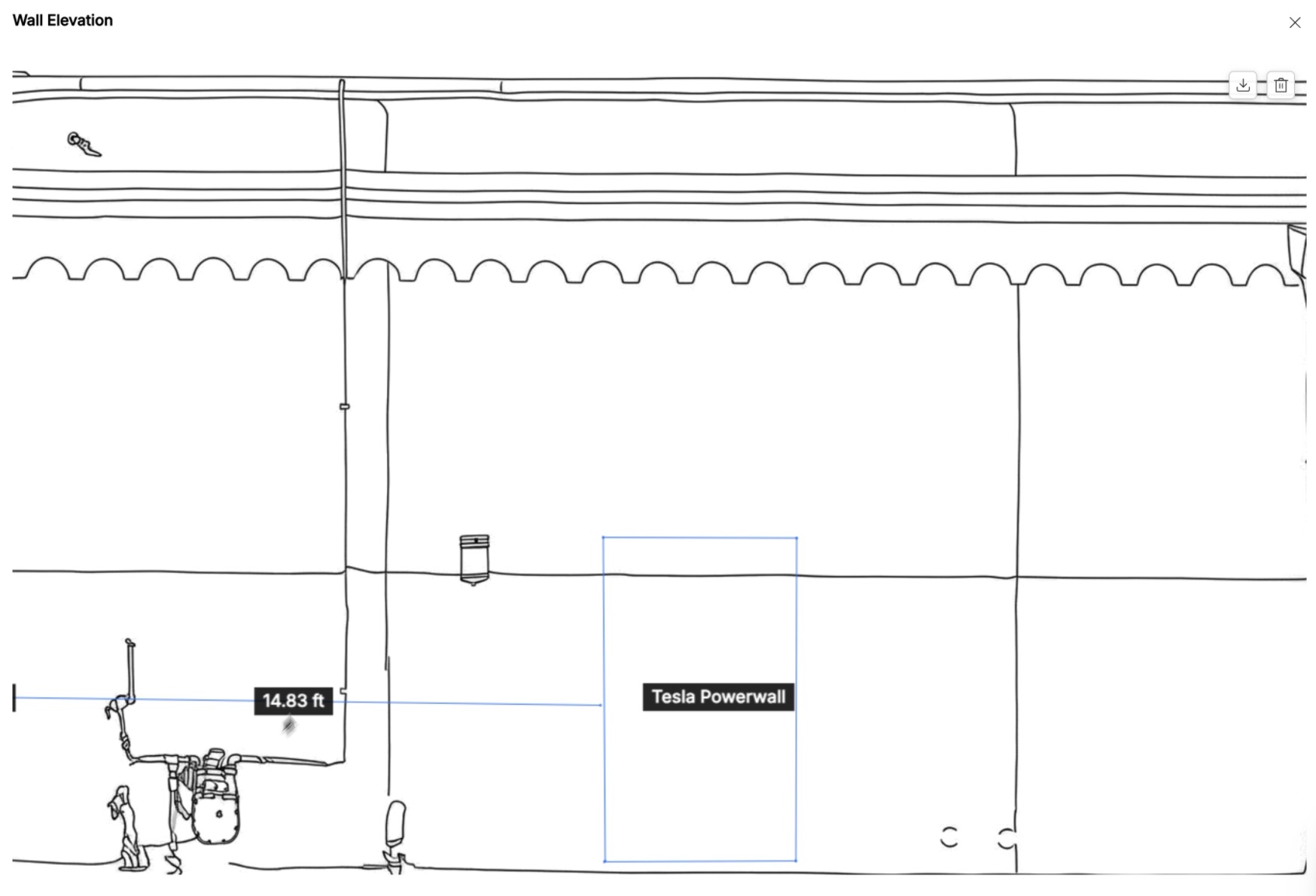
When a site plan stops at the front face of a building, the details you need often live on the wall itself. Wall CAD adds an AI Wall Elevation workflow to the viewer. Choose a wall, trace the face, and SkyeBrowse generates a flat 2D wall drawing with the measurements and annotations you placed on the model. Export the result as a CAD DXF file that your team can open in downstream CAD software. This is useful for documenting equipment, openings, facade conditions, and other wall-mounted details without redrawing the scene by hand.
---
## Two weeks left to try every tool for free
These releases reflect how we think about 3D mapping: capture fast, inspect clearly, and leave with an output that fits your next step. The viewer should help you move from drone or phone video to a useful measurement, sketch, crowd estimate, or CAD file without a specialist sitting beside you.
You have two weeks left to use all of the gated viewer tools for free. The promotion ends July 31, 2026. Log in, open a model, and try the tools you have been waiting to use. If you have questions or want to tell us which tool you tried first, reach out.