# How to Make a 360 Virtual Tour: A Step-by-Step Guide
> How to make a 360 virtual tour: pick a 360 camera like the Insta360 X5, walk the space once, upload the video, and share a 3D tour link. Free to start.
Source: https://www.skyebrowse.com/news/posts/how-to-make-a-360-virtual-tour
Published: 2026-06-03
Learning how to make a 360 virtual tour, or how to create one for a client, now takes a 360 camera, one slow walk through the space, and a browser. You record a single continuous video, upload it to SkyeBrowse, and share a navigable 3D model with clickable 360 views along your path. This guide covers the camera choice, capture technique, upload settings for Insta360 and DJI Avata 360 files, sharing, costs, and how the video method compares with traditional 360 photo tour software.
## Key Takeaways
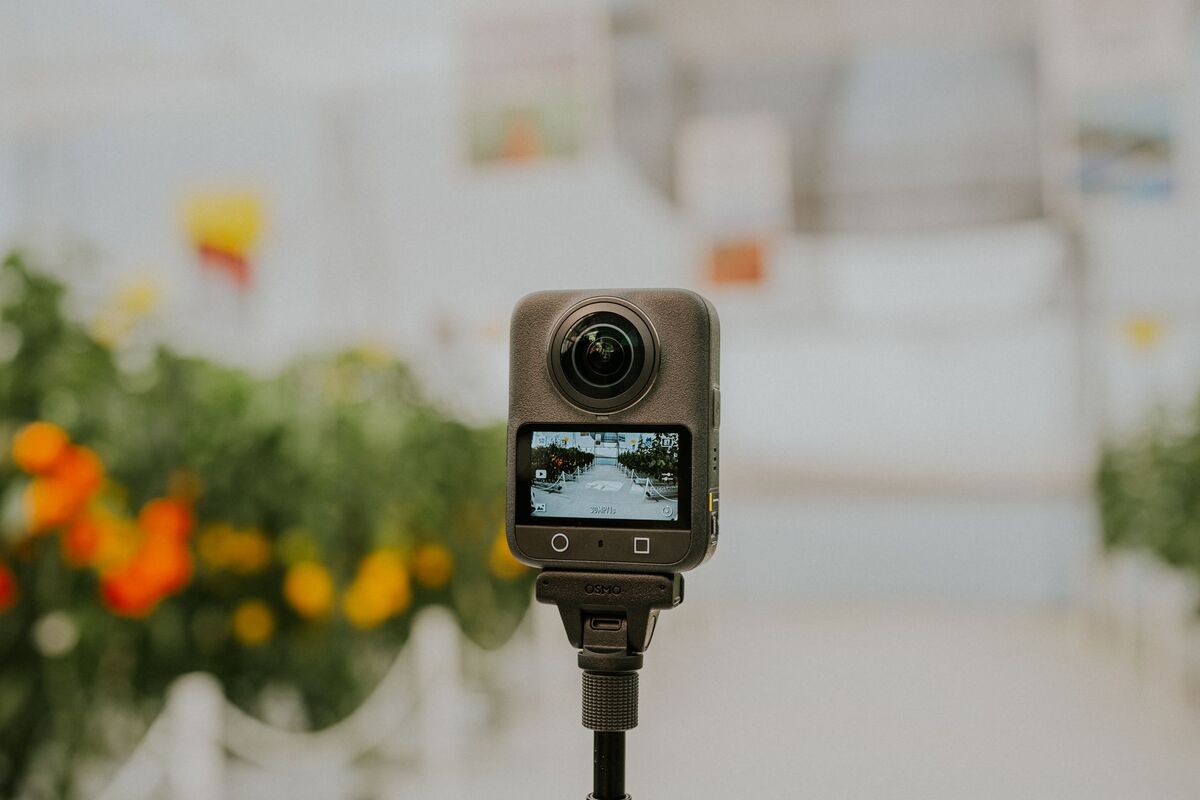
- A consumer 360 camera such as the Insta360 X5, Ricoh Theta, or GoPro Max is enough. The DJI Avata 360 adds aerial and fly-through coverage.
- Record in 4K where you can. 1080p also works and processes faster, with a lower-resolution model.
- SkyeBrowse accepts Insta360 .INSV and .OSV files directly, plus MP4 and MOV, so there's no conversion step.
- Image Walkthroughs are generated automatically from your video, so viewers can click into 360 frames inside the 3D model with no manual hotspot placement.
- You can try the full workflow free, and paid models start at $24.99.
## Contents
- [How do you make a 360 virtual tour?](#how-do-you-make-a-360-virtual-tour)
- [What camera do you need for a 360 tour?](#what-camera-do-you-need-for-a-360-tour)
- [How do you record a 360 tour video?](#how-do-you-record-a-360-tour-video)
- [How do you upload and process your 360 footage?](#how-do-you-upload-and-process-your-360-footage)
- [How do you share a 360 virtual tour?](#how-do-you-share-a-360-virtual-tour)
- [Which 360 virtual tour software should you use?](#which-360-virtual-tour-software-should-you-use)
- [FAQ](#faq)
## How do you make a 360 virtual tour?
To make a 360 virtual tour, record one continuous video of the space with a 360 camera, upload it to a platform that converts video into a navigable 3D model, and share the model link. Most homes and offices take under an hour from first recording to a shareable tour.
Here's the full workflow at a glance:
1. **Plan the route.** Walk the space once without recording and decide the order of rooms.
2. **Set up the camera.** Mount a 360 camera on a selfie stick or monopod and record in 4K if your camera supports it.
3. **Record one continuous walk.** Move slowly and smoothly through every room without stopping the recording.
4. **Upload.** Drop the native file into SkyeBrowse Universal Upload and turn on Interior Mapping for indoor spaces.
5. **Review.** Check the 3D model and the automatic Image Walkthroughs for coverage gaps.
6. **Share.** Send the public link to clients, buyers, or your team.
The older way to create a virtual tour used a tripod, one panorama per stop, and stitching software where you placed every hotspot by hand. Viewers could only jump between those fixed points. The video method uses videogrammetry, which reconstructs 3D geometry from the overlapping frames of a moving video, so you get a full 3D model plus the 360 views, from a single capture.
SkyeBrowse is a cloud videogrammetry platform used by over 1,200 agencies worldwide, mostly in public safety, construction, and insurance. It runs entirely in the browser at app.skyebrowse.com, so you don't need a GPU workstation or desktop software.
## What camera do you need for a 360 tour?
Any consumer 360 camera that records spherical video works for a virtual tour. The Insta360 X5, a Ricoh Theta, and a GoPro Max are common choices for interiors, and the DJI Avata 360 adds fly-through and exterior shots. A smartphone or regular drone also works, without the 360 views.
**360 cameras (best for interiors)**
- **Insta360 X5:** compact and easy to carry on a selfie stick while walking. SkyeBrowse reads its native .INSV and .OSV files, so you skip the export step entirely.
- **Ricoh Theta:** a slim body that's popular with real estate photographers.
- **GoPro Max:** rugged and familiar if you already shoot GoPro.
**360 drones (best for exteriors and fly-throughs)**
The DJI Avata 360 records 360 video from the air, which suits exteriors, large open interiors, and properties where you want a fly-through. Upload its OSV file directly, or export a 360 MP4 through DJI Studio first. Our [DJI Avata 360 mapping tutorial](https://www.skyebrowse.com/news/posts/tutorial-avata-360-mapping) walks through both routes.
**Standard drones, phones, and action cameras**
Any drone recording overlapping video can feed the same pipeline, and supported DJI drones can fly automated captures with the SkyeBrowse Flight App. Phones and action cameras work for small rooms. You'll get a 3D model either way, while the clickable 360 views come only from 360 footage. See [phone vs 360 camera for indoor capture](https://www.skyebrowse.com/news/posts/phone-vs-360-camera-indoor) for the trade-offs.
What matters most is continuous, overlapping movement. A single panorama shot from one spot has no parallax, so it can't produce depth. A moving video gives the software enough viewpoints to rebuild the room in 3D.

## How do you record a 360 tour video?
Hold the 360 camera at chest or head height and walk slowly and steadily through the space, about two to three feet per second. Cover every room and doorway in one continuous recording, and finish where you started so the path overlaps. For exteriors, fly slow orbits around the building.
**Interior capture checklist**
1. Turn on every light and open interior doors. Even lighting avoids dark patches.
2. Record in 4K if your camera offers it. 1080p works and processes faster, with a lower-resolution model.
3. Mount the camera on a selfie stick or monopod and hold it at about head height.
4. Start recording before you enter the first room.
5. Walk at a slow, even pace. Fast turns and sudden stops reduce overlap.
6. Pause briefly in doorways and corners, which are the transition zones where gaps usually appear.
7. Avoid lingering on mirrors, large windows, and blank walls, which give the software little to match.
8. Stop recording only after you've returned to your starting point.
**Exterior and aerial capture**
For a house, fly a slow orbit around the structure with the subject in frame, then add a second, higher orbit for the roof. With an Avata 360, a slow fly-through of the main rooms can be combined with an exterior orbit. For larger sites such as warehouses or campuses, fly overlapping passes at a steady altitude. On Public Safety & Enterprise, 3D Overlays combine an interior model and an exterior model in one scene.
For more capture detail, see the [SkyeBrowse interior mapping tutorial](https://www.skyebrowse.com/news/posts/tutorial-interior-mapping-1) and the [DJI Avata interior mapping tutorial](https://www.skyebrowse.com/news/posts/tutorial-interior-mapping-dji-avata).
## How do you upload and process your 360 footage?
Sign in at app.skyebrowse.com, open Universal Upload, and drop in your file. Insta360 .INSV and .OSV files upload as-is, DJI Avata 360 footage uploads as OSV or as a 360 MP4 from DJI Studio, and MP4 or MOV works for everything else. Turn on Interior Mapping for indoor spaces, submit, and the cloud returns a 3D model in minutes.
**Step-by-step upload walkthrough**
1. Go to [app.skyebrowse.com](https://app.skyebrowse.com) and sign in, or create a free account.
2. Start a new upload and choose Universal Upload.
3. Turn on Interior Mapping if you captured an indoor space. It optimizes processing for interiors.
4. Select your file: .INSV or .OSV from Insta360, OSV or a DJI Studio 360 MP4 from the Avata 360, or .MP4 or .MOV from any other camera.
5. Name the model with the property address or site name and the date.
6. Submit. Processing starts immediately in the cloud, and you can close the browser.
7. Open the finished model when you get the notification.
The upload flow includes a short capture-guidance walkthrough the first time you use it. If you're new to the upload screen, the [Universal Upload tutorial](https://www.skyebrowse.com/news/posts/tutorial-universal-upload) shows each option.
Once the model is ready, check two things before sharing. First, orbit the 3D model and look for holes in corners or doorways. Second, open the Image Walkthroughs: SkyeBrowse generates image icons along your capture path automatically, and with 360 video, clicking one lets you look in every direction from that spot. The 360 Image Viewer lets you rotate around the uploaded 360 imagery in detail.
## How do you share a 360 virtual tour?
Every SkyeBrowse model has a public share link. Anyone with the link can explore the 3D model and its 360 Image Walkthroughs in a browser, with no app or account needed. Links unfurl with the model's name and thumbnail when pasted into messaging apps and social platforms.
**Sharing and delivery options**
- **Public link:** paste it into an email, a listing description, or a project portal. Viewers can orbit the model and click into the 360 frames along your path.
- **Walk Mode:** in the viewer, switch to a first-person walkthrough at eye level with WASD keys and an adjustable eye height.
- **Flythrough video:** record a shareable MP4 of the model right in the viewer for social posts or listing videos. Pro and Public Safety & Enterprise models add camera-path styles like 360° Orbit and Top-Down Sweep.
- **Floor plans:** AI Floor Plans generate a floor plan of an interior model in under 10 seconds on Pro and Public Safety & Enterprise models.
- **Exports:** Pro and Public Safety & Enterprise models export GLB, OBJ, USDZ, and LAZ for VR, CAD, or GIS work.
- **Website embed:** developers can publish a share link with an embeddable viewer URL through the SkyeBrowse Public API.
For real estate, a 3D tour shows how rooms connect and lets you measure them, which a static panorama set can't do. See the [real estate marketing overview](https://www.skyebrowse.com/news/posts/real-estate-marketing) and the [3D walkthrough guide](https://www.skyebrowse.com/news/posts/3d-walkthrough) for listing workflows.
## Which 360 virtual tour software should you use?
Use 360 photo tour software if you want classic panorama-to-panorama tours with hotspots placed by hand. Use video-to-3D software like SkyeBrowse if you want a measurable 3D model and automatic 360 views from a single walkthrough video. Many teams pick based on how much time they can spend on capture and editing.
The software options fall into two groups:
| Approach | Examples | Capture | Output |
|---|---|---|---|
| 360 photo tour builders | Kuula, CloudPano, 3DVista, Lapentor | Tripod panoramas at each stop | Linked 360 photos with manual hotspots |
| Proprietary 3D scanning | Matterport | Scans at each stop with a supported camera | 3D tour with dollhouse view |
| Video-to-3D (videogrammetry) | SkyeBrowse | One continuous 360, drone, or phone video | Navigable 3D model, automatic 360 Image Walkthroughs, measurements |
Photo tour builders are a good fit for hospitality and marketing tours where the look of each panorama matters most. If you need measurements, floor plans, exterior and interior in one scene, or fast turnaround from a single walk, the video approach saves the most time. Our [Kuula vs CloudPano comparison](https://www.skyebrowse.com/news/posts/kuula-vs-cloudpano) and [SkyeBrowse vs Matterport breakdown](https://www.skyebrowse.com/compare/matterport) cover those tools in depth, and [drone 360 tours](https://www.skyebrowse.com/news/posts/drone-360-tours) covers aerial options.
## FAQ
**Do I need a special camera to make a 360 virtual tour?**
No. Any consumer 360 camera that records spherical video works, including the Insta360 X5, a Ricoh Theta, or a GoPro Max, and the DJI Avata 360 covers aerial and fly-through shots. SkyeBrowse also builds tours from regular drone, phone, and action camera video.
**How long does it take to create a 360 virtual tour?**
The capture walk for a typical home or office takes 5 to 15 minutes. After upload, SkyeBrowse processes the video into a navigable 3D model in minutes, so you can share a live tour link the same day you record.
**How much does it cost to make a 360 virtual tour?**
With SkyeBrowse you can start free: Freemium includes unlimited uploads at basic resolution with 30-day storage. Paid models start at $24.99 for a Commercial model with 8K processing, and $49.99 for a Pro model with 1-year storage, exports, and AI Floor Plans. A consumer 360 camera is the main hardware cost.
**What is the difference between a 360 photo tour and a video-based 3D tour?**
A 360 photo tour links still panoramas shot from a tripod, so viewers jump between fixed points. A video-based 3D tour reconstructs the whole space from one continuous walkthrough video, so viewers can orbit and walk through it, you can measure it, and the 360 frames along the path still open on click.
**Can I upload Insta360 files without converting them?**
Yes. SkyeBrowse Universal Upload accepts Insta360 footage in its native .INSV or .OSV format, so there is no export to MP4 first. DJI Avata 360 footage uploads as an OSV file or as a 360 MP4 exported through DJI Studio.
**Can I create a 360 virtual tour of an exterior or large property?**
Yes. Fly a drone in slow orbits or overlapping passes around the property, or use an Avata 360 for a fly-through. SkyeBrowse processes the video the same way as interior footage, with no ground control points or RTK equipment needed.
**Upload your first video free.** Create a free SkyeBrowse account, upload a 360 or drone video, and get a 3D model processed in the cloud. Freemium organizations that have never had a paid plan can get their first full Commercial model for $5 (normally $24.99), with every Pro tool, every export, and 90-day storage.