# DJI Avata 2 Mapping: Can the FPV Drone Make 3D Models?
> DJI Avata 2 mapping guide: turn FPV video into a 3D model with SkyeBrowse Universal Upload. Verified camera specs, GSD by altitude and capture settings.
Source: https://www.skyebrowse.com/news/posts/dji-avata-2-mapping
Published: 2026-11-15
DJI Avata 2 mapping works through video: fly the drone manually with the goggles, upload the clip to SkyeBrowse, and the cloud returns a measurable 3D model. That method is videogrammetry, building a 3D model from the frames of a continuous video. This guide covers the app, georeferencing, camera specs, GSD by altitude and capture settings.
## Key Takeaways
- The Avata 2 can't run the SkyeBrowse Flight App, so you fly it by hand and upload the video through Universal Upload.
- DJI's specs list a 1/1.3-inch, 12 MP sensor with a 155° field of view and 4K video at up to 60 fps in 4:3 or 100 fps in 16:9.
- At 30 m, 4K video from the Avata 2 resolves about 2.25 cm per pixel at the center of the frame; at 10 m it's under 1 cm.
- Expect a model without GPS coordinates, scaled with the Scale Tool: DJI's manual documents no video subtitle file.
- Uploading is free, and eligible Freemium organizations can buy their first full Commercial model for $5.
## Contents
- [Can the DJI Avata 2 do drone mapping or make 3D models?](#can-the-dji-avata-2-do-drone-mapping-or-make-3d-models)
- [Which app do you fly the Avata 2 with for mapping?](#which-app-do-you-fly-the-avata-2-with-for-mapping)
- [Will an Avata 2 3D model be georeferenced?](#will-an-avata-2-3d-model-be-georeferenced)
- [Which Avata 2 camera specs matter for video-to-3D?](#which-avata-2-camera-specs-matter-for-video-to-3d)
- [What GSD can the DJI Avata 2 reach?](#what-gsd-can-the-dji-avata-2-reach)
- [What capture settings work for Avata 2 mapping?](#what-capture-settings-work-for-avata-2-mapping)
- [How does the Avata 2 compare with the Avata 360 and original Avata for mapping?](#how-does-the-avata-2-compare-with-the-avata-360-and-original-avata-for-mapping)
- [What does it cost to turn Avata 2 video into a 3D model?](#what-does-it-cost-to-turn-avata-2-video-into-a-3d-model)
- [FAQ](#faq)
## Can the DJI Avata 2 do drone mapping or make 3D models?
Yes. The Avata 2 records stabilized 4K video, and SkyeBrowse turns it into a 3D model, a point cloud and a top-down map. It can't fly automated mapping missions, so you pilot every pass yourself.
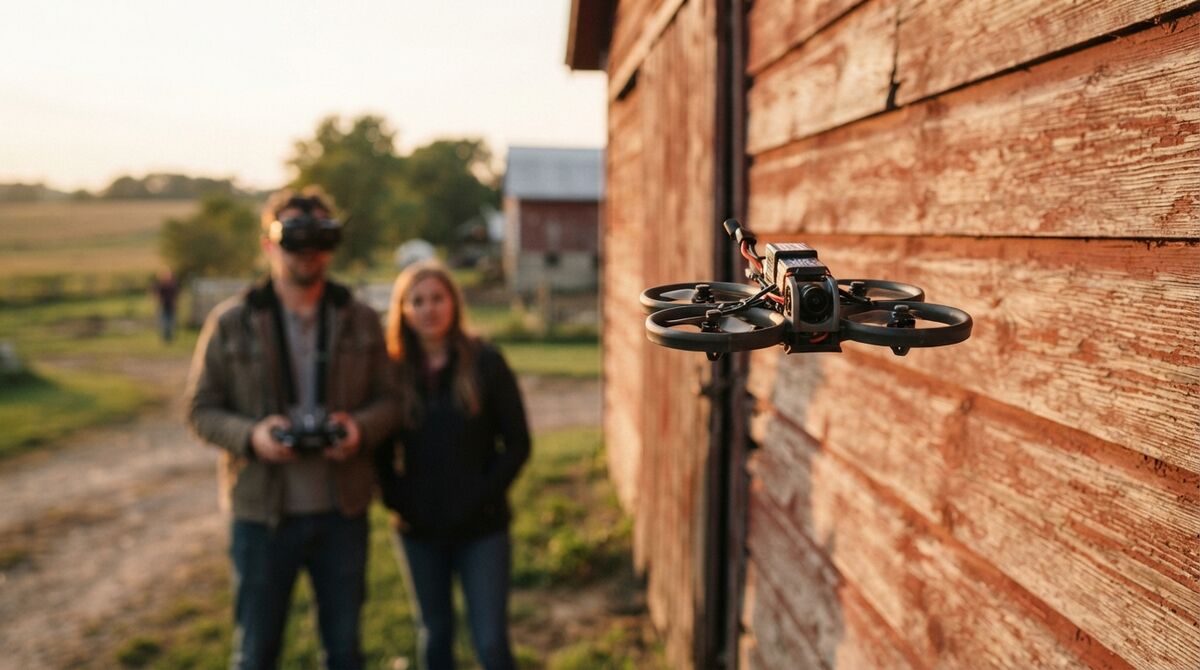
The Avata 2 is a cinewhoop, a compact FPV (first-person view) drone with ducted propeller guards, flown through goggles that stream the camera feed live. That design suits hallways, warehouses and tight gaps between buildings. DJI's [Avata 2 specifications](https://www.dji.com/avata-2/specs) list a weight of about 377 g and 23 minutes of rated flight.
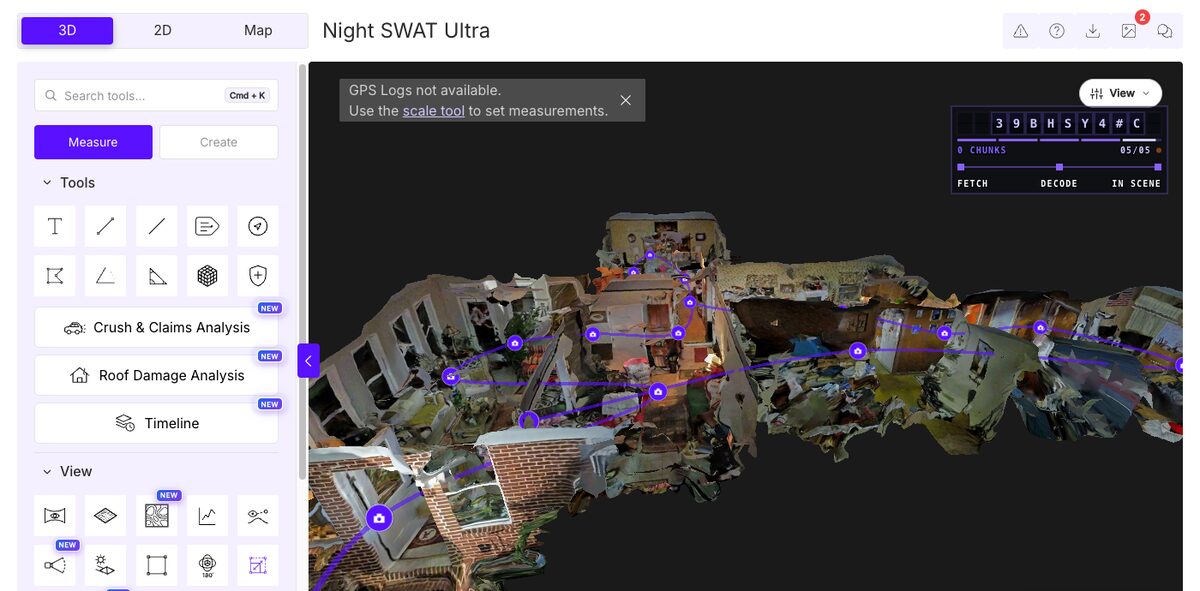
Every frame of a smooth pass becomes a viewpoint, and one upload gives you a 3D mesh, a point cloud and an orthomosaic, a top-down image corrected so distances read true.
## Which app do you fly the Avata 2 with for mapping?
You fly it with DJI Goggles 3 and the RC Motion 3 or FPV Remote Controller 3, plus the DJI Fly app on your phone. The SkyeBrowse Flight App doesn't support the Avata 2. You upload the video afterward at app.skyebrowse.com through Universal Upload.
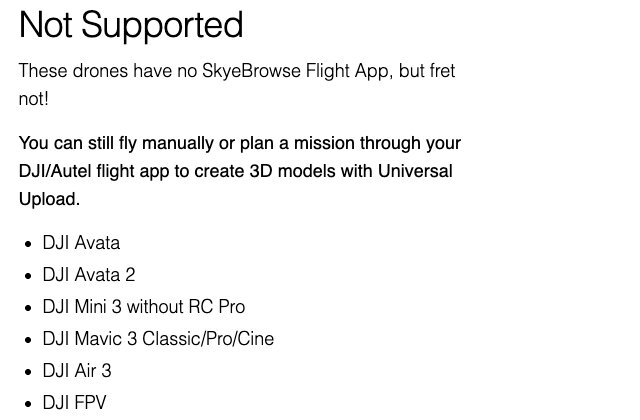
SkyeBrowse lists the DJI Avata 2 under Not Supported on its [supported drones page](https://www.skyebrowse.com/supported-drones), alongside the original Avata and the DJI FPV. Any drone's .MP4 or .MOV file goes through Universal Upload, so the Avata 2 still ends up as a full model.
The [DJI Avata 2 user manual](https://dl.djicdn.com/downloads/DJI_Avata_2/UM/20250108/DJI_Avata_2_User_Manual_v1.0_en.pdf) notes the goggles can save their own screen recording of the live view. Upload the aircraft's file instead, from its microSD card or 46 GB of internal storage. For drones that fly automated patterns, our [drone mapping app](/news/posts/drone-mapping-app) comparison covers the options.
## Will an Avata 2 3D model be georeferenced?
Plan for a model without GPS coordinates. SkyeBrowse georeferences a model only when a GPS file with readable coordinates comes with the video. DJI's Avata 2 manual documents no video subtitle file, so the model is still built and you set its scale with the Scale Tool.
Georeferencing ties a model to real-world coordinates. Universal Upload pairs .SRT, .ASS, .TXT or .CSV GPS files with videos by file name. DJI camera drones write a matching .SRT file when Video Subtitles is on. The Avata 2 manual instead describes flight data saved to an internal recorder, readable through DJI Assistant 2, with no subtitle option.
The Scale Tool fixes size: mark a known distance on the model, such as a doorway, enter its real length, then check a second distance with the Distance tool. Survey-grade absolute positions need ground control or RTK checked against the [ASPRS positional accuracy standards](https://publicdocuments.asprs.org/PositionalAccuracyStd-Ed2-V2).
## Which Avata 2 camera specs matter for video-to-3D?
Sensor size, resolution, field of view and stabilization matter most. The Avata 2 pairs a 1/1.3-inch, 12 MP sensor with a 155° field of view and an f/2.8 lens. It records 4K at up to 60 fps in 4:3 or 100 fps in 16:9, with RockSteady 3.0+ and HorizonSteady stabilization.
All figures come from DJI's [Avata 2 specifications](https://www.dji.com/avata-2/specs).
| Spec | DJI Avata 2 |
| --- | --- |
| Sensor | 1/1.3-inch, 12 MP |
| Lens | 155° FOV, 12 mm equivalent, f/2.8, focus 0.6 m to infinity |
| Video | 4K 3840 x 2880 at up to 60 fps (4:3); 3840 x 2160 at up to 100 fps (16:9) |
| Stabilization | Single-axis tilt gimbal plus RockSteady 3.0+ and HorizonSteady EIS |
| Gimbal tilt | -85° to 80° |
| Max bitrate | 130 Mbps, MP4 |
EIS (electronic image stabilization) steadies the frame in software. The tilt range lets the camera look nearly straight down, and DJI offers normal, wide-angle and ultra-wide-angle FOV modes, with 155° the widest.
## What GSD can the DJI Avata 2 reach?
Ground sample distance, or GSD, is the real-world width one image pixel covers. Recording 4K video, the Avata 2 resolves about 0.75 cm per pixel at 10 m, 2.25 cm at 30 m, 4.5 cm at 60 m and 9 cm at 120 m at the center of the frame. Toward the edges of the ultra-wide frame, coverage per pixel grows.
GSD equals sensor width times altitude, divided by focal length times image width in pixels. A 1/1.3-inch sensor is about 9.6 mm wide, and DJI's 12 mm equivalent lens works out to roughly 3.33 mm of actual focal length. At 30 m with 3,840-pixel 4K video: (9.6 x 3,000 cm) / (3.33 x 3,840) = 2.25 cm. Our [ground sample distance](/news/posts/ground-sample-distance) guide explains the method.
| Distance from subject | 4K video (3,840 px wide) | 1080p video (1,920 px wide) |
| --- | --- | --- |
| 10 m (33 ft) | 0.75 cm/pixel | 1.5 cm/pixel |
| 30 m (98 ft) | 2.25 cm/pixel | 4.5 cm/pixel |
| 60 m (197 ft) | 4.5 cm/pixel | 9.0 cm/pixel |
| 120 m (394 ft) | 9.0 cm/pixel | 18 cm/pixel |
Treat these as planning figures. The wide lens spreads a lot of scene across each pixel, so fly close: videogrammetry accuracy scales with capture distance. Commercial and Pro models process at 8K for 0.5 inch measurement accuracy, and the independent [AirBorne Works study](https://www.skyebrowse.com/whitepaper) found SkyeBrowse video models matched a laser scan more closely than photo-based tools: laser-scanner-level accuracy from video.
## What capture settings work for Avata 2 mapping?
For buildings and outdoor scenes, record 4K, keep exposure fixed and fly slow, smooth orbits at two or more heights. For interiors, SkyeBrowse's FPV technique is 1080p at 60 fps with EIS on and slow, steady movement. Switch the Interior Mapping toggle on for indoor uploads and off for exteriors.
**Exterior orbits and structures.** Orbit the subject instead of panning in place. Fly the first orbit high with the whole structure in frame and the camera about 45 degrees down, then a second lower and closer at a different angle; a repeated identical orbit adds nothing. Avoid long stretches of sky, glass and water, and keep well under Normal mode's 8 m/s.
**Interior flythroughs.** Slow movement and gentle turns give the cleanest indoor model. Our [Avata interior mapping tutorial](/news/posts/tutorial-interior-mapping-dji-avata) walks through the full room-by-room technique.
**Rules and file size.** Goggles block your view, and [14 CFR 107.31](https://www.ecfr.gov/current/title-14/chapter-I/subchapter-F/part-107/subpart-B/section-107.31) requires visual line of sight by the pilot or a visual observer, so fly FPV with a spotter. At the 130 Mbps maximum bitrate, a minute of video is close to 1 GB, which matters on the free plan's 2 GB per-video limit. Rapid Upload skips that limit by extracting frames in the browser.
## How does the Avata 2 compare with the Avata 360 and original Avata for mapping?
All three fly manually and reach SkyeBrowse through Universal Upload. The Avata 2 has the larger 1/1.3-inch sensor, the original Avata a 1/1.7-inch one. The Avata 360 records 360 video that uploads as a native .OSV file or a DJI Studio export.
Specs for the original Avata come from DJI's [Avata support page](https://www.dji.com/support/product/avata); the Avata 360 column reflects SkyeBrowse's upload workflow.
| | Original Avata | Avata 2 | Avata 360 |
| --- | --- | --- | --- |
| Camera | 1/1.7-inch, 12 MP, 155° FOV | 1/1.3-inch, 12 MP, 155° FOV | 360 camera |
| Video | 4K at up to 60 fps | 4K at up to 60 fps (4:3) or 100 fps (16:9) | 360 video |
| File to upload | MP4 | MP4 | Native .OSV, or 360 MP4 exported through DJI Studio |
| SkyeBrowse Flight App | Not supported | Not supported | Not supported |
For the 360 workflow, including DJI Studio export settings, use our [Avata 360 mapping tutorial](/news/posts/tutorial-avata-360-mapping). Other per-drone guides cover the [DJI Mini 5 Pro](/news/posts/dji-mini-5-pro-mapping) and [DJI Air 3S](/news/posts/dji-air-3s-mapping), and our [mapper drone](/news/posts/mapper-drone) roundup compares the wider field.
## What does it cost to turn Avata 2 video into a 3D model?
Uploading and building models on Freemium is free, at basic resolution with no exports. Eligible Freemium organizations can buy their first full Commercial model for $5, with every Pro tool and export and 90 days of storage. After that, Commercial models are $24.99 and Pro models $49.99.
The Scale Tool you'll need for an unreferenced Avata 2 model comes with paid models, including the $5 first model. Annual billing drops Commercial to $19.99 and Pro to $39.99. Agencies flying FPV indoors can use Public Safety & Enterprise ($199 per model per year) for 16K Ultra processing, CJIS compliance and chain of custody. Details sit on the [pricing page](https://www.skyebrowse.com/pricing); our [drone mapping software](https://www.skyebrowse.com/drone-mapping) page covers the full platform.
## FAQ
**Can the DJI Avata 2 make a 3D model?**
Yes. Fly it manually with the goggles, then upload the video to SkyeBrowse through Universal Upload at [app.skyebrowse.com](https://app.skyebrowse.com), which builds a measurable 3D model from the clip.
**Does the SkyeBrowse Flight App support the DJI Avata 2?**
No. The Avata 2 is on the Flight App's Not Supported list, so it can't fly automated orbits or WideBrowse grids; manual flight plus Universal Upload is the path.
**Is an Avata 2 3D model georeferenced?**
Plan on it being unreferenced. SkyeBrowse georeferences video only when a GPS file with readable coordinates comes with it, and DJI's Avata 2 manual documents no video subtitle file. Set scale with the Scale Tool.
**Which DJI drones work with the SkyeBrowse Flight App?**
Fully supported DJI aircraft include the Mini 4 Pro, Mini 3 Pro with the DJI RC Pro, Mavic 3 Enterprise and Thermal, and the Matrice 30, 300 and 4 series. The current list is on the [supported drones page](https://www.skyebrowse.com/supported-drones).